49
Setting the Program data
Setting the Program data
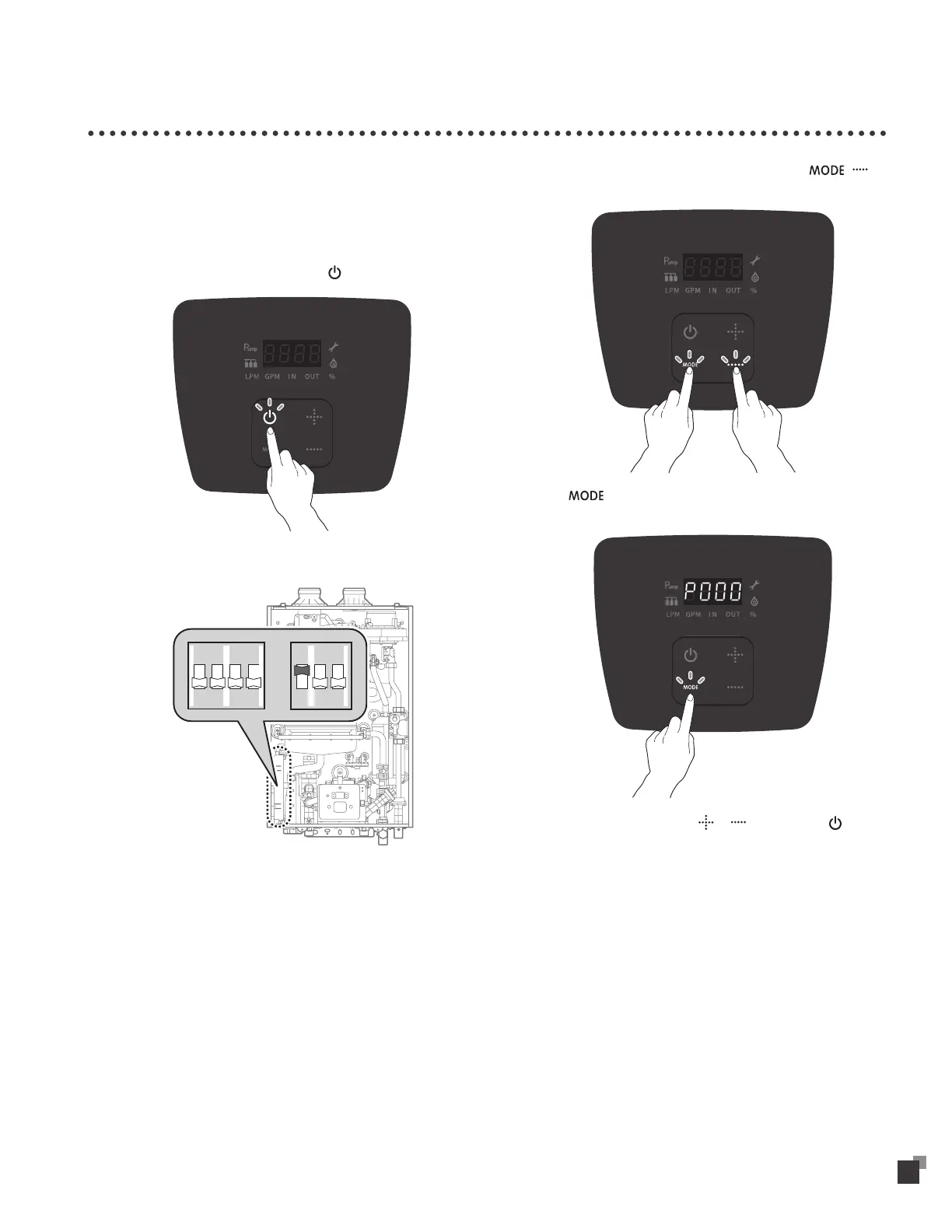
Program data can be changed for Lime Alarm, High altitude area, Cascade.
To change the program data.
1
Connect the power supply.
2
To turn the water heater off, press the button.
3
Turn the dip s/w on.
1 2 34
ON
1 2 3
ON
4
For Program data Setting, please select and hold , for
5 seconds. (Dip switch setting required)
5
Click button for data selection from P2, P6, PC, PD, LA,
LE, LF.
6
To change data setting, click or button. Select button
for data saving.
Please set the dip switch for normal mode.


 To Next Page