51
Self Calibration Mode
Self Calibration Mode
Caution
After installing the water heater you must proceed to
Calibration Mode before using the water heater.
In Calibration Mode, the water heater calculates the load according to the
installation circumstances (altitude, vent) and self adjust the heat capacity
by itself.
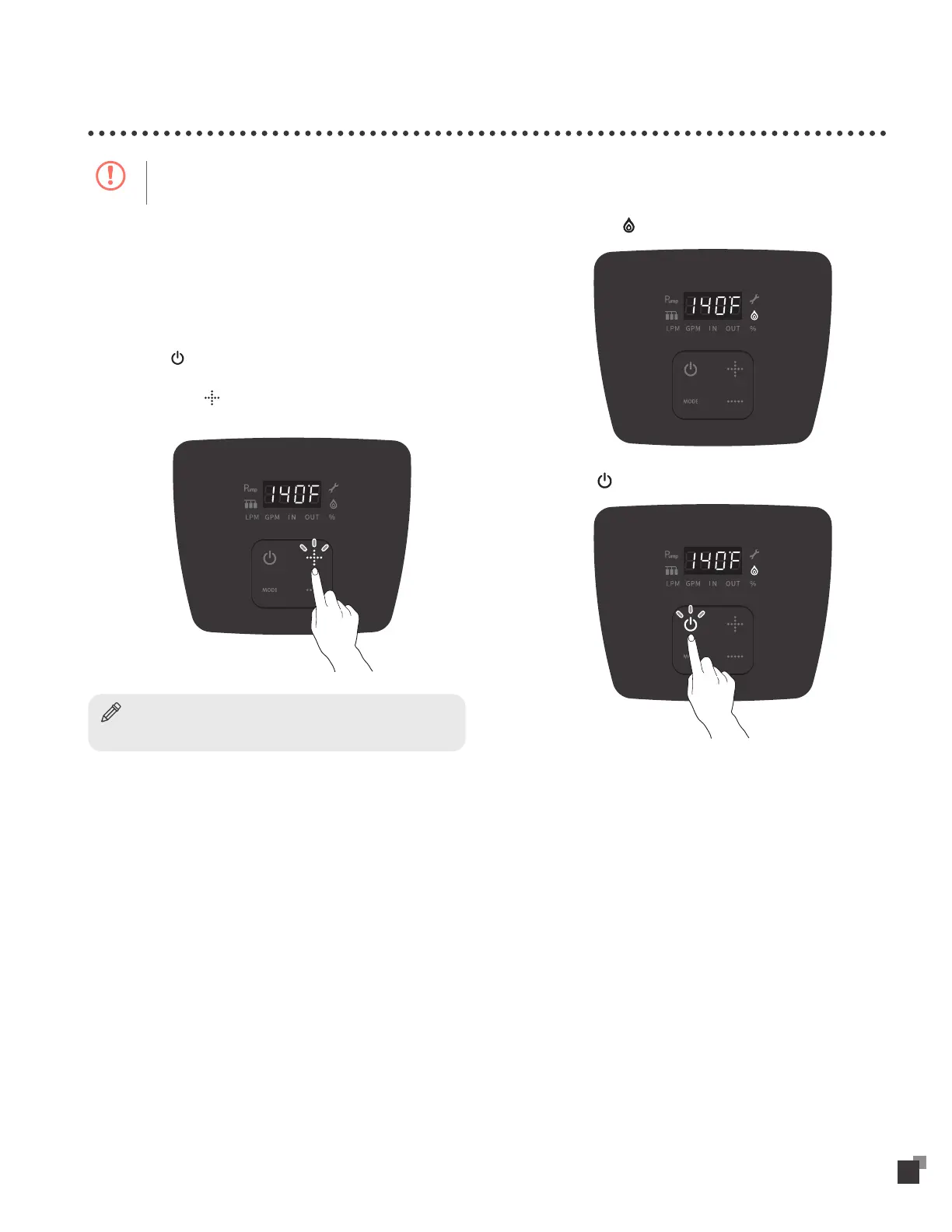
To use the Calibration Mode:
1
Connect the power supply.
2
Press the button.
3
Hold down the button for 5 sec to unlock and increase the
temperature higher than 140°F (60°C).
Notice
Temperature is set to 98°F (37°C) by default.
4
Open more than two faucets and dispense approximately 4
gallons (15 liters) of water.
5
Check that the icon is turned on.
6
Touch the button and turn off the water heater.


 To Next Page