Sensitive Media
For light-sensitive media (e.g., Iodine, Potassium Permanganate and Silver Nitrate solutions),
we recommend the use of ‘Amber Coloured Windows’ or the inspection windows provided in
the box.
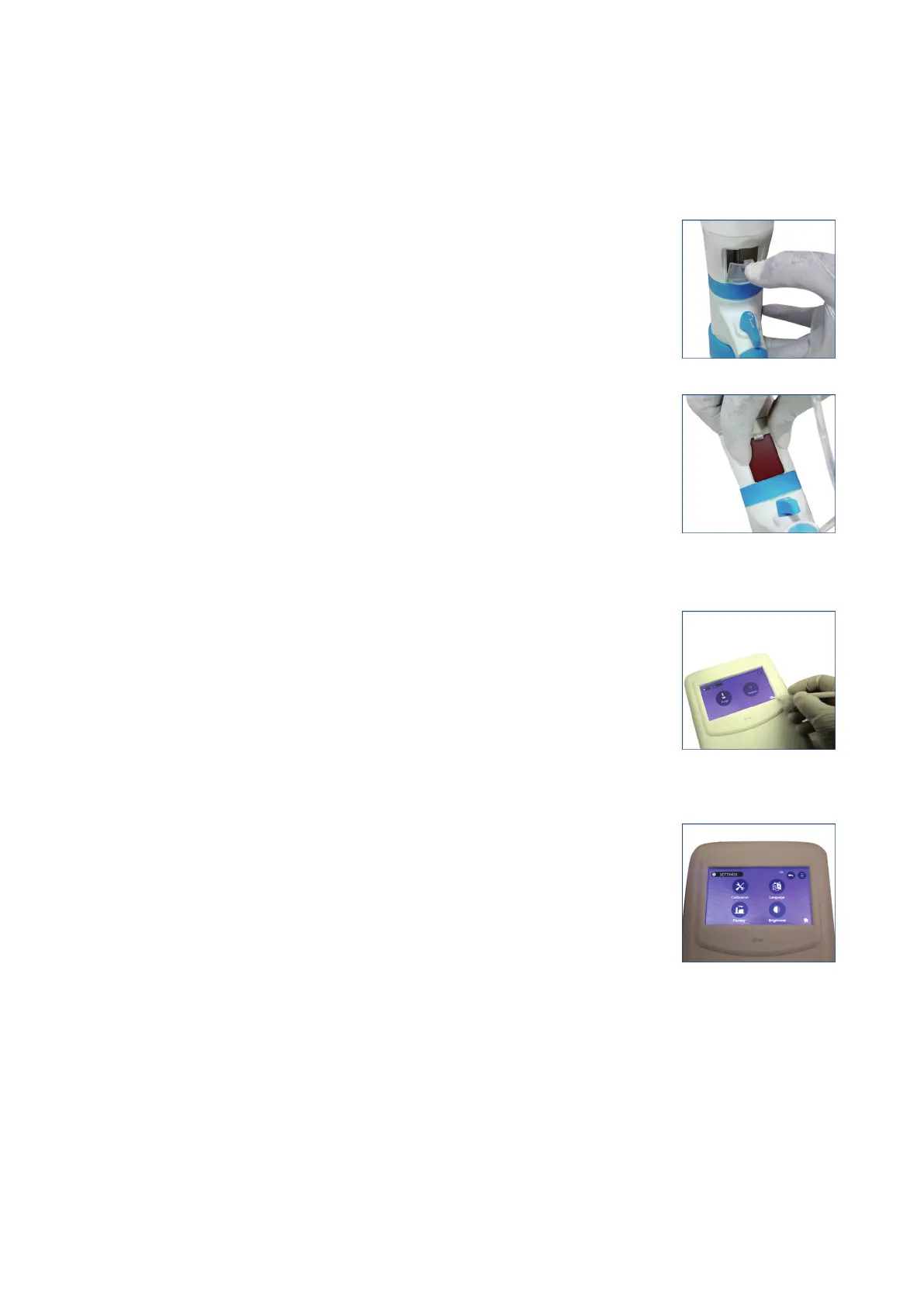
1. To replace the inspection window, unclip the default inspection
window by pressing it from its top and then removing it.
(Fig. 31)
2. Place the Amber Coloured Window in the slot provided at the
bottom of the housing and press it down until you hear a click sound.
(Fig. 32)
General Operating Instructions
Control panel brightness setting
● User can change brightness from setting screen on the control panel.
1. Click on the settings icon from the home screen.
(Fig. 33)
2. In the settings windows, click the BRIGHTNESS icon.
(Fig. 34)
17 vwr.com I Instruction manual VWR
®
E-Burette
Fig. 31
Fig. 32
Fig. 33
Fig. 34








 To Next Page