Computer Connectivity
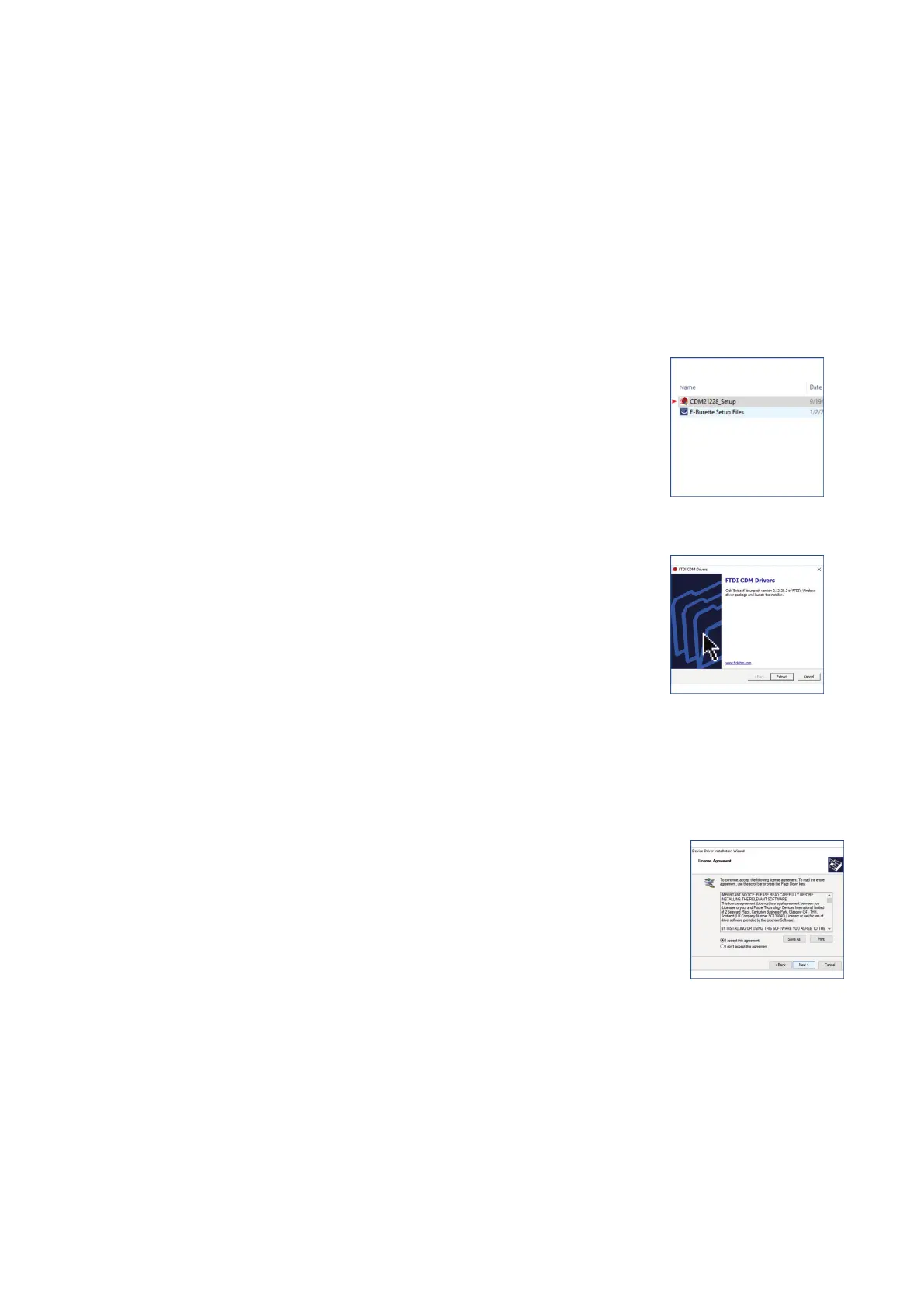
Insert the pen drive provided with the package in your PC/Laptop for driver files and software.
Please note that there are two set up files in the pen drive.
● CDM21228
● E-Burette Setup Files
Procedure to install the driver & software:
● Installing the CDM21228 driver files:
1. Double click the CDM21228 setup icon.
(Fig. 15)
2. Press the Extract tab from the FTDI CDM driver window.
(Fig. 16)
3. Click to accept the licence agreement.
(Fig. 17)
9 vwr.com I Instruction manual VWR
®
E-Burette
Fig. 15
Fig. 16
Fig. 17








 To Next Page