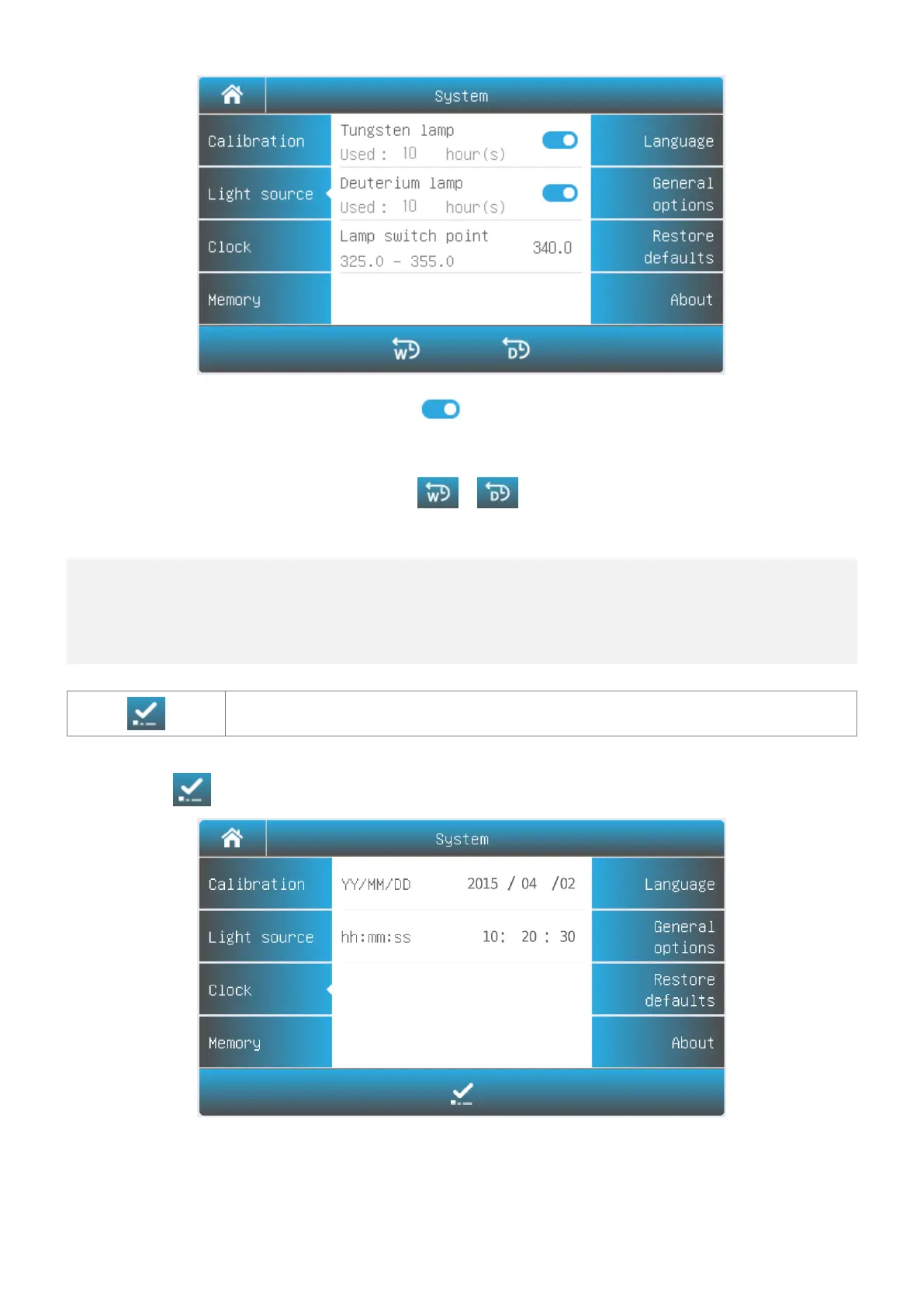
Press the icon to turn on/off the Tungsten lamp/Deuterium lamp.
Change the lamp switching
point:
Press the value of lamp switching point. Input the new value.
Press the icon / to reset the Tungsten lamp/Deuterium
lamp usage time.
Important information
1. If only one of the light sources is used in for a long period of time, please turn off another light
source to save energy.
2. If the lamp switching point is changed, the system baseline must be recalibrated.
Accept Accept the new value.
Select Tab Clock in the System interface. Press the value of year, month, date, hour, minute or second to change.
Press the icon to accept new value.
Memory Management



 To Next Page