Contents
Index
Contents Index
32
32
CUSTOMIZING THE EXPRESSKEYS AND ROCKER RING
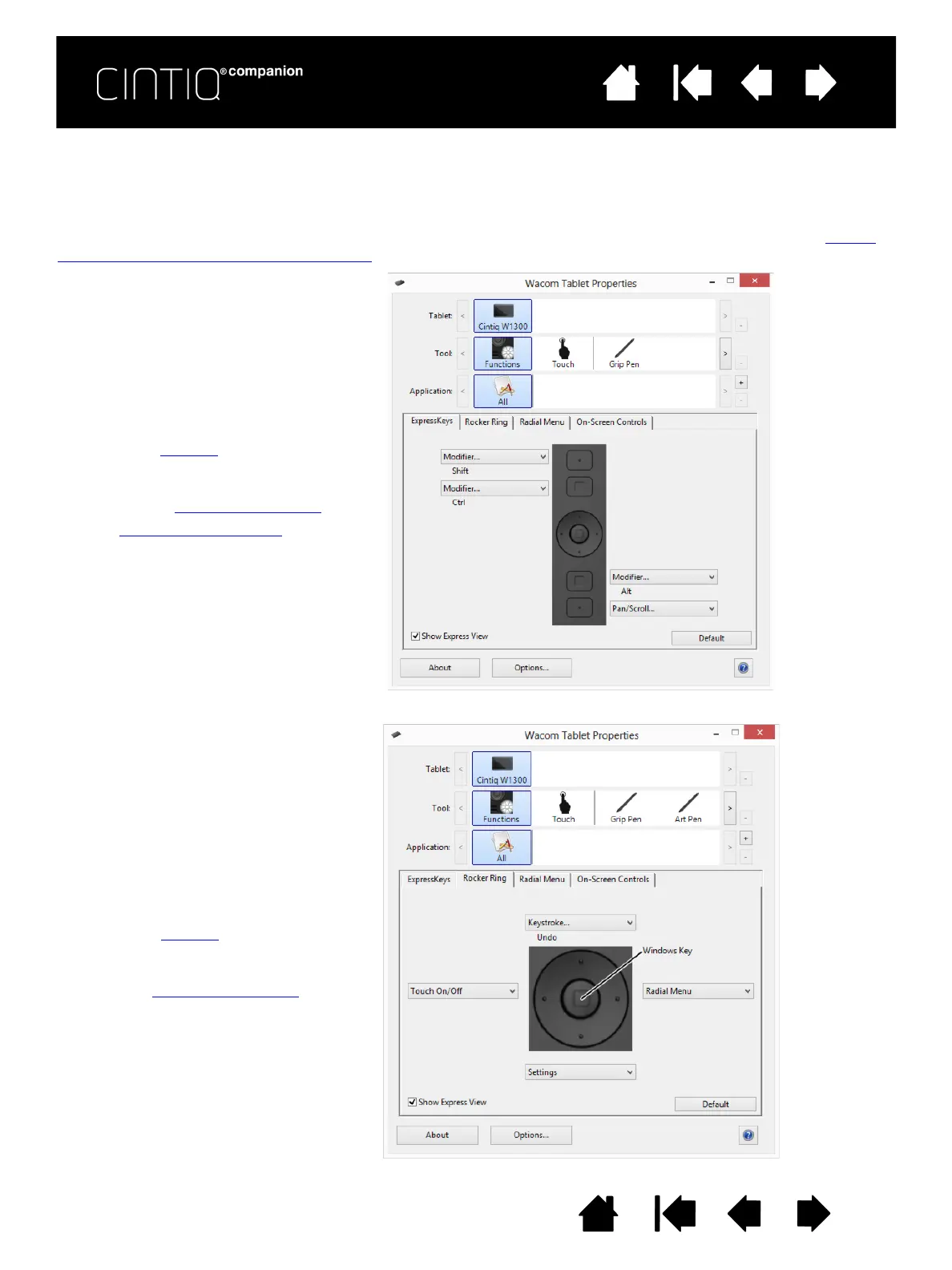
To customize the ExpressKeys or Rocker Ring, select the appropriate tab. Each key or position can be
customized to perform a modifier, keystroke, or other function. The default ExpressKey and Rocker Ring
settings are shown below.
Important: Some applications can override and control the ExpressKey functions. For details, see Using
applications integrated for tablet control.
Choose a function to perform when
the key is pressed.
ExpressKey functions can be defined
for use with specific applications
.
See using the ExpressKeys
for more
information.
Click Show Express View to
toggle Express View on or off.
Choose a function to perform when
the Rocker Ring position is pressed.
These functions can be defined for
use with specific applications
.











 To Next Page