Contents
Index
Contents Index
63
63
MANAGING PREFERENCES
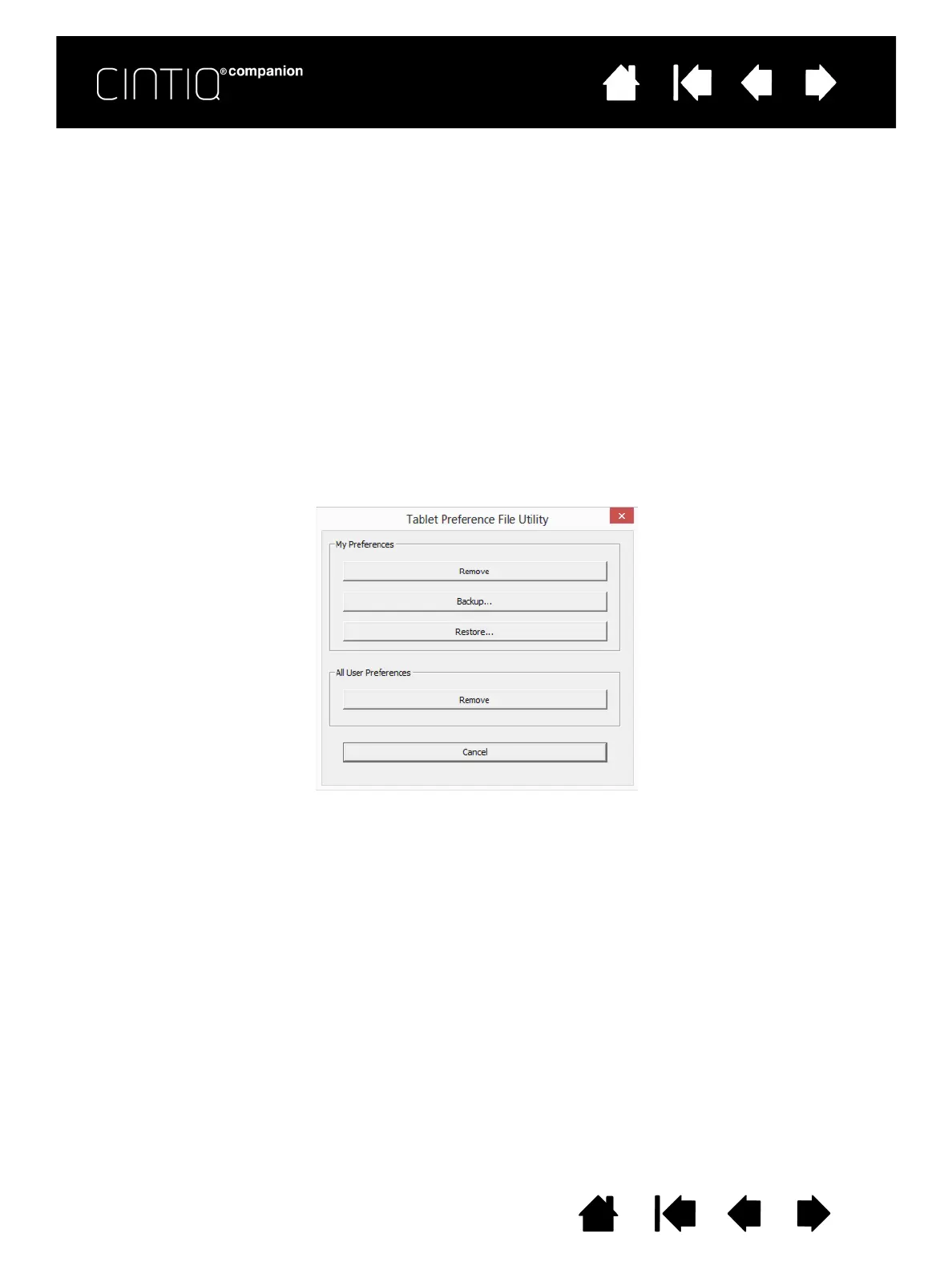
Use the Wacom Tablet preferences utility to manage your Cintiq preferences for single or multiple users.
1. Close any open applications.
2. From the Windows 8 Start screen, click the W
ACOM TABLET PREFERENCE FILE UTILITY tile. If you are using
the Windows 8 standard desktop, select the Windows icon in the Charms bar to access the Start
screen.
To set your preferences in Windows 8:
• Follow any prompts that may appear
• To back up your preferences, click B
ACKUP... under MY PREFERENCES.
• To restore preferences that you had previously backed up, click R
ESTORE... under MY PREFERENCES.
• To remove preferences for the current user, click R
EMOVE under MY PREFERENCES.
• To delete preferences for multiple users, click R
EMOVE under ALL USER PREFERENCES.
Note: Administrator rights are required to delete preferences for all users.
• Relaunch any currently open tablet-aware applications that you may be running.











 To Next Page