Contents
Index
Contents Index
9
9
ADJUSTING THE STAND
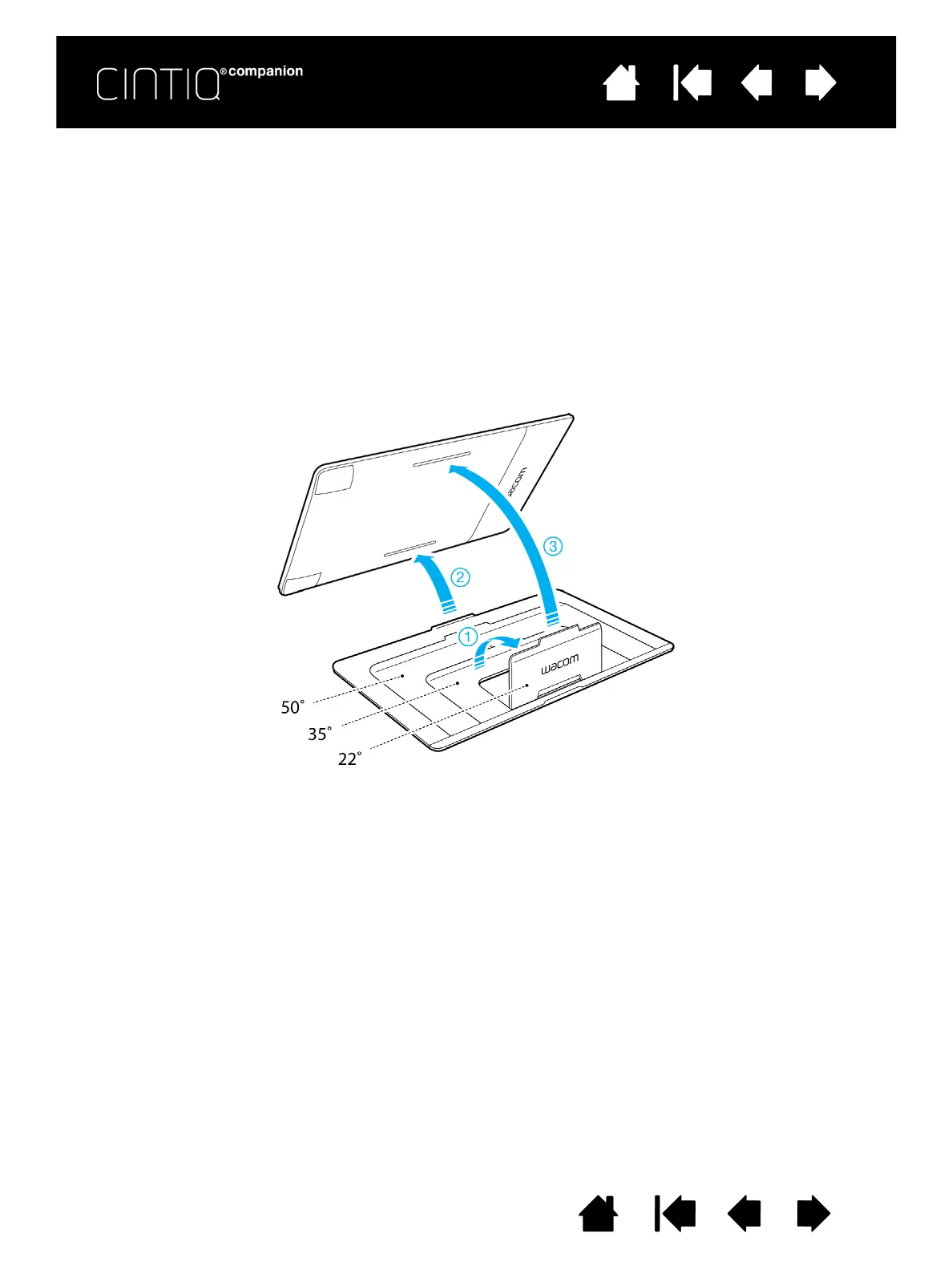
In landscape orientation, the Cintiq stand can be used in one of three inclined positions. You can adjust the
display incline as follows. Refer to the rear and side views below.
1. Place the Cintiq on a flat, stable surface, in the orientation you prefer (ExpressKeys to the right or left).
2. Place the stand with the aluminum surface down and the three tabs facing up.
3. Decide which of the inclines you want to use.
4. Hold the Cintiq upright so you can see the back.
5. Place the tab at the bottom edge of the stand into the slot in the lower edge of the Cintiq.
6. Keeping the lower tab in the slot, tilt the Cintiq toward the stand and insert the tab for the incline you
want to use into the other slot. Make sure both tabs are fully inserted into the slots.











 To Next Page