Contents
Index
Contents Index
50
50
• The D
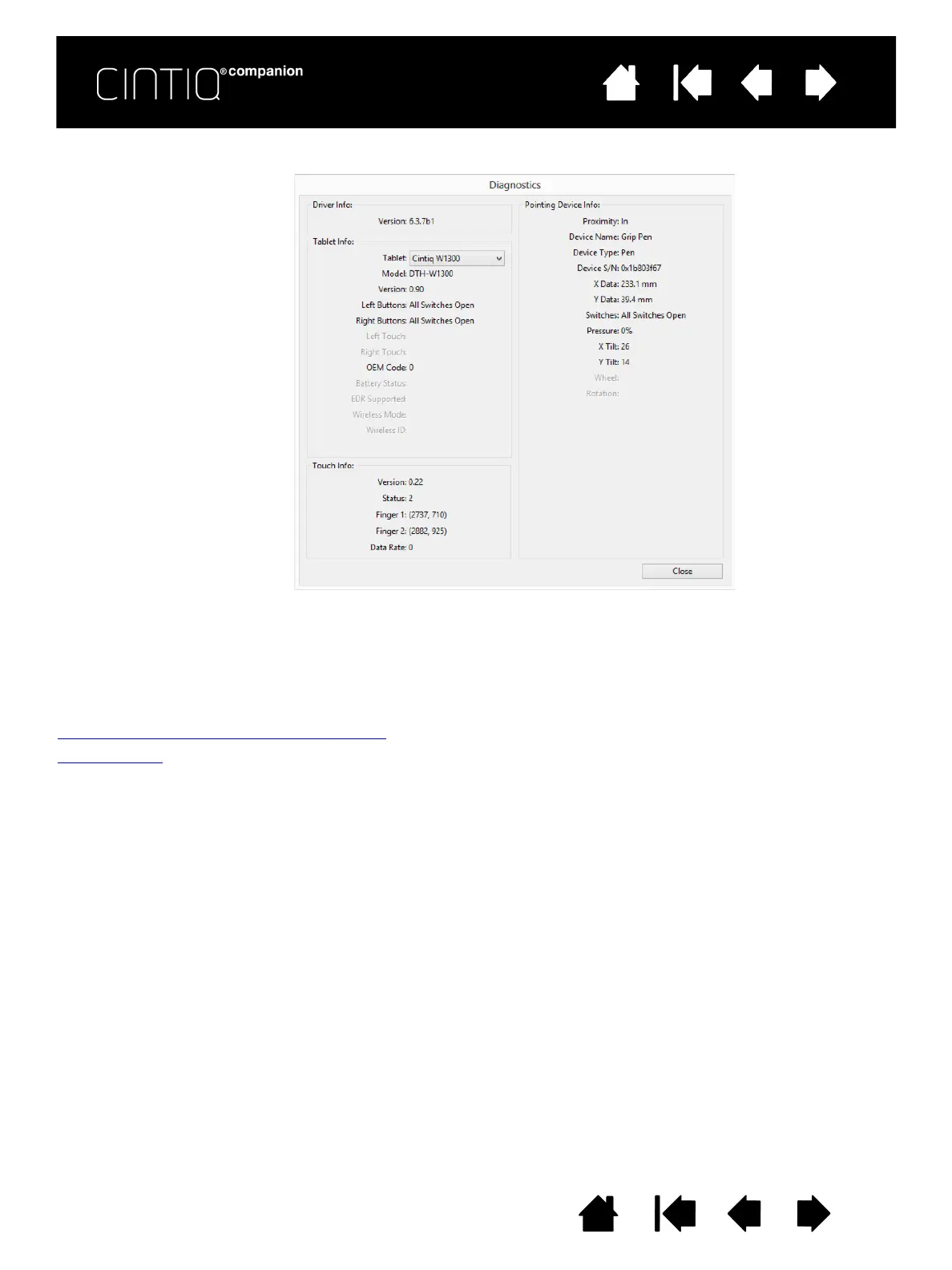
IAGNOSTICS dialog box shows dynamic information about the Cintiq and your input tool(s).
• If you are using more than one Cintiq or tablet, select the product you are testing in the T
ABLET INFO
column.
• Use the information shown in the D
IAGNOSTICS dialog box when testing your Cintiq and pen.
Note: If a tool button is set to R
ADIAL MENU or OPEN/RUN..., that function will occur when the button is
pressed. In this case you may want to change the button function before testing.
Testing the ExpressKeys and Rocker Ring
Test i n g a pe n











 To Next Page