Wacom Desktop Center
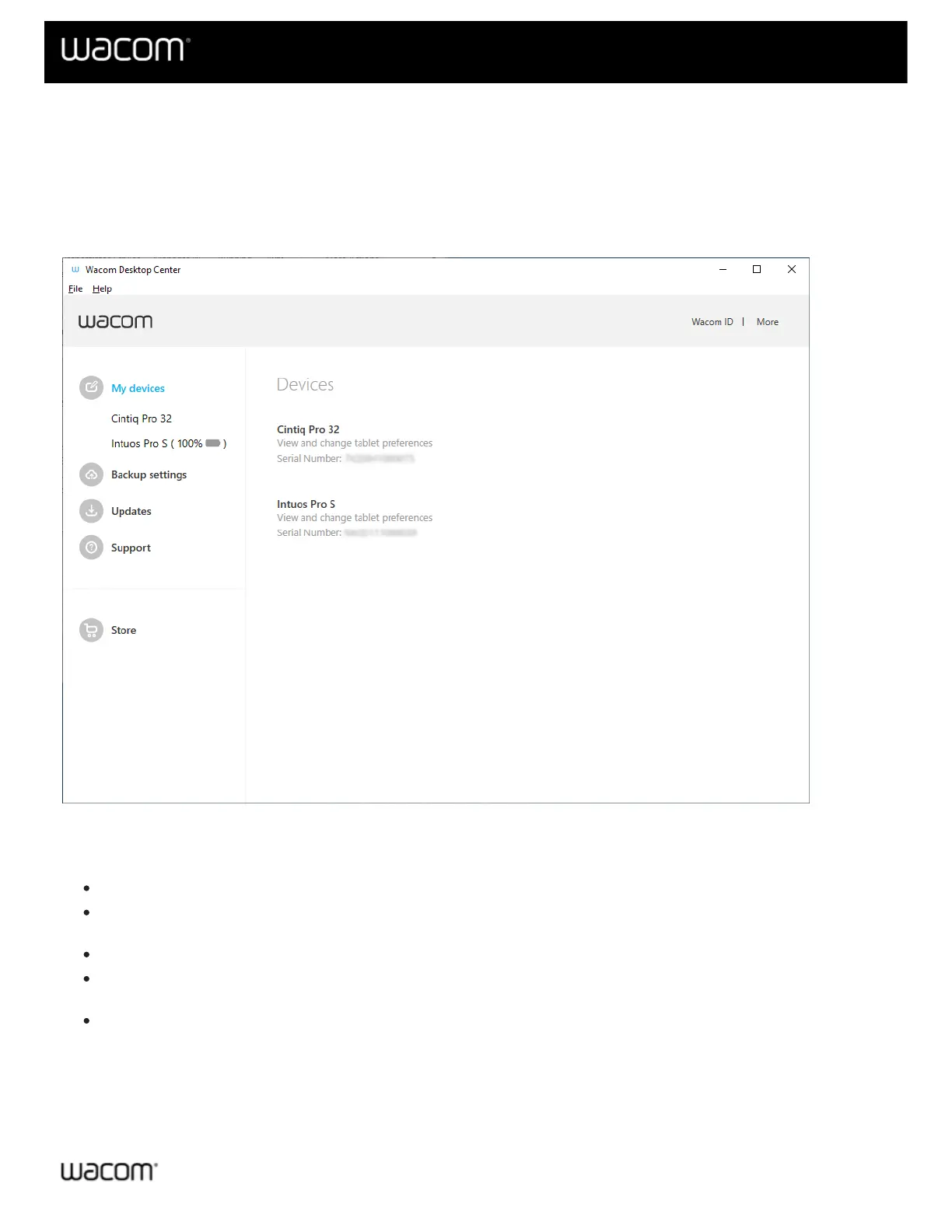
The Wacom Desktop Center is an application on your computer that allows you to interact with your Wacom
device(s). You can find the Wacom Desktop Center on Windows in the Start Menu under Wacom Tablet, or on the
Mac in the Applications folder under Wacom Tablet. The left side of the Wacom Desktop Center screen lists the
main menu options. Clicking on a main menu option will display the tools associated with that option on the right side
of the Wacom Desktop Center screen.
The above screenshot has been partially blurred and is for descriptive purposes only; it may not match your screen.
Wacom Desktop Center Main Menu
My Devices: Customize your Wacom device settings, redeem software, and access product documentation.
Backup Settings: Backup, restore, and manage your Wacom device settings on your computer or in the
Wacom Cloud.
Updates: If available, allows you to install the latest driver, firmware, or BIOS update for your device.
Support: Access Wacom Support, check driver functions, view diagnostic data, or enable driver logging for
support purposes.
Store: Visit the Wacom store to research and purchse products and accessories.
Logging in using your Wacom ID
You can log in with your Wacom ID (or create one) in order to register your product or access any software bundle
that may have been included with your product. To log in:












 To Next Page