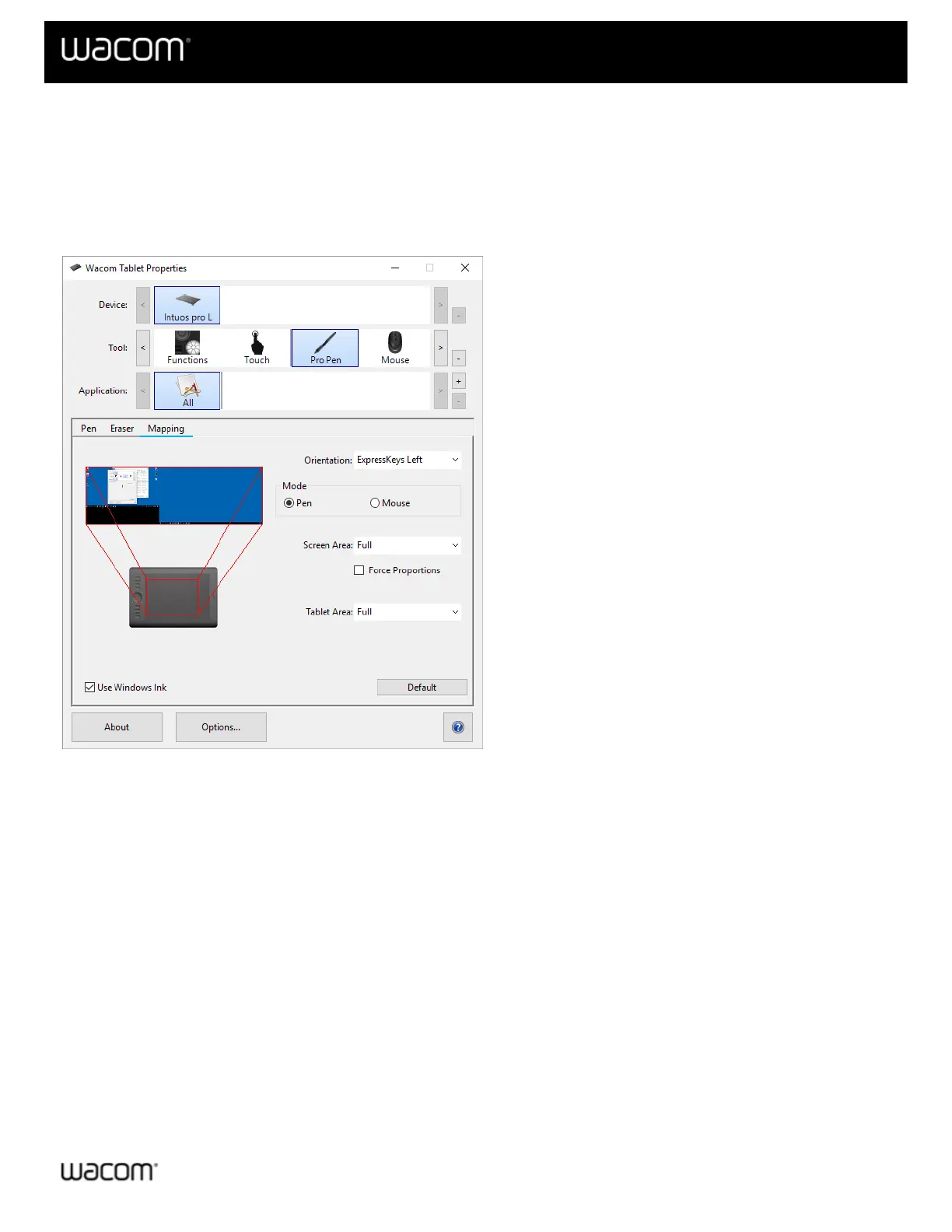
Map your device to your monitor
You can customize how the surface of your device maps to your monitors and how your pen movements relate to the
cursor movements on your monitor by selecting either Pen or Mouse mode.
Tip: If you frequently switch between Pen mode and Mouse mode, assign the Mode Toggle to a customizable
component, like an ExpressKey or pen button, so that you can switch at the press of a button.
The above screenshot is for descriptive purposes; it may not match your screen.
If supported by your device, you can change the Orientation that your tablet is used in by selecting the side of the
device that you want the ExpressKeys™ on. This setting applies to all tools and applications.
To take advantage of the pen features that Microsoft Windows supports, select Use Windows Ink.
| Cookies | Terms of use | Privacy Policy | California Privacy












 To Next Page