Keeping everything up to date
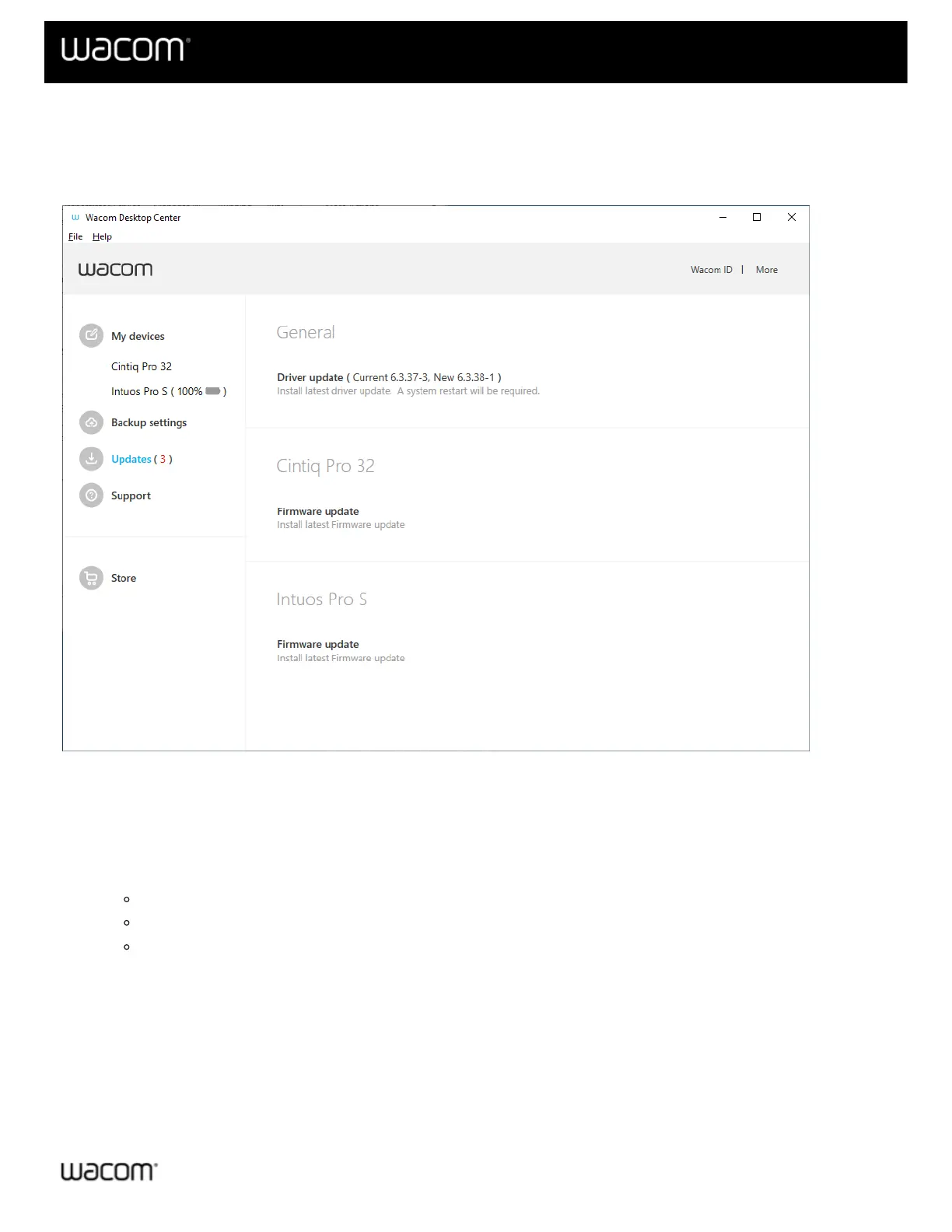
Wacom occasionally releases driver, BIOS, and firmware updates for your Wacom supported device(s). The
Updates section of your Wacom Desktop Center will alert you when new updates are available.
The above screenshot is for descriptive purposes; it may not match your screen.
Updating your tablet
1. If there are updates for any device or for the driver currently installed on your computer, the Updates section
will display with a red number, indicating the number of updates available.
2. Click Updates.
The updates will become available as links on the right side of the Wacom Desktop Center screen.
Driver updates will be listed under the General section.
BIOS and firmware updates will be listed next to each applicable device.
3. Click on the update to install it according the on-screen instructions. An installation wizard will guide you
through the update process.
| Cookies | Terms of use | Privacy Policy | California Privacy












 To Next Page