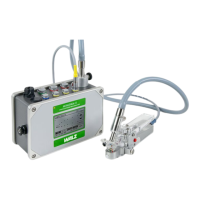
CHAPTER 10 MINI-PAM OPERATION VIA PC-TERMINAL
10 Operation of the MINI-PAM via a PC-Terminal
and the RS 232 Interface
The MINI-PAM is basically conceived as a stand-alone
instrument, i.e. the most essential measurements can be carried out
without the need for any peripheral instruments. However, when
used under laboratory conditions, operation via PC and the dedicated
WinControl software has distinct advantages, particularly with
respect to data display (see separate WinControl manual). In
addition, there is the possibility to connect the MINI-PAM via the RS
232 interface to a PC and to control all functions by PC-keyboard
operations using user-written software. For this purpose, first a
suitable terminal program must be installed which allows
communication between the PC and the MINI-PAM. In WINDOWS
the TERMINAL program is available (under Accessories in the
Program Manager). In order to enable this program for
communication with the MINI-PAM the following steps are required:
• Define communication parameters (SETTINGS-menu)
Baud rate 9600
Data bits 8
Stopbits 1
Parity none
Protocol Xon/Xoff
Connector Com 1 or 2
• Define terminal preferences (SETTINGS menu)
Colums 132
Terminal fond Fixed sys
• Create MINI-PAM.trm (SAVE AS ... in FILE-menu)
For the communication between PC and MINI-PAM a special set
of commands is provided which is listed in the Appendix (section
13.4). Each command consists of one or several low-case
letters
51



 To Next Page