CHAPTER 13 APPENDIX
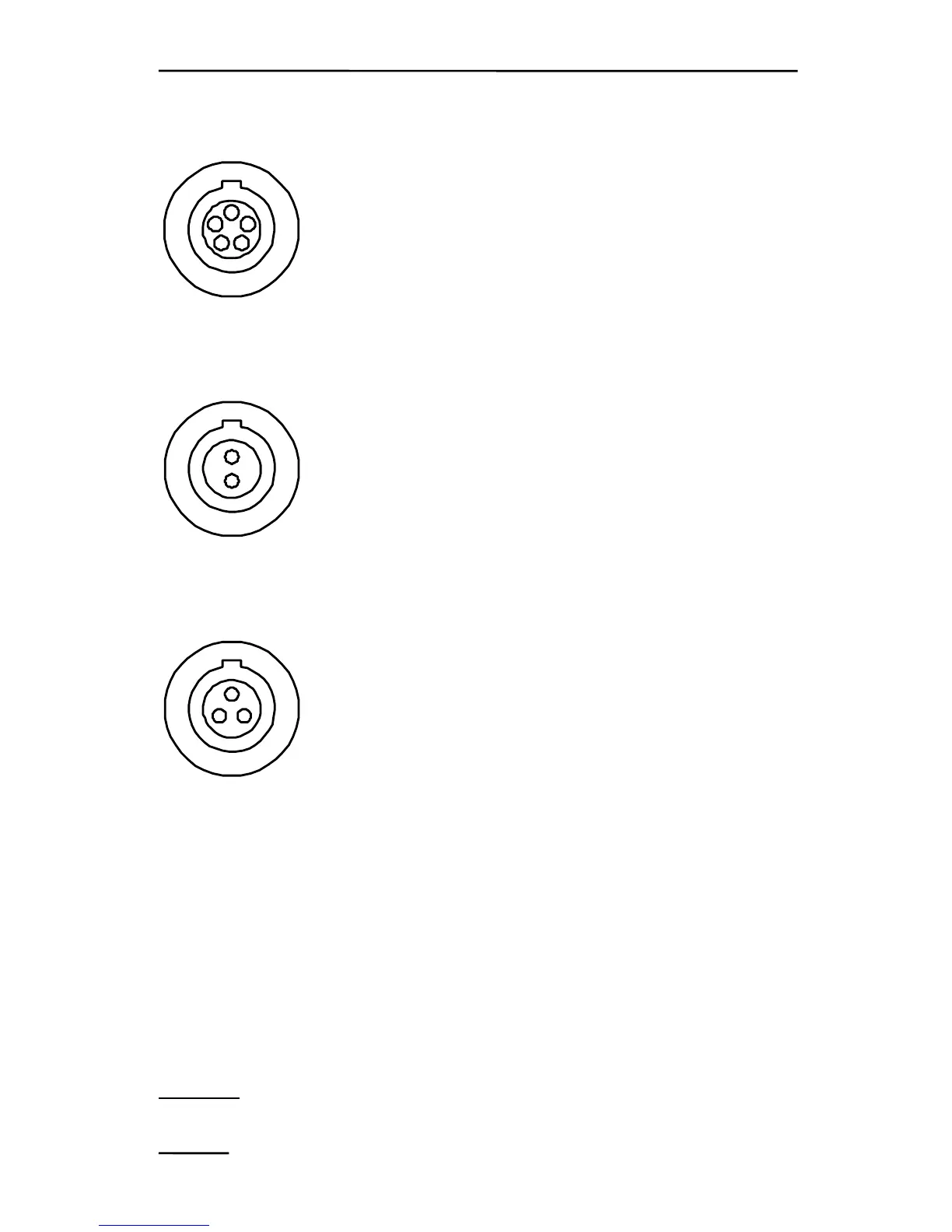
"RS 232"
5
4
3
2
1
1: Not used
2: Not used
3: TxD
4: RxD
5: GND
"OUTPUT"
2
1
1: Signal output 0-4 V
2: GND
"CHARGE"
3
2
1
1: Charge input +18 V
2: GND
3: External input +12 V (max. 13.8 V).
ATTENTION: Internal battery cannot be
charged via this input.
13.4 List of commands for operation of MINI-PAM via
PC-terminal by user-written software
As described in chapter 10, the MINI-PAM can be operated by
remote control from a PC terminal. For this purpose a suitable
TERMINAL-program must be installed and the RS 232 interface
cable connected to the corresponding communication port. The
following commands are executed via 'Return'. Please note that only
low-case
letters are effective.
94



 To Next Page