26 Owner’s Manual
Wanco® Metro™ Message Sign
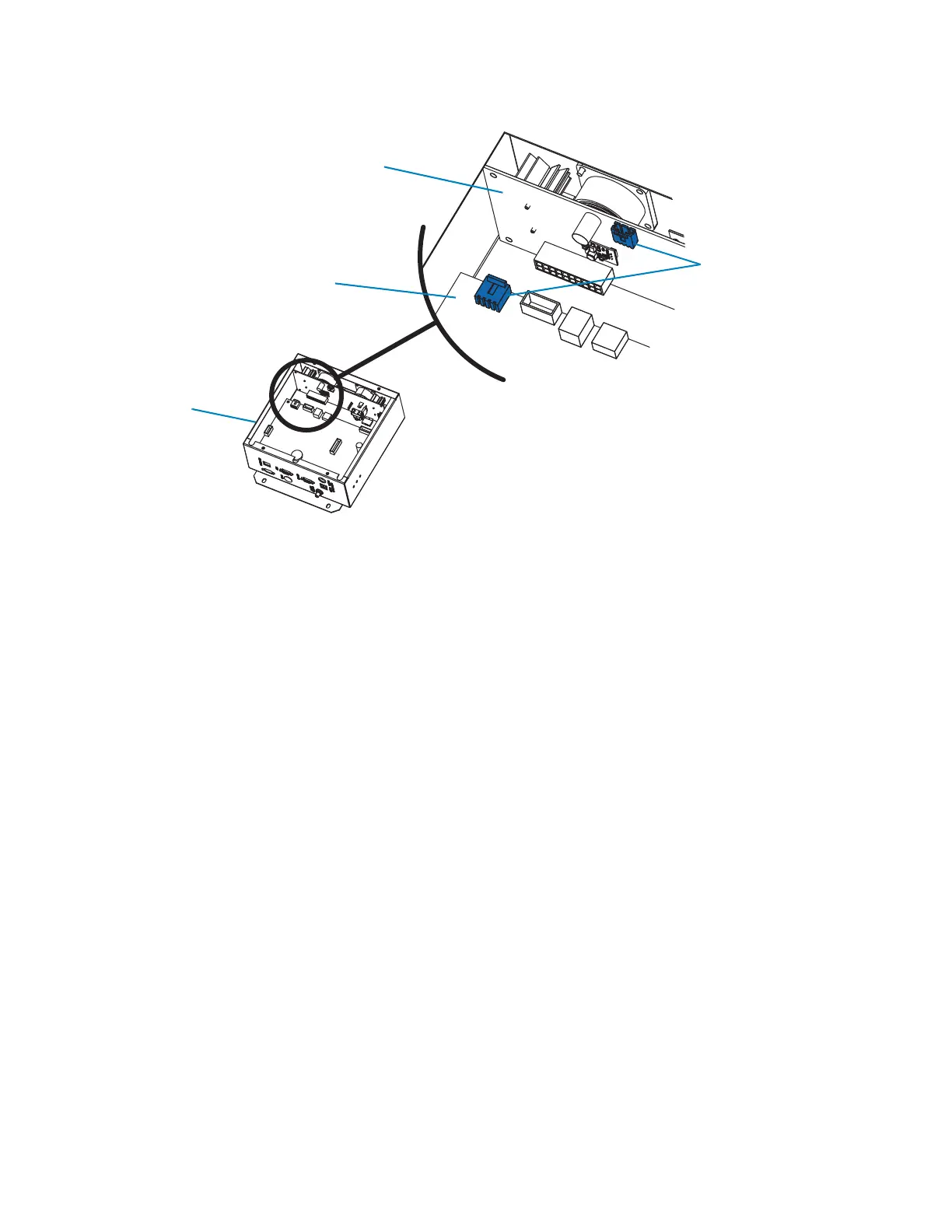
Figure 5-1. Power board wiring connections
5.2.3 NTCIP alarm
An NTCIP alarm indicates an NTCIP communications error. This type of alarm is
informational only and does not affect system performance. No troubleshooting is
necessary.
5.2.4 AuxIO alarm
An AuxIO (auxiliary input/output) alarm indicates a communications error between the
sign and one or more auxiliary devices. An auxiliary device might be a cellular modem
installed at the sign, speed-detection radar connected to the sign’s computer, or any
other auxiliary equipment.
When an AuxIO alarm occurs:
1. Follow the safety requirements in Section 2, page 3.
2. Determine which device is malfunctioning.
3. Check the wiring connections between the device and the sign, ensuring they are
proper and secure. Be sure to check the connections at both ends of the wiring.
4. If the connections are proper and secure, use the controller to determine whether the
power circuits to the device are live.
5. If the power circuits are live, the device may be faulty and need to be replaced. Contact
the factory (see Section 1.4, “Where to obtain service,” page 2).
Power board
Computer box
Wiring connectors
Main control board



 To Next Page