EasyManua.ls Logo

Wang 5536 - Page 59

Default Icon
112 pages
Print Icon
To Next Page IconTo Next Page
To Previous Page IconTo Previous Page
Loading...
3402
5.2.2.1
Cover
(Figure
5-4)
Removal:
o Remove
the
three
phillips
screws
located
under
the
plastic
strip
on
the
keyboard
and remove
the
keyboard
plate.
o Remove one
phillips
screw
from
each
side
of
the
workstation
near
the
lower
edge
of
the
cover.
o Remove
the
keyboard
cover
plate.
o
Lift
the
cover
up
and
away from
the
workstation;
take
care
not
to
hit
or
nick
the
CRT,
or
strain
the
brightness/contrast
or
fan
wires.
o Remove
the
brightness/contrast
wires
from
the
clamp on
the
side
of
the
cover
and
disconnect
the
brightness/contrast
cable
from
the
connector
on
the
top
of
the
CRT
chassis
assembly.
Remove
the
bezel
and
lay
the
cover
on
its
side
next
to
the
workstation.
o
Disconnect
the
ac
plug
and
ground
wire
from
the
fan.
Replacement:
o
To
replace
the
workstation
cover,
reverse
the
previous
procedure.
CAUTION
Be
sure
to
connect
the
fan
AC
power and
ground
wires
to
avoid
overheating
of
the
workst~tion.
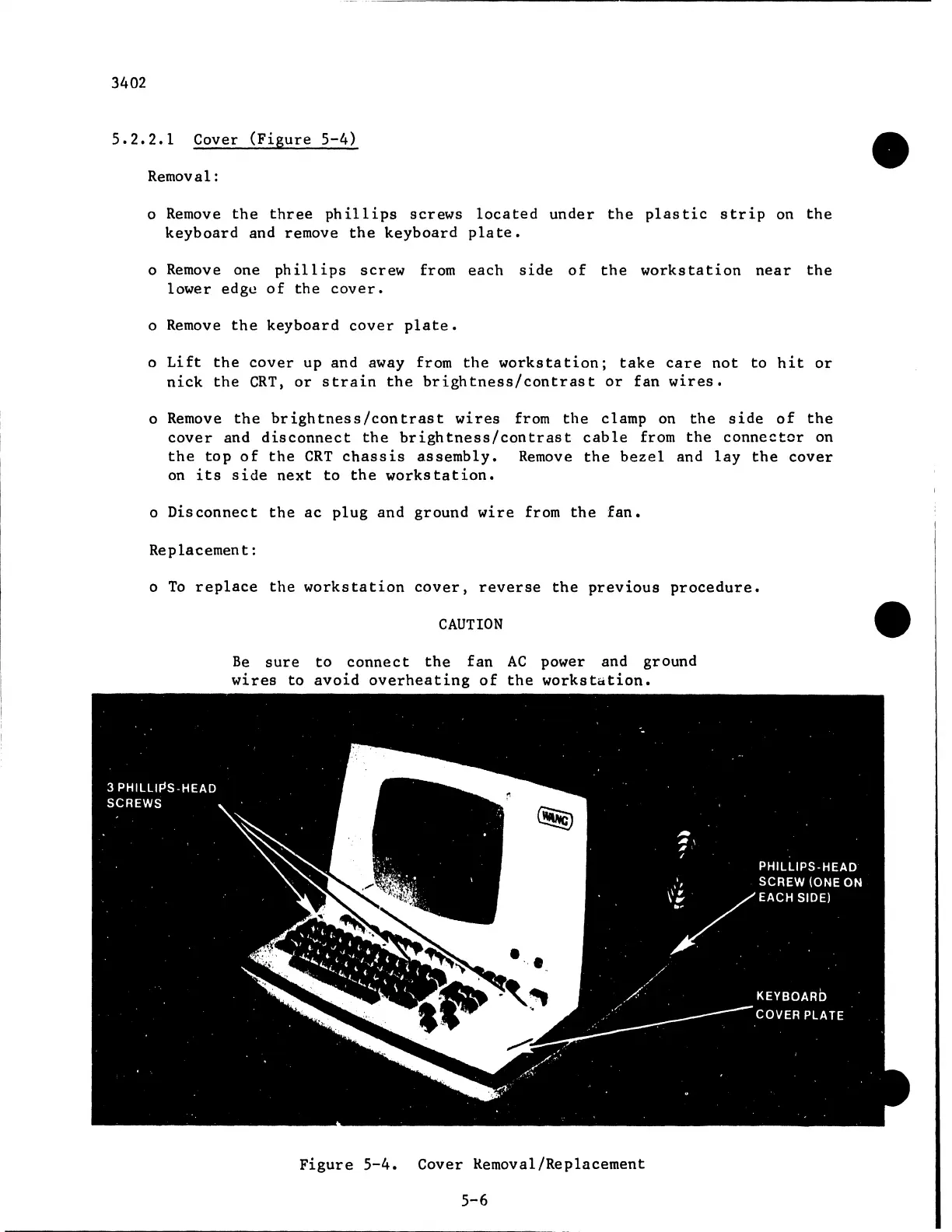
Figure
5-4.
Cover
Kemoval/Replacement
5-6

Related product manuals