AFTER SALES SUPPORT
86-571-23290996
support@wanhao3dprinter.com
Model : Duplicator 8 MARK I
15
4.2.2
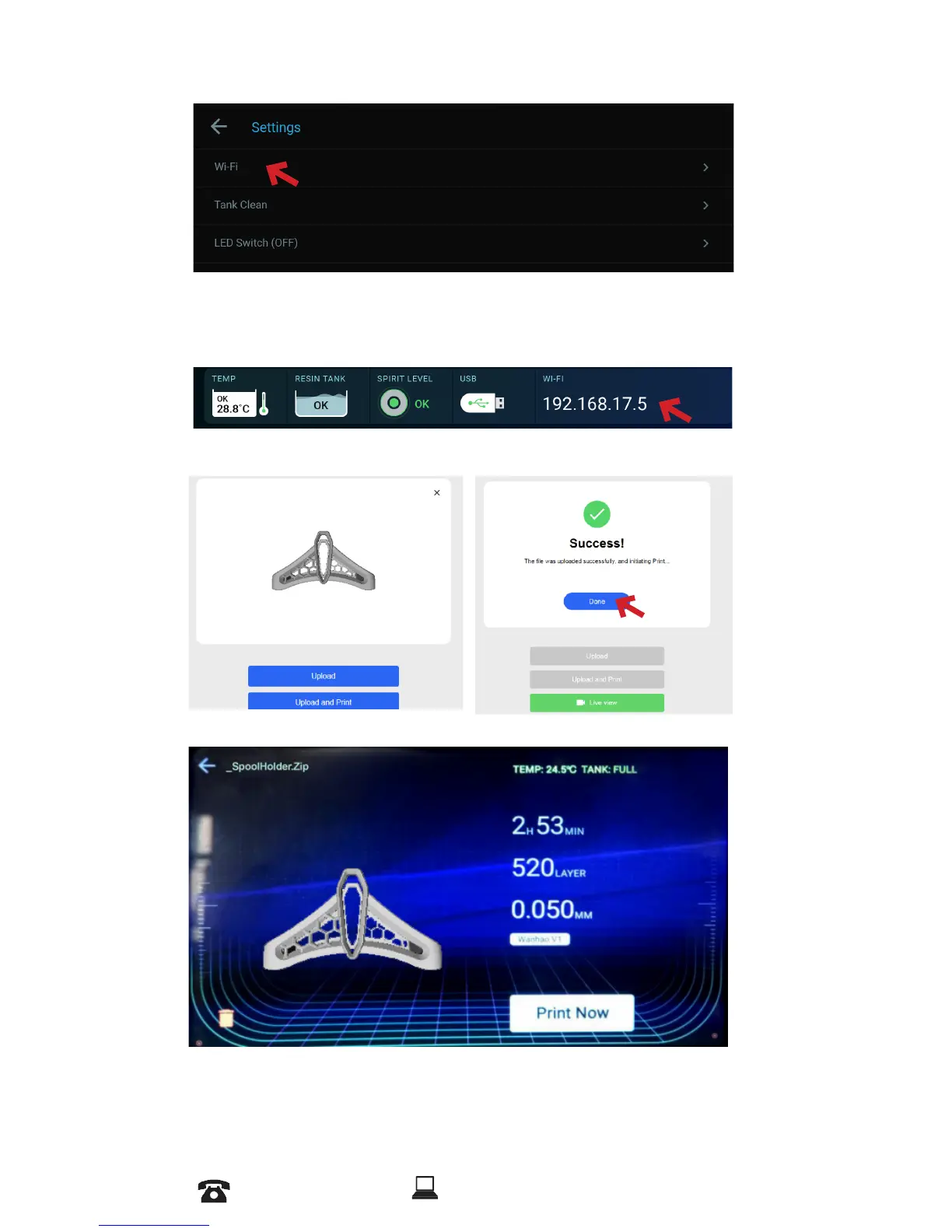
Go to setting and choose WiFi
4.2.3
Click on the available WiFi and enter your password.
4.2.4
After success connection, input the IP address given by
printer in your PC web browser and connect to D8.
4.2.5
Upload the File
4.2.6
Press on Print Now














 To Next Page