AFTER SALES SUPPORT
86-571-23290996
support@wanhao3dprinter.com
Model : Duplicator 8 MARK I
16
PREPARE DUPLICATOR 8 FOR PRINTING
5.0
Preparing Printer
5.1
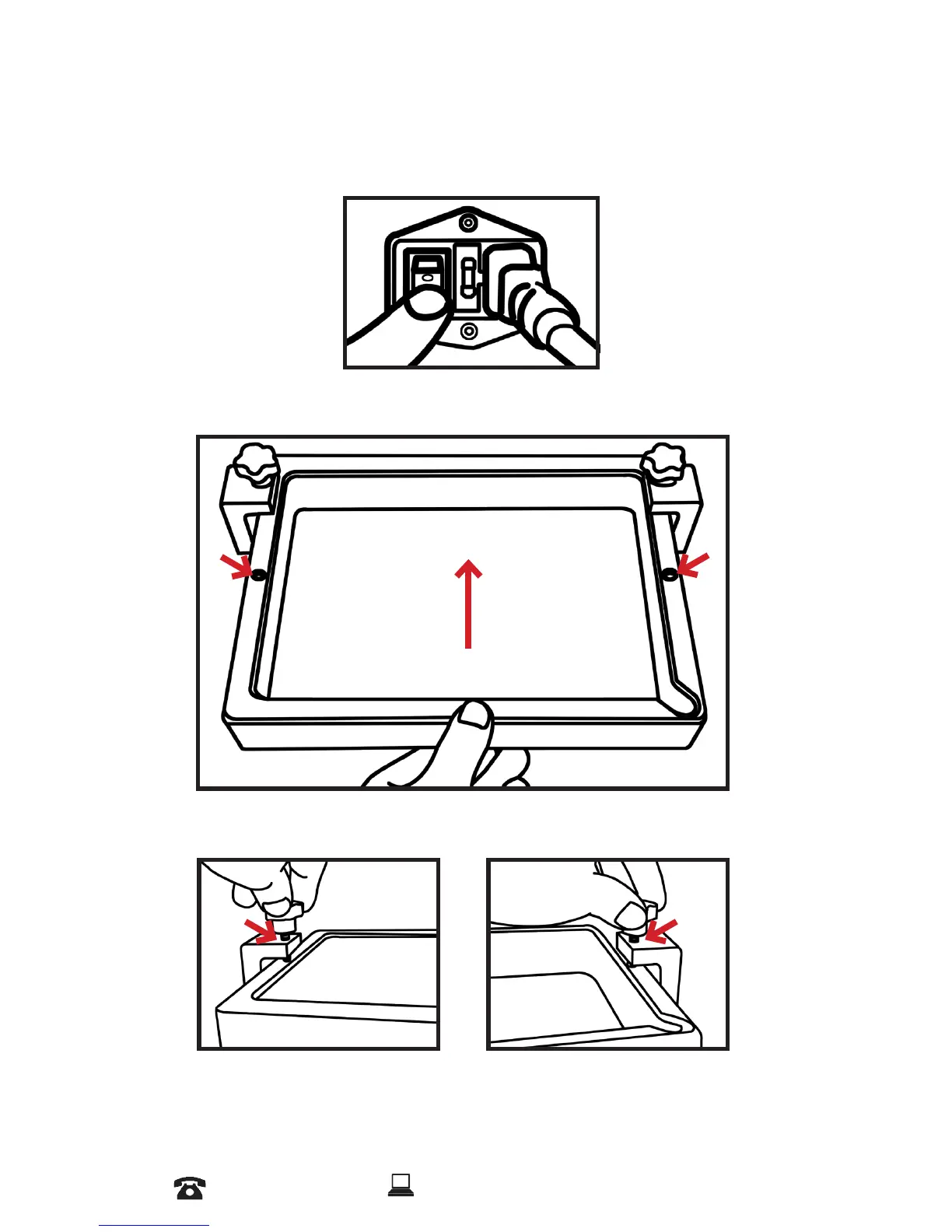
Plug the power cord and turn on the printer, Printer starts to
boot up. Wait until you access to Home Screen.
5.2
Slid the vat smoothly on the LCD screen and align the spots
on the Vat with two knobs on the left and right.
5.3
Tighten the knobs on the both side, Make sure tight them
enough and don’t put too much Pressure.














 To Next Page