EasyManua.ls Logo

Warner PC-505B - Initial Instrument Configuration; Front Panel Control Settings; Oscilloscope Setup Parameters

Warner PC-505B
51 pages
Print Icon
To Next Page IconTo Next Page
To Previous Page IconTo Previous Page
Loading...
PC-505B Manual, Rev. 201013
Warner Instruments
A Harvard Apparatus Company
20
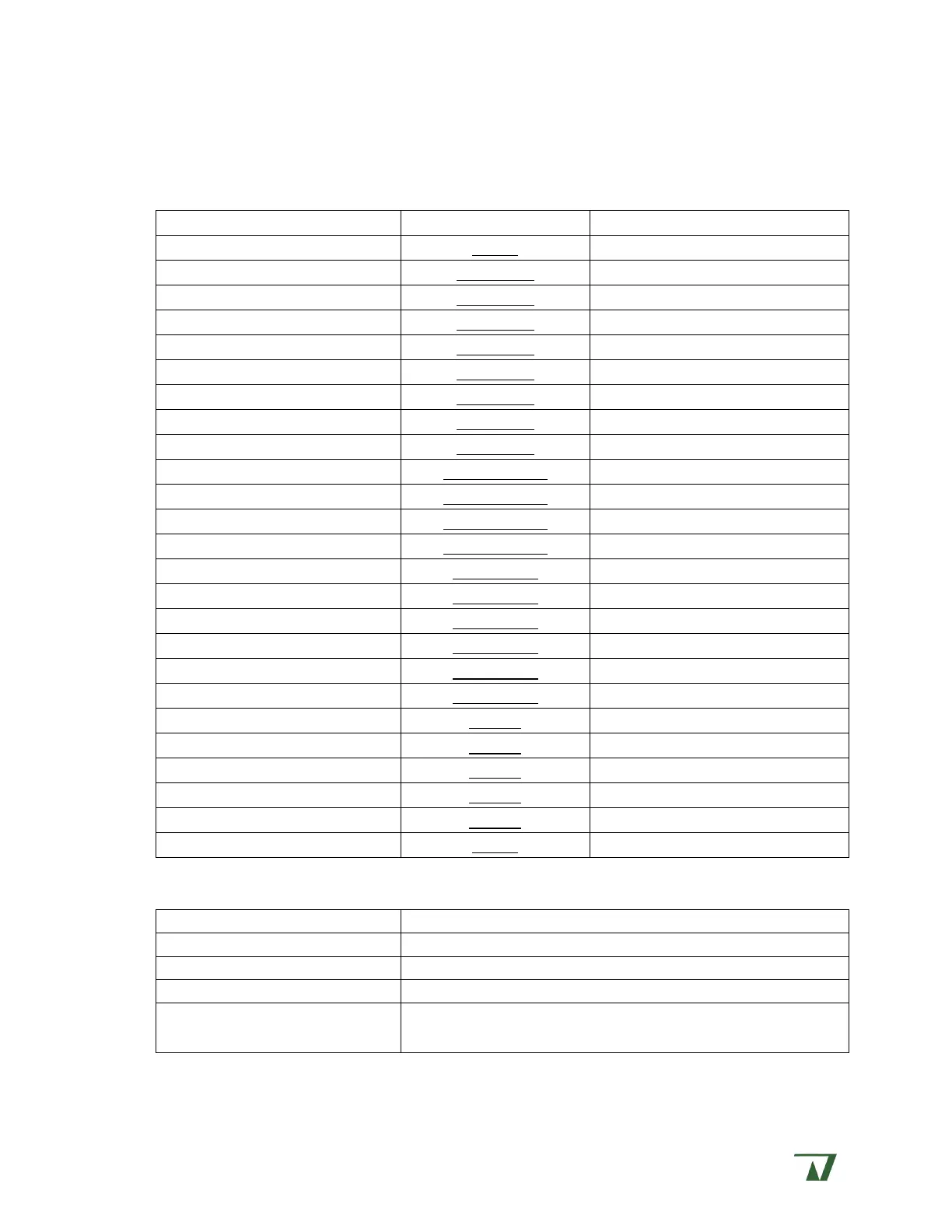
Begin each checkout section by returning the PC-505B to this known configuration.
Headstage inputs: Open
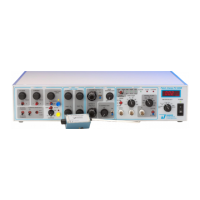
Front panel controls:
Control
Control block
Initial setting
POWER
METER
off
VOLTAGE HOLD
COMMANDS
fully CCW, toggle switch off
CURRENT HOLD
COMMANDS
fully CCW, toggle switch off
COMMAND SELECT
COMMANDS
external command
COMMAND SENSITIVITY
COMMANDS
off, x0.1
JUNCTION ZERO control
COMMANDS
zero mV
AUTO ZERO toggle
COMMANDS
off
ZAP toggle
COMMANDS
safe
ZAP control
COMMANDS
0.1 ms
CFAST 1
FAST CAP COMP
fully CCW
CFAST 2
FAST CAP COMP
fully CCW
FAST
1
FAST CAP COMP
fully CCW
FAST
2
FAST CAP COMP
fully CCW
CSLOW
WHOLE CELL
fully CCW
CSLOW toggle
WHOLE CELL
off
SERIES R
WHOLE CELL
fully CCW
LEAK SUBTRACTION
WHOLE CELL
fully CCW, click off
% CORRECTION
WHOLE CELL
fully CCW
% CORRECTION toggle
WHOLE CELL
off
PROBE RESISTOR select
OUTPUT
high
MODE
OUTPUT
V
c
GAIN
OUTPUT
10 mV/pA
FILTER
OUTPUT
10 kHz
FILTER toggle
OUTPUT
active
METER select
METER
I
m
Oscilloscope setup:
Control
Setting
Time base
2 ms/div
Voltage base
1 V/div
Trigger
line triggered
Connect I
m
output on instrument front panel to the
oscilloscope

Table of Contents