EasyManua.ls Logo

Warner PC-505B - OPERATION; Initial Settings Configuration

Warner PC-505B
51 pages
Print Icon
To Next Page IconTo Next Page
To Previous Page IconTo Previous Page
Loading...
PC-505B Manual, Rev. 201013
Warner Instruments
A Harvard Apparatus Company
26
OPERATION
Initial settings
This section assumes that the following items are in place:
data acquisition system or
oscilloscope
air table / Faraday cage
micromanipulator
microscope
recording dish or chamber
prepared patch pipettes (capillaries)
electrode holder with flexible tubing
attached to the side port
Ag/AgCl reference electrode with or
without KCl-agar salt bridge
solutions for bath and pipettes
cells
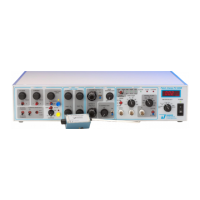
With the power off, set the amplifier controls to the known configuration shown below.

Control
Control block
Setting
POWER
METER
off
VOLTAGE HOLD
COMMANDS
fully CCW, toggle switch off
CURRENT HOLD
COMMANDS
fully CCW, toggle switch off
COMMAND SELECT
COMMANDS
external command
COMMAND SENSITIVITY
COMMANDS
off, x0.001
JUNCTION ZERO control
COMMANDS
midpoint
AUTO ZERO toggle
COMMANDS
off
ZAP toggle
COMMANDS
safe
ZAP control
COMMANDS
0.1 ms
CFAST 1
FAST CAP COMP
fully CCW
CFAST 2
FAST CAP COMP
fully CCW
FAST
1
FAST CAP COMP
fully CCW
FAST
2
FAST CAP COMP
fully CCW
CSLOW
WHOLE CELL
fully CCW
CSLOW toggle
WHOLE CELL
off
SERIES R
WHOLE CELL
fully CCW
LEAK SUBTRACTION
WHOLE CELL
fully CCW, click off
% CORRECTION
WHOLE CELL
fully CCW
% CORRECTION toggle
WHOLE CELL
off
PROBE RESISTOR select
OUTPUT
high
MODE
OUTPUT
V
c
GAIN
OUTPUT
10 mV/pA
FILTER
OUTPUT
10 kHz
FILTER toggle
OUTPUT
active
METER select
METER
I
m
Mount the headstage onto the micromanipulator and turn the power on.

Table of Contents