WL2FLT Manual Page 52 – Revision 10-26-2021
11. No Cold Water Available
Too much water pressure.
Recommend 40 to 60 psi for
the WL2FLT Water Treatment
System to operate properly.
The correct input water pressure is critical to the performance of the
unit to allow solenoids to open.
Check water pressure at the inlet bulkhead with a water pressure
gauge.
Additional method of verification is to turn off water to unit and
press the dispense button. Does the solenoid open without water
pressure to the unit? Listen for solenoid to activate, not button
“click”.
Adjust water pressure to 40-60 psi.
Closed Water Supply Valve
Open the Water Supply Valve
Cold Water Solenoid Valve
malfunction
Inspect the valve components for proper functionality.
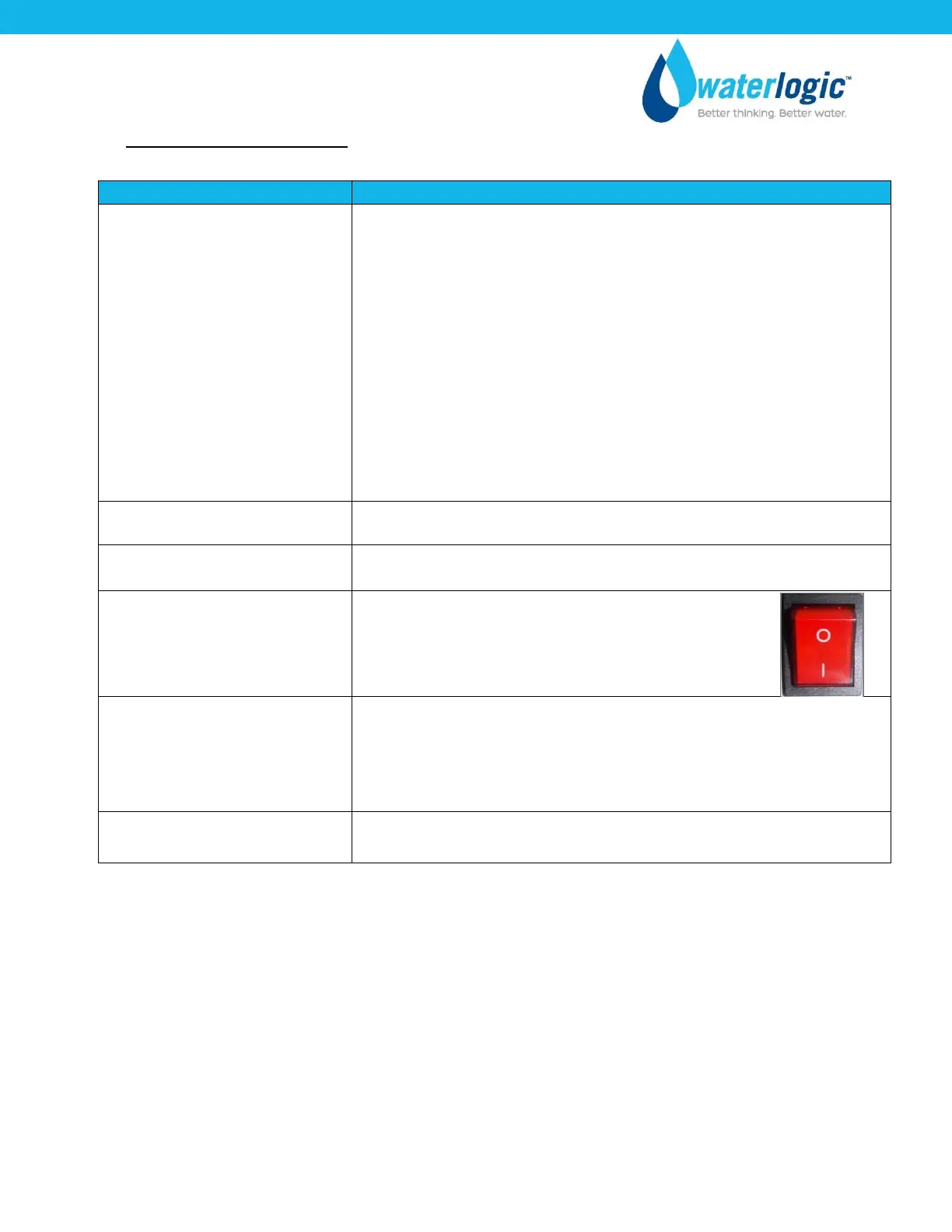
Red Heater & Compressor
Switch on unit is off.
If water is dispensing at room temperature:
Turn Red Heater & Compressor Switch on.
I =ON
Loose connection(s) on the
Display PCB
Turn power off; unplug the WL2FLT Water Treatment System and
visually inspect solenoid connections into the Display PCB. Verify
the soldering points on connections are secure into the board.
Remove the PCB to inspect the front of the board.
Replace filters as needed.



 To Next Page