2-10 Setting up the APGC
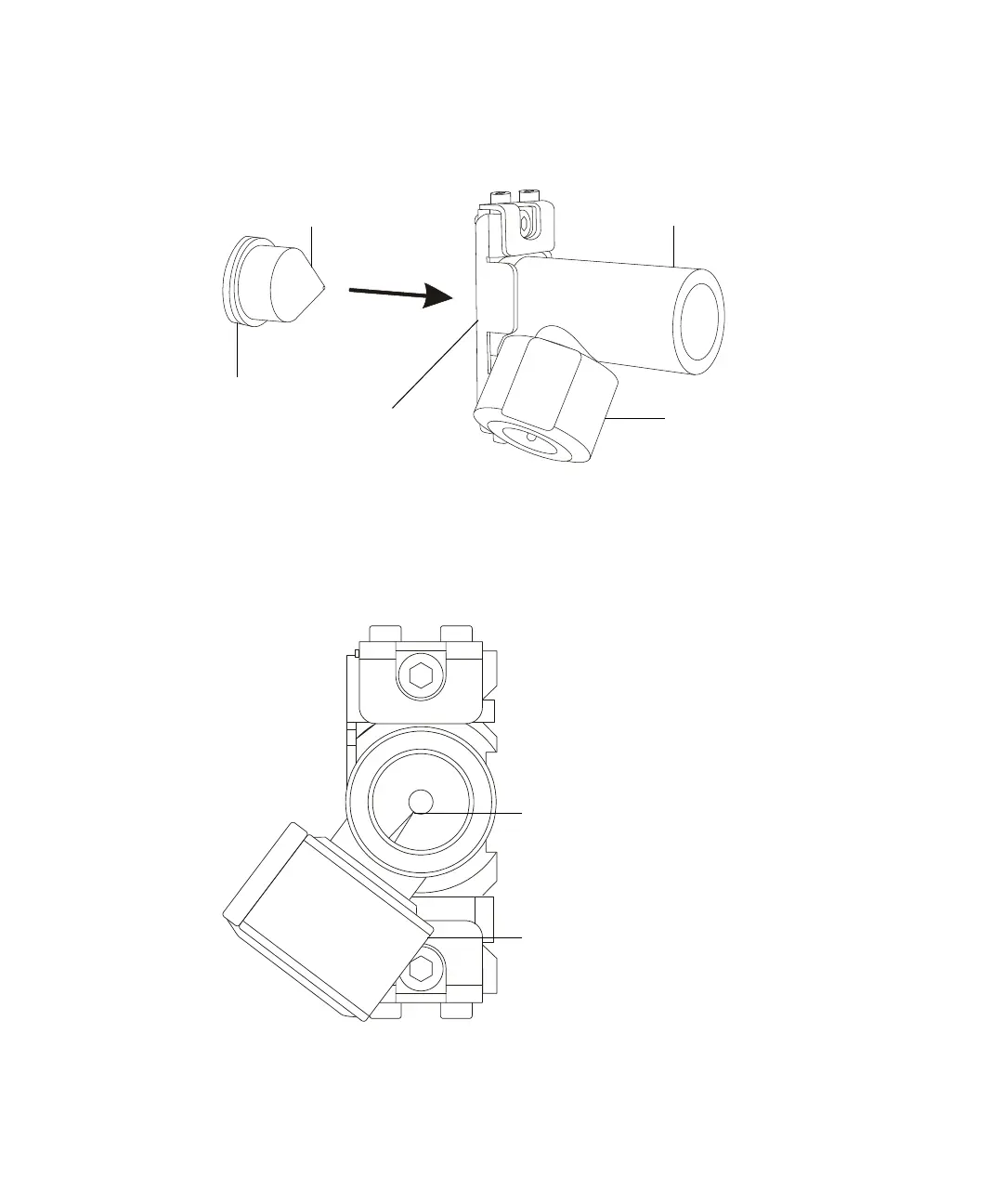
3. Slide the sample cone into the left-hand end of the APGC ion chamber.
Inserting the sample cone:
4. Looking into the right-hand end of the APGC ion chamber, use the
corona pin adjuster nut to position the corona pin tip to the edge of the
small hole at the opposite end of the assembly.
Positioning the corona pin:
APGC ion chamberSample cone
Corona pin adjuster nut
O-ring
Locking plate
Corona pin adjuster nut
Corona pin tip












 To Next Page