Auto-Zone Plus
Section 2
Design Guide 2-35
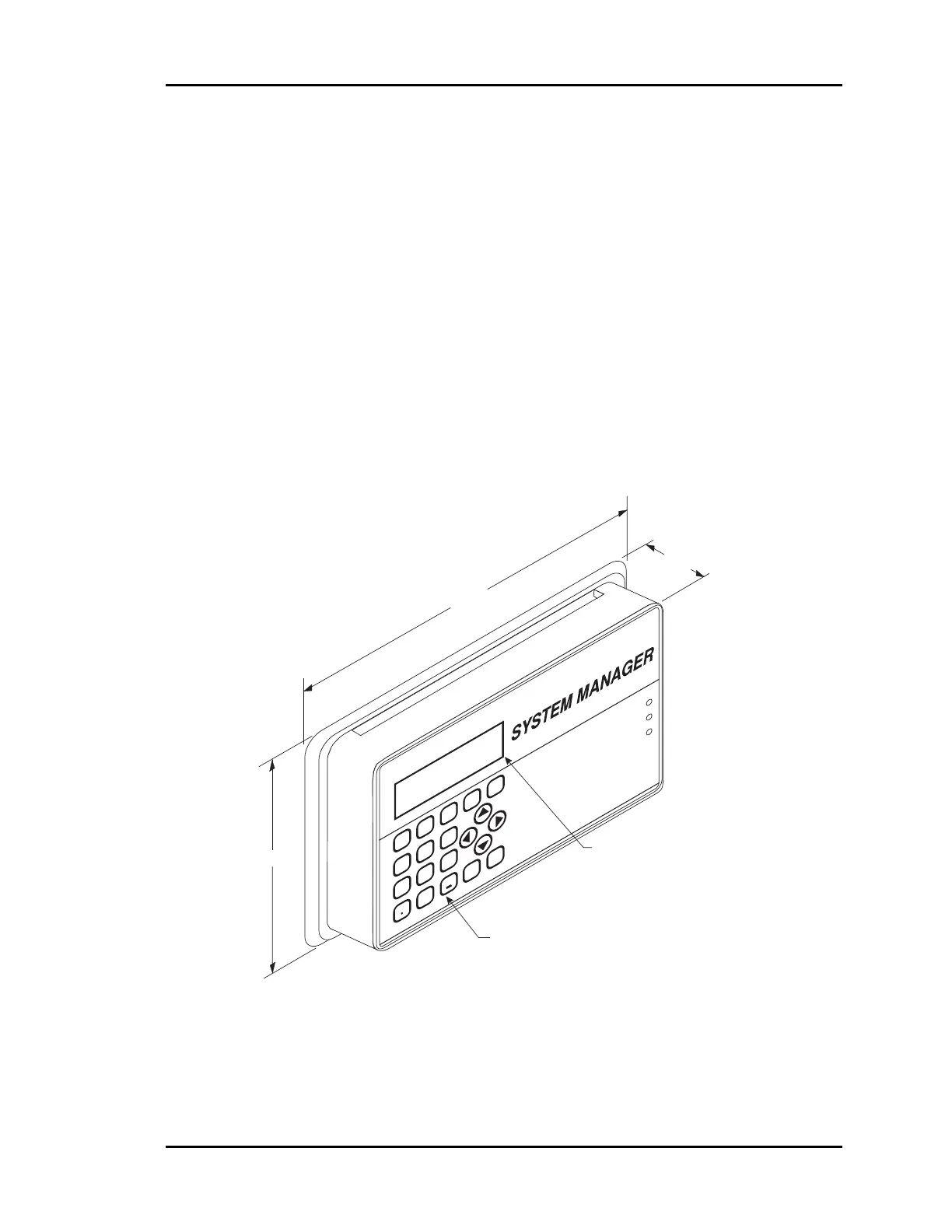
System Manager
The microprocessor based System Manager allows any controller or Add-on device to be
programmed and monitored from a central operator's panel. The System Manager is
connected via the RS-485 communication network.
The System Manager is mounted in an attractive, white plastic housing, suitable for wall
mounting. A four line by twenty character, backlighted, LCD display and membrane
keypad provide a user friendly interface. All system variables, setpoints, and values can
be viewed and modified from the System Manager. Menu driven programming makes the
System Manager easy to set up your system and operate it without the need for
specialized training.
Figure 2-28: System Manager Dimensional Data
1.90
9.00
6.25
20 Key Membrane
Keypad
Four Line by 20 Character
Backlighted Display
6
5
4
DEC
7
MINUS
0
CLEAR
98
1
32
MENU
Overrid
e
Communicatio
n
ENTER
ESC
Alarm



 To Next Page