Section 4 Auto-Zone Plus
4-32 Start-Up and Troubleshooting
2.3 Troubleshooting
2.3.1 Checking the Zone Manager Analog Inputs
Diagram Overvie
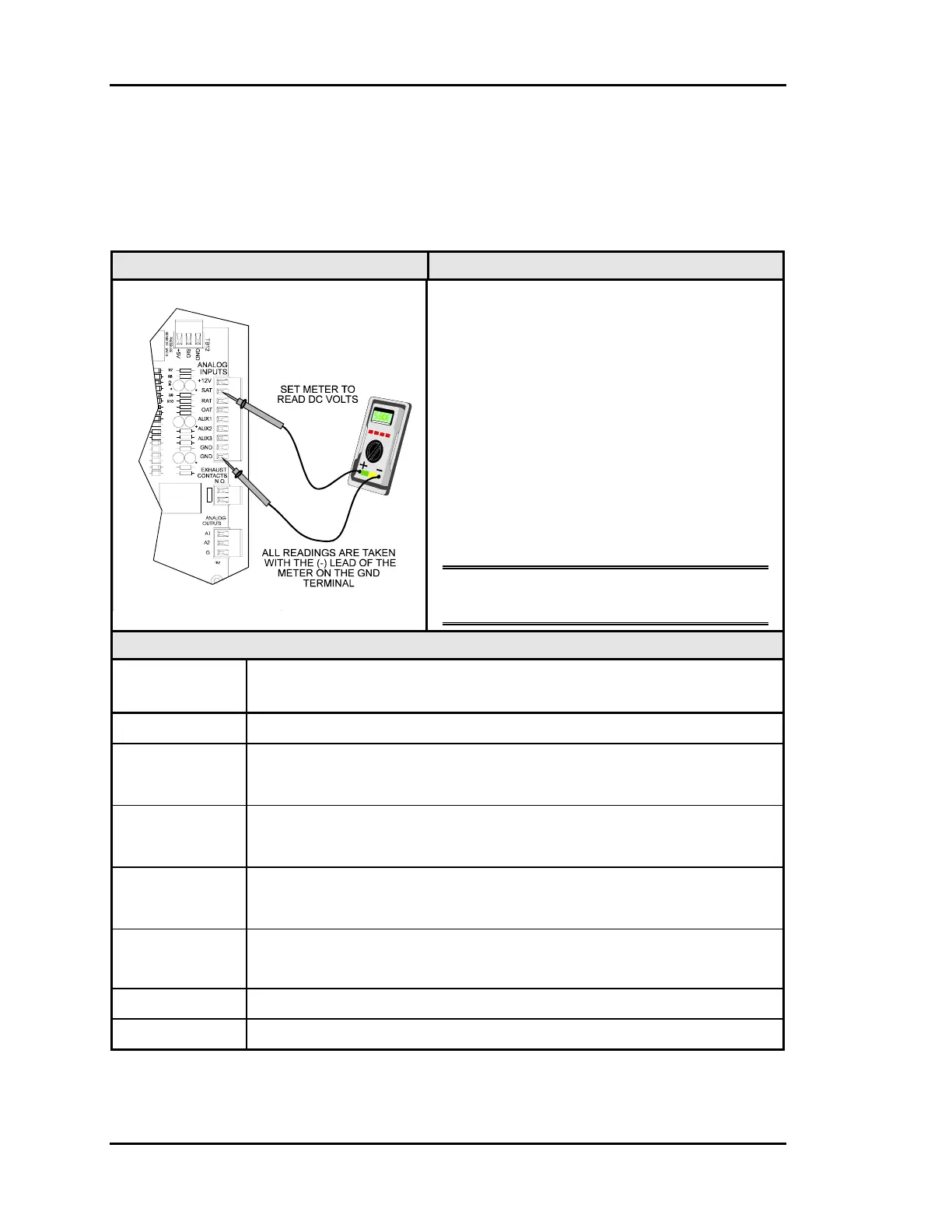
The analog input wiring can be checked at the
Zone Manager by checking voltages on the
Analog Input Connector.
If any of the RAT, SAT, OAT inputs read
greater than 5.0 volts then it is OPEN (no
sensor is connected), an input that reads less
than 0.1 volts is SHORTED. Check for wiring
problems before proceeding.
The AUX1-3 inputs should read greater than
5.0 volts if the attached contact is OPEN and
less than 0.5 volts if the contact is CLOSED
(contacts CLOSE between the input and
GND).
Note: The Zone Manager must be powered
for these tests.
Measurements
Meter Acceptable Range
Ignore readings for any connections which are not used in the equipment
+12 23.4 – 25.2 volts
SAT
1.1 volts (140°F) - 3.6 volts (40°F)
Typical is 2.5 volts @ 77°F
RAT
1.9 volts (100°F) - 3.6 volts (40°F)
Typical is 2.5 volts @ 77°F
OAT
1.9 volts (100°F) - 4.6 volts (-10°F)
Typical is 2.5 volts @ 77°F
AUX1 If the input is OPEN, the voltage will be greater than 5.0 volts
If the input is CLOSED, the voltage will be less than 0.5 volts
AUX2 see AUX1 above
AUX3 see AUX1 above



 To Next Page