EasyManua.ls Logo

WaveShark Foil - User Manual

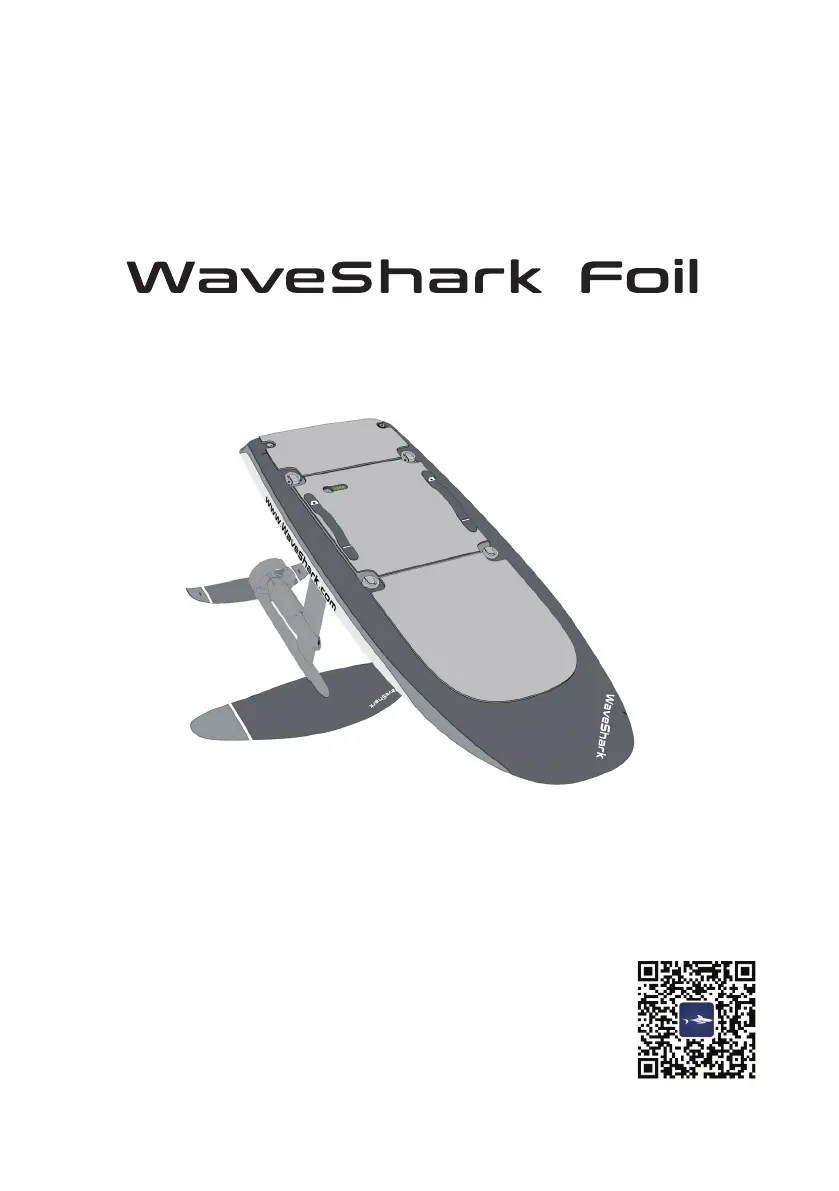
WaveShark Foil
37 pages
Print Icon
To Next Page IconTo Next Page
Loading...
User Manual
V4.0
Download App

Questions and Answers

  • B
    beverlyjensenAug 5, 2025
    How to fix a blocked propulsion system on WaveShark Sports & Outdoors?
    • P
      phillipcampbellAug 5, 2025
      Check the propeller of the WaveShark Sports & Outdoors propulsion system. If there are any objects stuck in it, power off the device, remove the objects, and restart to see if it works normally again.
  • A
    aorozcoAug 9, 2025
    What to do if the accelerator on my WaveShark Sports & Outdoors remote doesn't return to zero?
    • C
      charlesstephensAug 9, 2025
      Do not use the accelerator on the remote controller of your WaveShark Sports & Outdoors device while it is powering on. If the issue continues, recalibrate the remote controller following the instructions in the User Manual.
  • K
    Kristen MartinezAug 15, 2025
    How to update outdated board firmware on WaveShark Foil Sports & Outdoors?
    • M
      mwilsonAug 15, 2025
      Turn off the WaveShark Sports & Outdoors remote controller, then turn on the board. Connect the app to the board and upgrade the firmware as prompted until the board is functional.
  • E
    Elizabeth CollinsAug 19, 2025
    How to update outdated remote controller firmware on WaveShark Foil Sports & Outdoors?
    • G
      gruizAug 20, 2025
      Turn off the WaveShark Sports & Outdoors board and turn on the remote controller. Press and hold both the Upshift and Downshift buttons on the remote controller to enter slave mode. Connect the app to the remote controller and upgrade the firmware as indicated by the app.
  • R
    Ryan BoydAug 26, 2025
    What to do if I encounter a battery charging error with my WaveShark Foil Sports & Outdoors?
    • J
      Jason WalshAug 26, 2025
      Try unplugging and re-plugging the WaveShark Sports & Outdoors power connector to recharge. If repeated attempts don't work, contact after-sales technical support.
  • J
    Joe HumphreyAug 30, 2025
    What to do for a severe battery over-temperature error on WaveShark Sports & Outdoors?
    • J
      Jane OlsonAug 30, 2025
      If the WaveShark Sports & Outdoors battery temperature is too high, the board will automatically power off. Return to shore and wait for the battery to cool down. If the issue persists, record the error code and contact after-sales technical support.

Summary

Safety Warnings and Disclaimer

Product Safety Guide

Guidelines for safe use and operator requirements.

Operational Environment Requirements

Conditions and restrictions for using the equipment in water.

Pre-use Inspection

Steps to ensure the equipment is ready for use.

Battery Safety Guide

Precautions for handling, charging, and storing the battery.

Battery Operations

Battery Charging

Instructions for charging the WaveShark battery safely.

Battery Storage

Proper procedures for storing the battery for longevity.

Battery Disposal and Transportation

Guidelines for safe disposal and transport of batteries.

WaveShark App Quick Start

Download and Watch Tutorials

How to get and use the WaveShark mobile application.

Unboxing

Box 1: WaveShark Foil

Contents of the package containing the main board.

Box 2: Battery

Contents of the package containing the battery.

Box 3: Power Unit & Charger

Contents of the package with power accessories.

Box 4: Wing Set

Contents of the package with wing attachments.

Box 5: Remote Controller

Contents of the package with the remote control.

Installation Guide

Connect Board and Mast

Step-by-step guide to attach the mast to the board.

Connect Wings to Wing Pole

Instructions for attaching different wing types to the wing pole.

Install the Battery

Procedures for correctly installing the battery into the board.

Install the Wristband

How to attach the wrist strap to the remote controller.

Introduction to WaveShark Foil

Board Battery Level Indicator

Understanding the battery level indicators on the board.

Power On;Off the Board

How to turn the board on and off using the power button.

Charge the Board

Detailed steps for charging the board's battery.

Introduction to Remote Controller

Remote Controller Interface

Explanation of the buttons and screen layout of the remote.

Charge the Remote Controller

Steps to charge the remote controller.

Safe Lock User Guide

How to enable and disable the safe lock feature.

Pairing and Activation

Pair Remote Controller with Board

Instructions for pairing the remote controller to the board.

Activate Board and Remote Controller

Steps to activate the board and remote controller.

Activate the Board

Steps to activate the board using the WaveShark app.

Activate the Remote Controller

Steps to activate the remote controller.

Surf Preparation and Techniques

Beginner Surfing Techniques

Initial steps and guidance for new users to start surfing.

Surf While Standing

How to transition from kneeling to standing and maintain balance.

Flying Over Water

Techniques for achieving flight and controlling altitude.

Post Surfing Procedures

Cleaning the Equipment

Procedures for cleaning the board and components after use.

Transportation Guidelines

How to safely transport the WaveShark Foil.

Storage Instructions

Proper methods for storing the board and battery.

Maintenance and Repair

Routine checks and upkeep for the equipment.

Advanced Operations

Share Dynamic Track

How to share surfing data using the WaveShark app.

Firmware Upgrades

Steps for updating the board and remote controller firmware.

Remote Controller Calibration

How to calibrate the remote controller's accelerator.

Common Errors and Troubleshooting

Charging Errors

Solutions for issues during battery charging.

Board Error Troubleshooting

Diagnosing and resolving common error messages displayed by the board.

Certification and Trademark Declaration

FCC Compliance Information

Regulatory compliance details for FCC standards.

ISED Compliance Information

Regulatory compliance details for ISED standards.

WaveShark Foil Specifications

General IconGeneral
CategorySports & Outdoors
MaterialCarbon Fiber
Skill LevelIntermediate to Advanced
Motor Power5 kW
TypeElectric Hydrofoil
Length168 cm
Foil MaterialCarbon Fiber
Foil Wingspan80 cm
Rider Weight Limit100 kg
Top Speed45 km/h
Battery Capacity2 kWh