Advanced operations
Share dynamic track
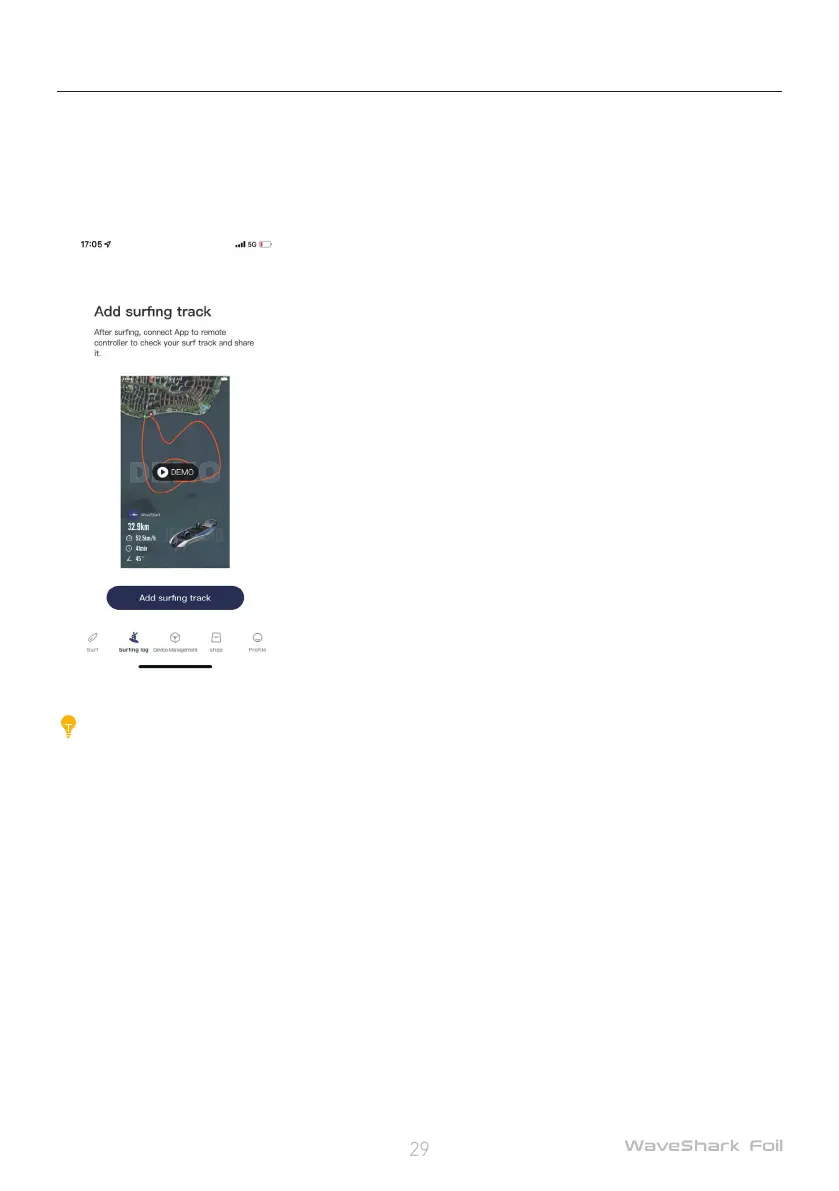
After each ride, share your dynamic track by the following steps.
1. Download and log in to the WaveShark app;
2. Tap Surng Log > Add surng track, and connect to the remote controller by the app instructions;
3. Wait the surf track to generate automatically;
Caution:
Do not exit the page or disconnect from the internet during surf track generation.
4. Tap View surng track after it is generated;
5. Tap Play to watch your surng track;
6. Download the surng track and share it.
Board rmware upgrade
1. Turn off the remote controller;
2. Open the WaveShark app, search for the Bluetooth, and connect to the board;
3. Check the board for rmware updates, and upgrade the rmware to the latest version as indicated
by the app.
Remote controller rmware upgrade
1. Turn on the remote controller, and activate the slave mode by long pressing the Upshift button and
Downshift button until the app connection icon displays on the screen;


 To Next Page