In this chapter
Channel Indicators
Verification Menu Bar
9
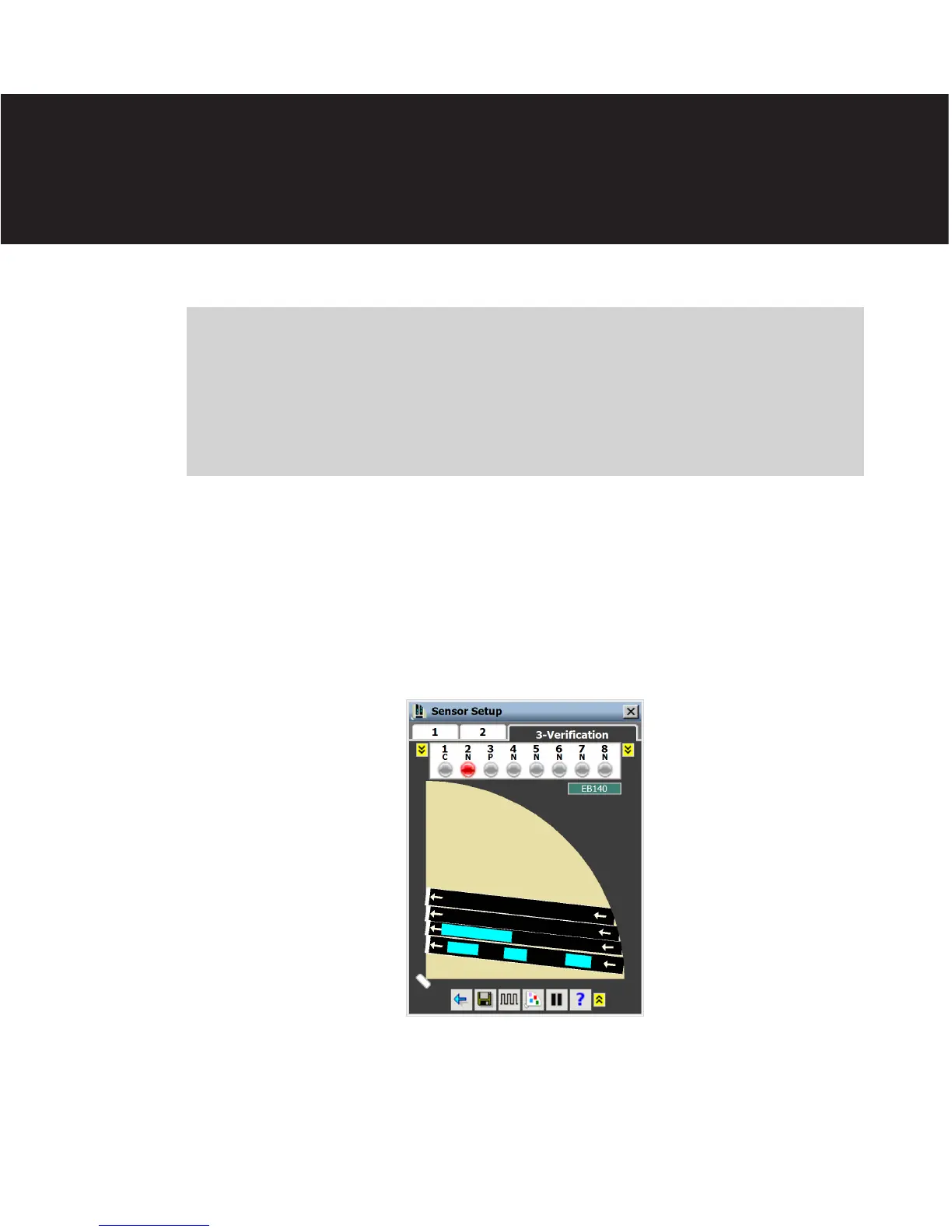
Aer the conguration is complete, you will need to verify that the sensor was congured
correctly. To verify lane conguration and channel mapping, click on tab 3. is will bring
up the Verication window (see Figure 9.1).
Figure 9.1 – Verification View
In the Verication window, vehicle detections will appear as light blue rectangles. e ex-
tent of these detections will vary based upon the length of the detected vehicle and the
length of queued trac.
Verification 9



 To Next Page