CHAPTER 9 VERIFICATION 91
Figure 9.3 – Delay and Extend Zone Settings
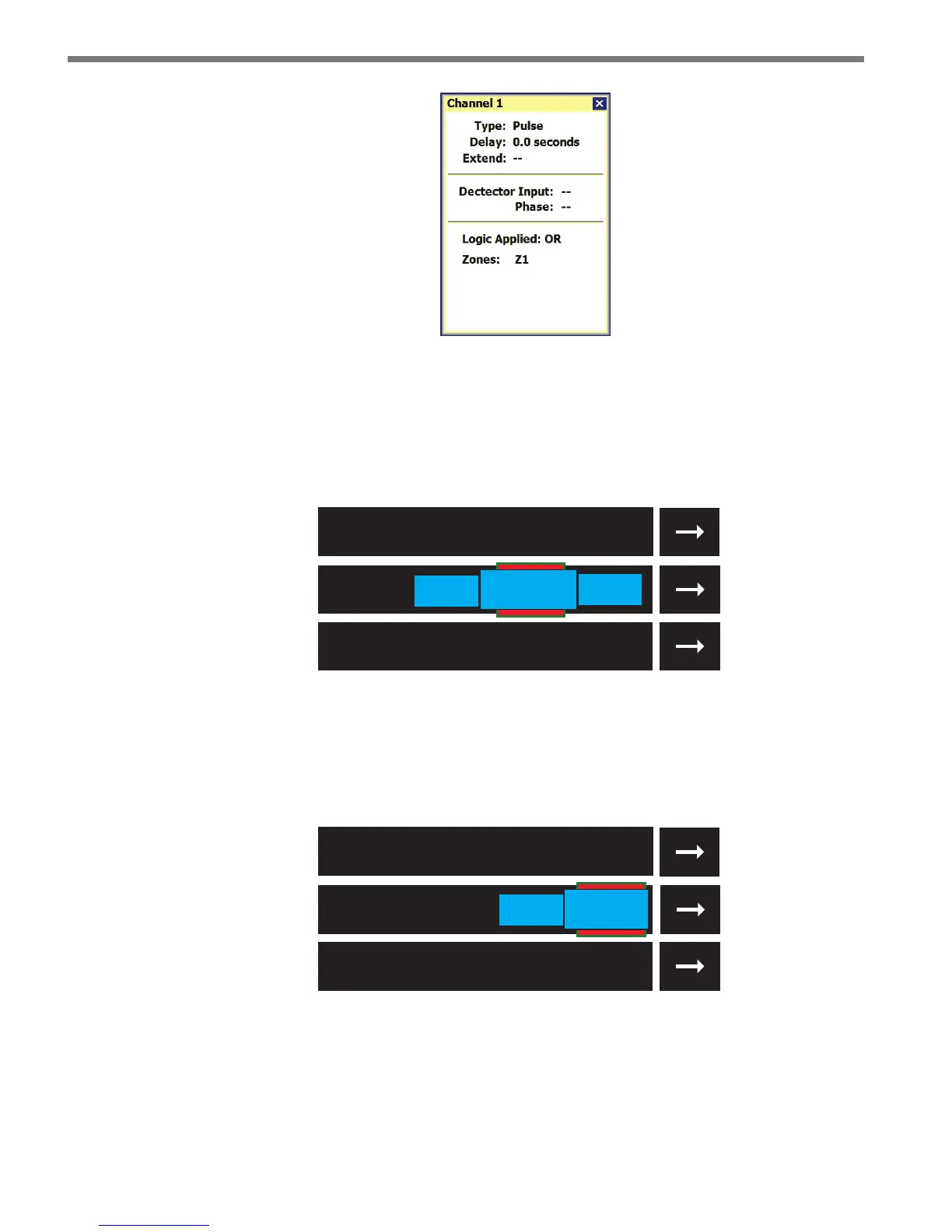
When vehicles stop before and aer a zone, the stopped vehicle queue is extended to ll the
space between the two vehicles. is ensures that a queue of vehicles that extends in front
and behind a zone will always activate the zone even if the vehicles are not directly over it
(see Figure 9.4).
Stopped
Vehicle
Stopped
Vehicle
Queue Extension
Stopped Vehicle
Figure 9.4 – Two Vehicles Stopped With a Zone in Between
If a vehicle stops within 30 feet of the stop bar, then the stopped vehicle queue will be ex-
tended to the stop bar. is ensures that a vehicle will activate a zone even if it stops behind
the zone (see Figure 9.5).
Stopped Vehicle
Queue Extension
Stopped
Vehicle
Figure 9.5 – A Vehicle Stopped Behind the Stop Bar
Verification Menu Bar
As on the Edit Lanes & Stop Bar screen, you can use the menu bar to save a conguration,



 To Next Page