26
Part No. 920559 Rev H November 2008
3.6 Blend Ratio Setting, continued
Saving the New Blend Ratio
1. Press ENTER. The price display will show “– – – – – –“, the volume display will be blank and the unit
price display will show the last sub-function accessed.
2. Press 00 (to access F00)
3. Press ENTER. The unit price should now display F00, the price display will show “– – – – – –“
and the volume display will be blank.
4. Press ENTER and the volume display will show a 1.
5. Press UP twice to change the value in the volume display from 1 to 3.
6. Press ENTER. The volume display should show a 3.
7. Press ENTER. CHANGE STORED should appear on the display momentarily. The display should
return to normal in a few seconds. When it does, the unit price displays should show the new prices. If
they do not show the desired unit prices, access the appropriate sub-function to make sure that the unit
price data is correct.
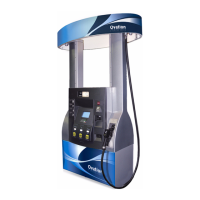
For reference, the following is a 50% blend ratio setting for a single hose blender, Ovation model B12/3 xxxx,
as listed in Table 3-1. Any unused position has to be set to 101 not 0.
Side 1 Side 2
18.11 = 101 18.21 = 101
18.12 = 101 18.22 = 101
18.13 = 100 Super (Hi Feedstock) 18.23 = 100
18.14 = 101 18.24 = 101
18.15 = 50 Plus (Blend BL) 18.25 = 50
18.16 = 101 18.26 = 101
18.17 = 0 Regular(Lo Feedstock) 18.27 = 0
Typically, stations sell the low and high grades at zero and 100 percent ratios and may sell the middle grade
at 35 percent or some other intermediate value between 0 and 100. On the above model, the technician
would need to change only sub-functions 18.15 and 18.25 to the intermediate value.
As a reminder, always get the blend ratios from the station owner to avoid any confusion over which values
to use.


 To Next Page