27
5.1.6.Filament Replacement
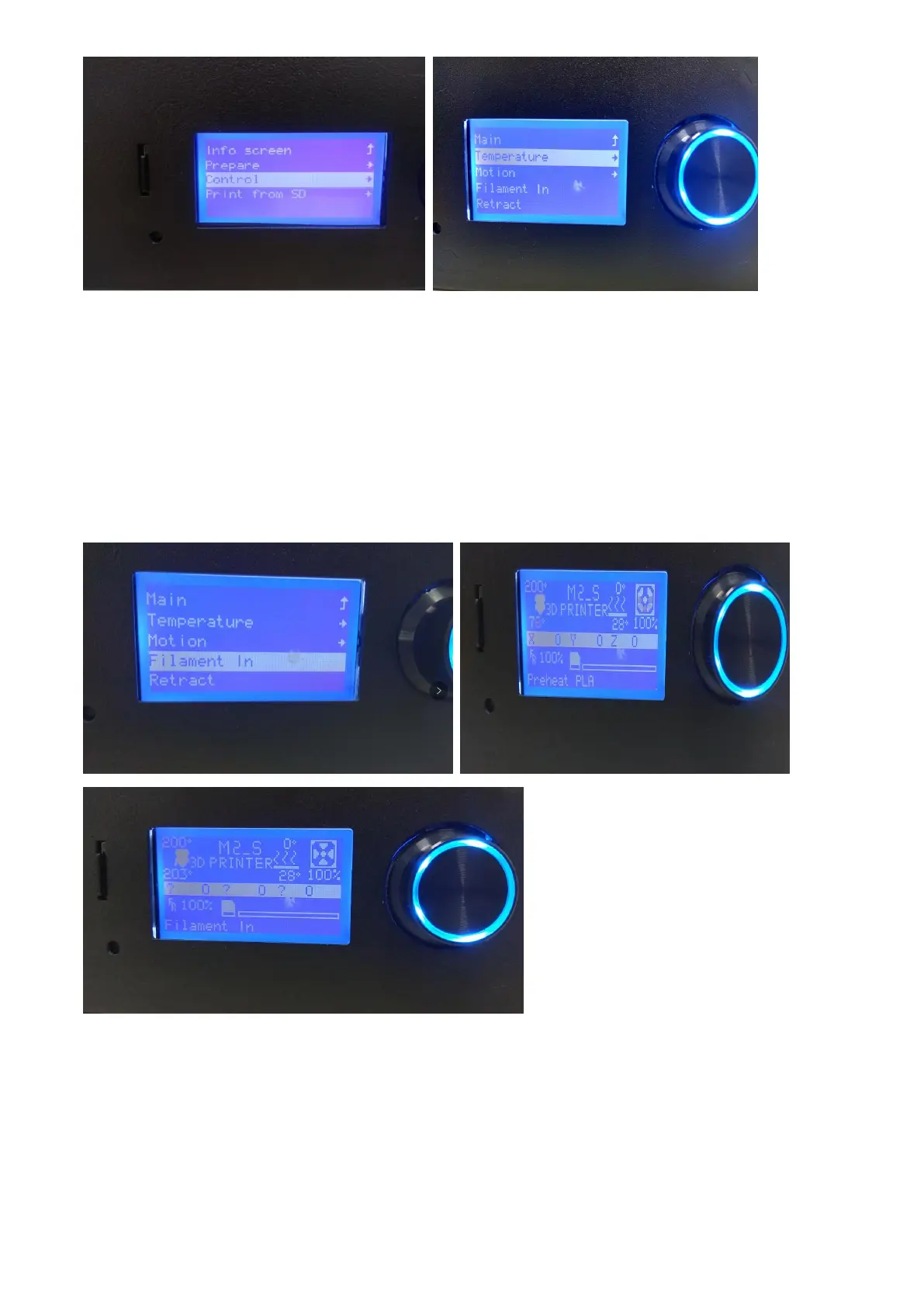
In the start menu,choose the second item ” Prepare ” ,enter to the secondary menu,choose the
second item”Retract” to enter the filament replacement interface.
Select "retreat", press the button to enter the filament unload program, heat the nozzle to the
preset temperature, then start the nozzle motor to unload the filament.
In the start menu,choose the second item ” Prepare ” ,enter to the secondary menu,choose the
item ”Filament in” to load the filament.
5.1.7. Printer Jog Debugging
In the start menu,choose the second item”Prepare”,enter to the secondary menu,choose ”Move
axis” to enter printer jog debugging interface.



 To Next Page