31
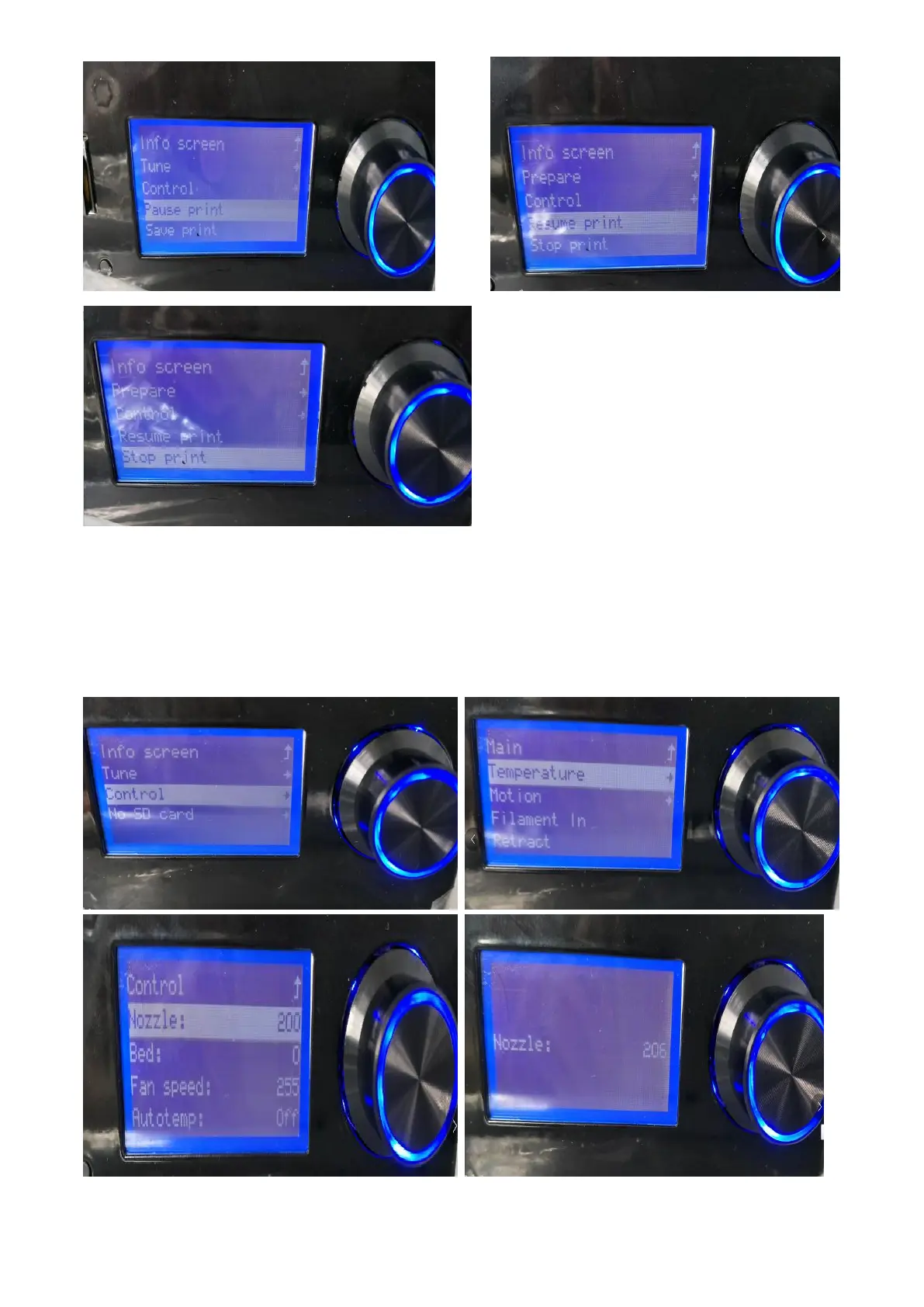
5.1.11 Adjust the temperature
In the start menu, select item 3 "Control", rotate the knob and click the button to select
"Temperature", click the button to select the setting "Nozzle " and "bed" to enter the print head
temperature reset interface, rotating button can increase or decrease temperature.



 To Next Page