______________
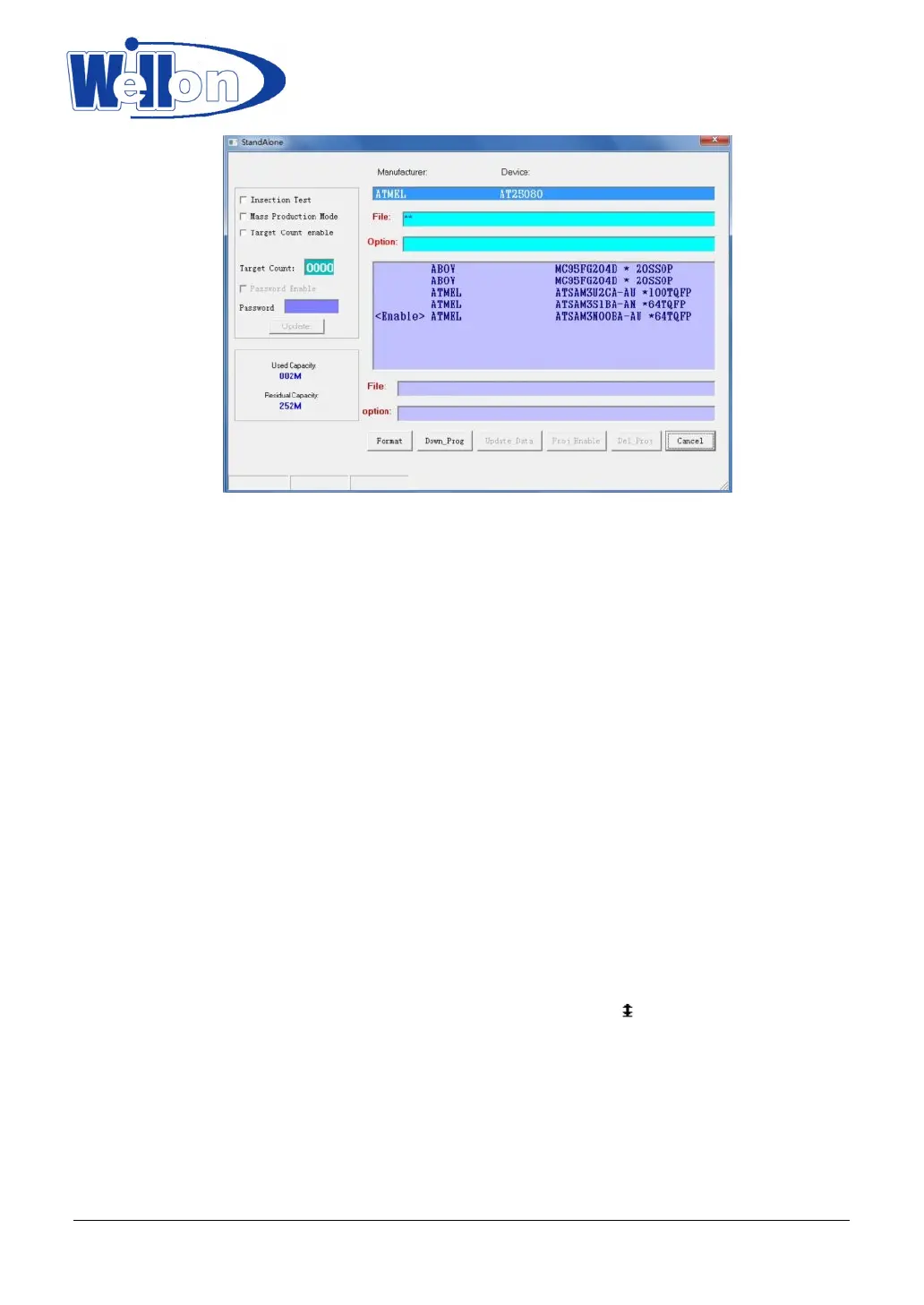
Step Three: Click “Down_Prog” button on the dialog. The project will be downloaded in the programmer.
9.1.3 Set Properties of Project
Before the project has been downloaded in the programmer, users can set the project’s properties in
“StandAlone” dialog.
(1) Insertion Test
When user selects “Insertion Test” option, the programmer will check if there is a chip on the programmer
automatically before writing chips.
(2) Mass Production Mode
If user selects “Mass Production Mode” option, the programmer will check the status of socket continuously,
and will start operation at the moment the chip is inserted in the socket properly.
(3) Target Count enable
The “Target Count enable” option can control the count of chips written by the programmer. When the
amount of the programmed chips reaches the number the user sets, the programmer will stop writing chips.
To set the target count, user only needs to input the number at “Target Count” edit box, then the “Target
Count enable” option will be selected automatically.
(4) One Key Mode
If one project is set “One Key Mode”, the user can push any one of the four red buttons on the programmer
to write four chips at the same time. Otherwise, the user has to push all four buttons one by one.
When a project is set “One Key Mode”, the programmer will display a
sign at the beginning of the
project information to show that this is a “One Key Mode” project.
(5) Password
User can use password to protect the project which has already set the target count. The password must
be digits and the length is from one to eight.
Before inputting the password, users need to select “Password Enable” option first.
9.1.4 Manage Projects
Tianjin Weilei Techonlogy Ltd.
www.weilei.com TEL:022-83945122
FAX:022-83945121 2018-03-08



 To Next Page