26 | EN Ⓒ weinor GmbH & Co. KG
Ⓒ weinor GmbH & Co. KG EN | 27
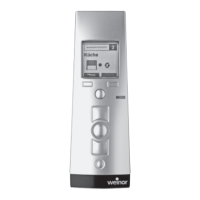
Key functions
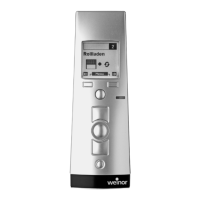
Selections and changes in the menus are made with the
joystick and the left and right menu keys. The assignment
of the menu keys is defi
ned depending on the context by
a correspondingly allocated text fi eld.
Joystick functions in menu mode in the BiEasy 15M
Movement down Scrolls down or changes
the value (-).
Movement up Scrolls up or changes
the value (+).
Movement to
the left/right
Changes the setting ranges or
activates the fi eld.
Tab. 8 Joystick functions in the BiEasy 15M
Important:
If the device is in menu mode and the buttons are not
touched for more than 30 seconds, the operating type
switches to the operating mode.
4.5.1 "Administration" menu
The following chapter structure corresponds to the menu
structure in the BiEasy 15M. The "Administration" menu
offers the option of selecting individual channels, groups
(group channels) or the master channel and giving them
names. Individual channels can also be allocated to
different groups; all individual channels are automatically
allocated to the master channel.
"Channels" submenu
A selected channel can be allocated to one or more groups.
A name for the selected channel can be defi ned in two text
fi elds each with a maximum of 15 characters.
"Groups" submenu
Individual channels (maximum 5 channels per group)
can be allocated for fi ve selectable groups. A name for
the selected group can be defi ned in two text fi elds each
with a maximum of 15 characters
Important:
The group allocation is only available if at least two
programmed individual channels are available.
"All" submenu
A name for the master channel can be defi ned in two text
fi elds each with a maximum of 15 characters. This submenu
is not available in the event of cut-out in "Menu: Function -
Expert".
"Reset" submenu
Resets all group allocations and text fi elds: All names and
allocations can be reset to the factory settings by selecting
the "Rest" menu.
4.5.2 "Settings" menu
You can make various function settings in the "Settings"
menu.
"Language" submenu
A language for the menu texts can be selected from the list.


 To Next Page
 Loading...