2.3 Operating Panel Layout and Functions
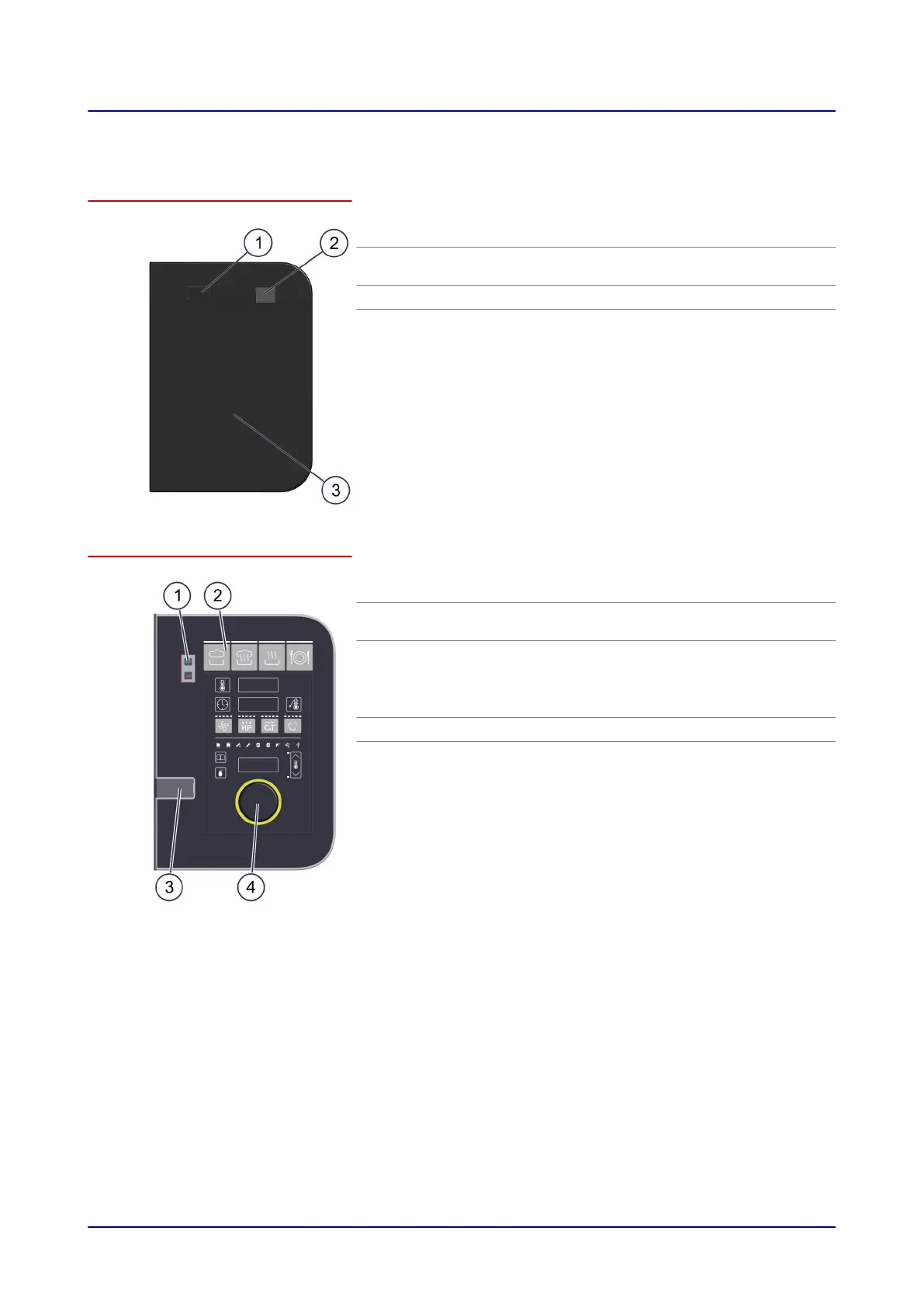
Control panel layout and parts in easyTouch
No. Designation Function
1
Unit
ON/OFF switch
Used to turn the combi oven on and off
2
USB port Used to plug in a USB stick
3
Full-touch display The unit's central control interface
■
Used by touching the icons on the full-touch dis-
play
■
Status indicators
Operating panel layout and parts in easyDial
No. Designation Function
1
Unit
ON/OFF switch
Used to turn the combi oven on and off
2
Control panel The unit's central control interface
■
Buttons used to enter cooking programs
■
Displays used to indicate configured values
■
Prompt indicators for the operator
3
USB port Used to plug in a USB stick
4
C-Dial Used to set cooking parameters by turning and
pressing the encoder
.
2 Configuration and Functions
Operating Manual 16













 To Next Page