3-1
DANGER
The on-site supervisor is responsible for ensuring that
operators are made aware of the inherent dangers of
operating this equipment.
DANGER
Do not operate any appliance with a damaged cord
or plug. All repairs must be performed by a qualified
service company.
DANGER
Never stand on the unit! They are not designed to
hold the weight of an adult, and may collapse or tip if
misused in this manner.
n
Warning
Do not contact moving parts.
n
Warning
All covers and access panels must be in place and
properly secured, before operating this equipment.
n
Warning
Do not put heat sealed containers or plastic bags in
holding cabinet. Food or liquid could expand quickly
and cause container or bag to break. Pierce or open
container or bag before heating.
n
Warning
Racks, utensils, rack guides, and holding cabinet surfaces
may become hot during or after use. Use utensils or
protective clothing, like pan grips or dry oven mitts,
when necessary to avoid burns.
n
Warning
DO NOT use the cavity for storage. DO NOT leave paper
products, cooking utensils, or food in the cavity when
not in use.
,
Caution
DO NOT cover racks or any other part of the holding
cabinet with metal foil.
The Frymaster UHCTHD Holding Cabinet has been designed
to afford food service operators the ability to cook menu
components in advance and then gently store that product
in the holding bins until an order is received. Once that order
has been placed, the crew can assemble the order using hot
and fresh menu components from the holding bins. This
allows for operators to serve to order, helping increase speed
of service while maintaining high product quality standards.
The UHCTHD is ready for operation out of the box, with the
touch screen configured for routine menu configurations.
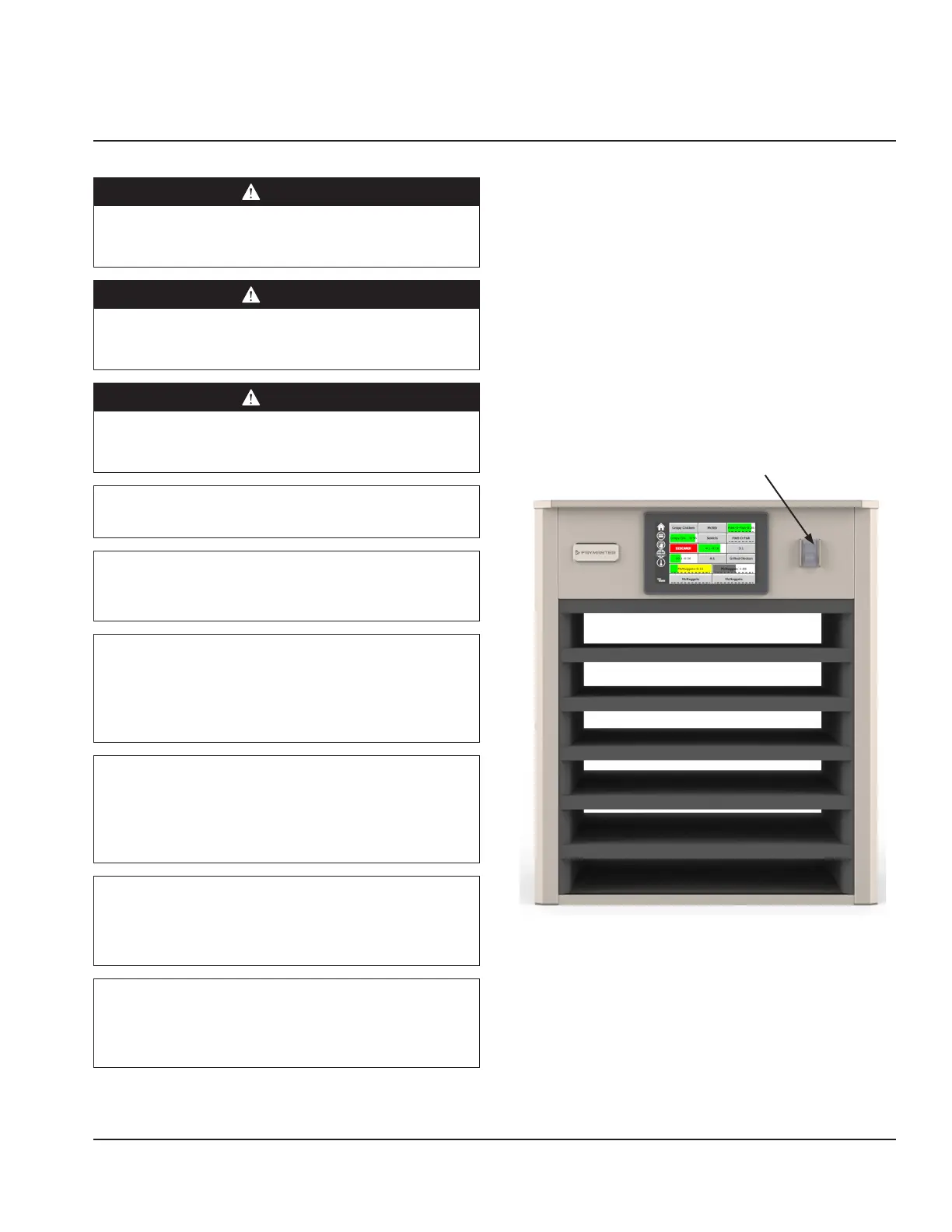
Power Switch
The power switch is located on the front of the cabinet. Flip
the power switch to turn the unit on or off.
Power Switch on Front
Cabinet Operation
1. Turn the power switch ON.
2. The displays will light and show yellow pre-heat
screens, changing to gray product names when the
cabinet is at temperature.
3. Load product in the appropriate row and press the
associated timer button.
Section 3
Operation


 To Next Page