3-9
Section 3 Operation
• Time Zone - Use the drop down box to select the time
zone the equipment is being used in. This only has an
effect on the date and time setting if the Use NTP box is
checked.
LANGUAGE SCREEN
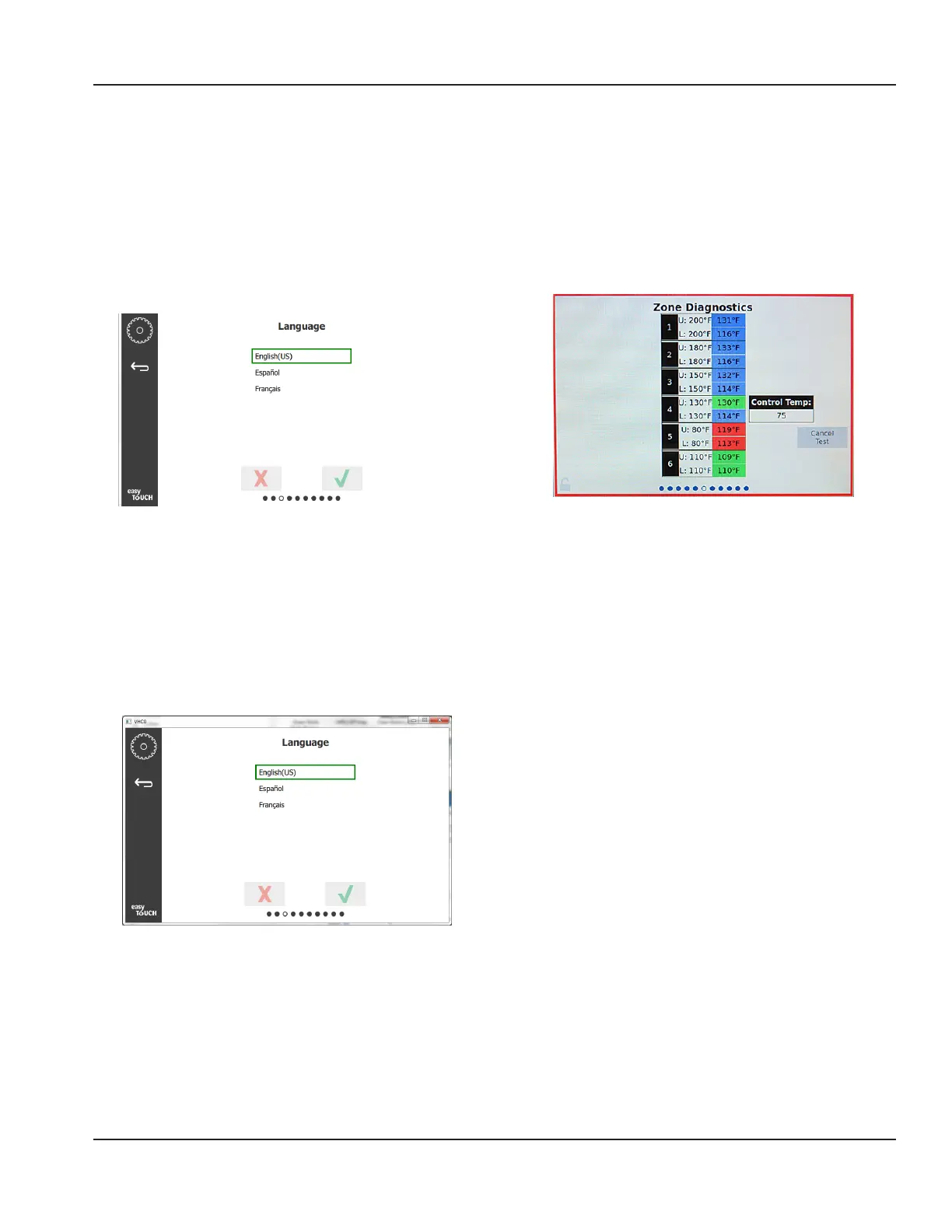
Language Screen
Available languages are listed to choose from. Store or
company created menu items will not change to the new
language. Only the headings and descriptions will change
to the new language (i.e. service page titles, calendar
month names, product parameters, and menu page titles).
Check the desired languages from this list to allow multiple
languages to be toggled from the language icon on the
main screen.
DAYPART SCREEN (NEEDS NEW SCREEN SHOT)
Daypart Screen
Available dayparts are listed to choose from. Ensure the
dayparts desired are checked. Press the green check when
finished.
ZONE DIAGNOSTICS SCREENS
Holding cabinet temperatures can be monitored on this
screen, no password is required to observe current heating
element temperatures.
To run service tests on the this screen a service passcode
must be entered. Select the lock on the bottom left of the
screen. Enter a service passcode on the pop-up number
pad. If the passcode is accepted there will be a yellow ring
around the screen.
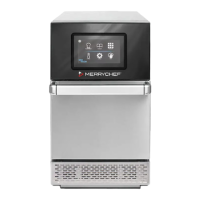
Zone Diagnostics Screen
Zone diagnostic screen shows set temperature and current
unit temperature for each heating element. Current
temperature will be highlighted green if +/- 5°F (+/- 3°F) of
the set temperature. Current temperatures are highlighted
red if hotter than and blue if colder than set temperature.
1. Test the machine by changing set temperatures. The
screen will have a red border while the testing.
- Select Service Test to change the set temperatures
to factory determined test temperatures.
OR
- Touch the a zone set temperature, highlighted in
white. On the displayed numeric key pad, enter the
desired temperature then touch the green check.
Note: Entering a temperature of 360 deg F or higher
will cause the heating element to be ON all the
time. Entering a temperature of zero deg F will turn
the heating element OFF. The set temperature of
both heating elements in the zone will be set to the
same temperature.
2. Select Cancel Test when complete, the screen border
will change to yellow.



 To Next Page