54
Troubleshooting
Scale Troubleshooting
The following beeps occur when using the scale
Acknowledgment of a button press
A zero weight is obtained and ready to take a measurement
Weight reading is obtained and displayed
The battery is too weak to operate the scale
The scale has entered custom setup mode, factory mode, service mode and
calibration mode
There is a problem with the scale
There is a problem with the scale
Batteries power is insufficient to operate the scale
The scale batteries are low on power
The measurement board’s connection has been lost. A technician should ensure
the connection is seated properly on both ends
The object on the scale is larger than the maximum value allowed
Out of calibration or bad load beam
The scale's factory database integrity is compromised
The scale’s application database integrity is compromised
The scale’s flash memory integrity is compromised
The measurement board cannot be read
The measurement board’s version is wrong
Measurement board error, the weight display is blocked
READING DOES NOT CHANGE WHEN WEIGHT APPLIED
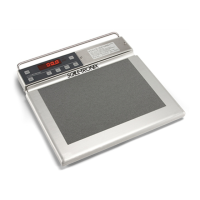
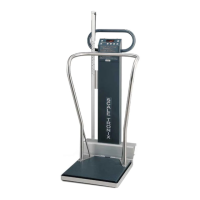
Check that the weight platform is plugged into the readout. The platform cable, connector or load cell transducer may be
defective. The load cell transducer’s resistance can be checked with an ohmmeter after unplugging from the measurement
Board. The proper resistance values are listed below:
WIRE COLORS (PIN NO.)
WHT(4)/RED(5)
GRN(1)/BLK(2)
Pin to Ground
RESISTANCE
350 ± 3 Ω
386 ± 50 Ω
≥5000 MΩ
Full Scale Output 3.0mV/V ±0.1%
Consult Welch Allyn if readings differ from those shown.



 To Next Page
 Loading...