EasyManua.ls Logo

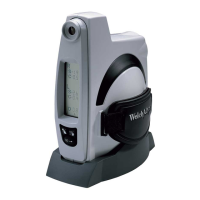
Welch Allyn Spot VS100 - User Manual

Welch Allyn Spot VS100
64 pages
Print Icon
To Next Page IconTo Next Page
Loading...
Welch Allyn
®
Spot
Vision
Screener Model VS100
Directions For Use
Software version 3.1.XX

Other manuals for Welch Allyn Spot VS100

Questions and Answers

  • J
    Joy BurchAug 16, 2025
    How to fix wireless issues on Welch Allyn Diagnostic Equipment?
    • S
      Shannon FrancoAug 16, 2025
      If the wireless icon on your Welch Allyn Diagnostic Equipment is red, try power cycling the vision screener first. Also, verify all network settings are entered correctly. Another solution is to turn the vision screener off, then back on. Ensure that your network name and IP address is identified on the Home screen. If the connection does not automatically reconnect, go to Tools, Network, select Security Type, reselect the correct type (None, WEP, WPA/2 PSK, and WPA/2 EAP-PEAP) then select the highlighted OK.
  • Y
    yweaverAug 19, 2025
    What to do if Welch Allyn Diagnostic Equipment restarts?
    • A
      Ann RamosAug 19, 2025
      To resolve a system restart on Welch Allyn Diagnostic Equipment, power cycle the vision screener by pressing and holding the On/Off button until a confirmation screen appears, then select Confirm to power off. When the screen turns black, wait 30 seconds and then press the power button to turn the vision screener back on. Ensure the device has power by plugging in the power cord.
  • M
    Matthew HarveyAug 21, 2025
    What to do if Welch Allyn Diagnostic Equipment freezes?
    • A
      Austin RiveraAug 21, 2025
      If your Welch Allyn Diagnostic Equipment system freezes, and the Power Off window appears, select Confirm to shutdown the device. If the screen freezes, press and hold the On/Off button until the screen goes black, then release the On/Off button. Wait about one minute then perform the normal start-up process.
  • T
    timothymartinezAug 25, 2025
    How to troubleshoot printer issues with Welch Allyn Diagnostic Equipment?
    • J
      James CarlsonAug 26, 2025
      If you are experiencing printer issues with your Welch Allyn Diagnostic Equipment, start by printing a test print page directly from the printer. After you confirm your printer is in proper working order, verify the printer is on a local network by printing to the printer from a PC on the same local network. If all of the above are in working order perform a System Restart.
  • P
    Paul OsborneAug 28, 2025
    Why does my Welch Allyn Diagnostic Equipment say 'Sorry for the inconvenience. We need to reboot the device'?
    • J
      James FreemanAug 28, 2025
      If your Welch Allyn Diagnostic Equipment displays the message, 'Sorry for the inconvenience. We need to reboot the device' because the screening mode has encountered a problem, select OK to reboot the device or Cancel to continue using the device in Read Only mode.
  • J
    jacob12Aug 31, 2025
    What does it mean when my Welch Allyn Diagnostic Equipment says 'Problem encountered. The device needs to reboot'?
    • J
      Jonathan StevensAug 31, 2025
      If your Welch Allyn Diagnostic Equipment displays the message 'Problem encountered. The device needs to reboot' because the system was not able to start and has attempted to correct the issue, reboot the device and try again.
  • A
    Andrea MaloneSep 2, 2025
    What to do if Welch Allyn Diagnostic Equipment says 'The screening system is not initialized'?
    • R
      Rhonda MartinSep 3, 2025
      If your Welch Allyn Diagnostic Equipment displays the message 'The screening system is not initialized' because the exam system did not initialize, or is unresponsive, reboot the device and try again.
  • K
    Kevin HarrisSep 6, 2025
    What to do if Welch Allyn Diagnostic Equipment export failed due to an internal error?
    • D
      Danielle GonzalezSep 6, 2025
      If you receive an error stating 'Export failed due to an internal error' on your Welch Allyn Diagnostic Equipment, retry the export operation.
  • D
    Dr. Madison HicksSep 9, 2025
    What does it mean when my Welch Allyn Diagnostic Equipment says 'Un-calibrated device'?
    • W
      warrendennisSep 9, 2025
      If your Welch Allyn Diagnostic Equipment displays the message 'Un-calibrated device' because the system has not been able to read the device configuration file, reboot the device and try again.
  • B
    Becky RobinsonSep 12, 2025
    What to do if Welch Allyn Diagnostic Equipment is unable to save PDF report for current subject?
    • C
      cynthia00Sep 12, 2025
      If you are unable to save a PDF report for the current subject on your Welch Allyn Diagnostic Equipment, the file system may not have enough space. Export data and clear the device history to free up additional storage space.

Summary

Introduction to the Welch Allyn Spot Vision Screener

Intended Use and Indications

Outlines the purpose and target users for the Spot Vision Screener VS100.

Safety and Handling Precautions

Covers critical warnings, cautions, and guidelines for safe operation, electrical hazards, and storage.

Device Controls and Interface

Describes the physical features, display window layout, and available tools for configuration.

Setting Up and Operating the Vision Screener

Initial Setup and Charging

Guides through unpacking, powering on, and charging the vision screener.

Screening Subjects

Details how to enter subject information, perform screenings, and interpret results.

Advanced Settings and Configuration

Explains network setup, printer configuration, data import/export, and device security.

Maintenance, Troubleshooting, and Specifications

Cleaning and Storage Guidelines

Provides instructions for cleaning, storing, and disposing of the vision screener.

Troubleshooting Common Issues

Offers solutions for system errors, connectivity problems, and screening failures.

Technical Specifications

Lists detailed specifications for the device, including performance and environmental requirements.

Electromagnetic Compliance and Safety

Covers EMC compliance, emissions, immunity, and RF safety information.

Product Warranty and Service

Vision Screener Limited Warranty

Outlines the product warranty terms for the vision screener.

Service and Repair Procedures

Details the process for obtaining warranty and non-warranty service and repairs.

VS100 Model Configurations

Lists available models and configurations for the VS100 vision screener.

Welch Allyn Spot VS100 Specifications

General IconGeneral
Device TypeVital Signs Monitor
CategoryMedical Equipment
DeviceSpot VS100
NIBP TechnologyOscillometric
Battery Life8 hours
DisplayColor LCD
Display TypeLCD
Measurement ParametersSpO2, NIBP, Temperature
ConnectivityUSB
Connectivity (Wired)USB
Power SourceRechargeable Lithium-ion Battery
NIBP Cuff CompatibilityAdult, Pediatric, Neonatal
Temperature Probe CompatibilitySureTemp® Plus probes or Braun Thermoscan® probe (depending on configuration)
Regulatory ComplianceFDA Cleared

Related product manuals