DMP900 User Guide
11
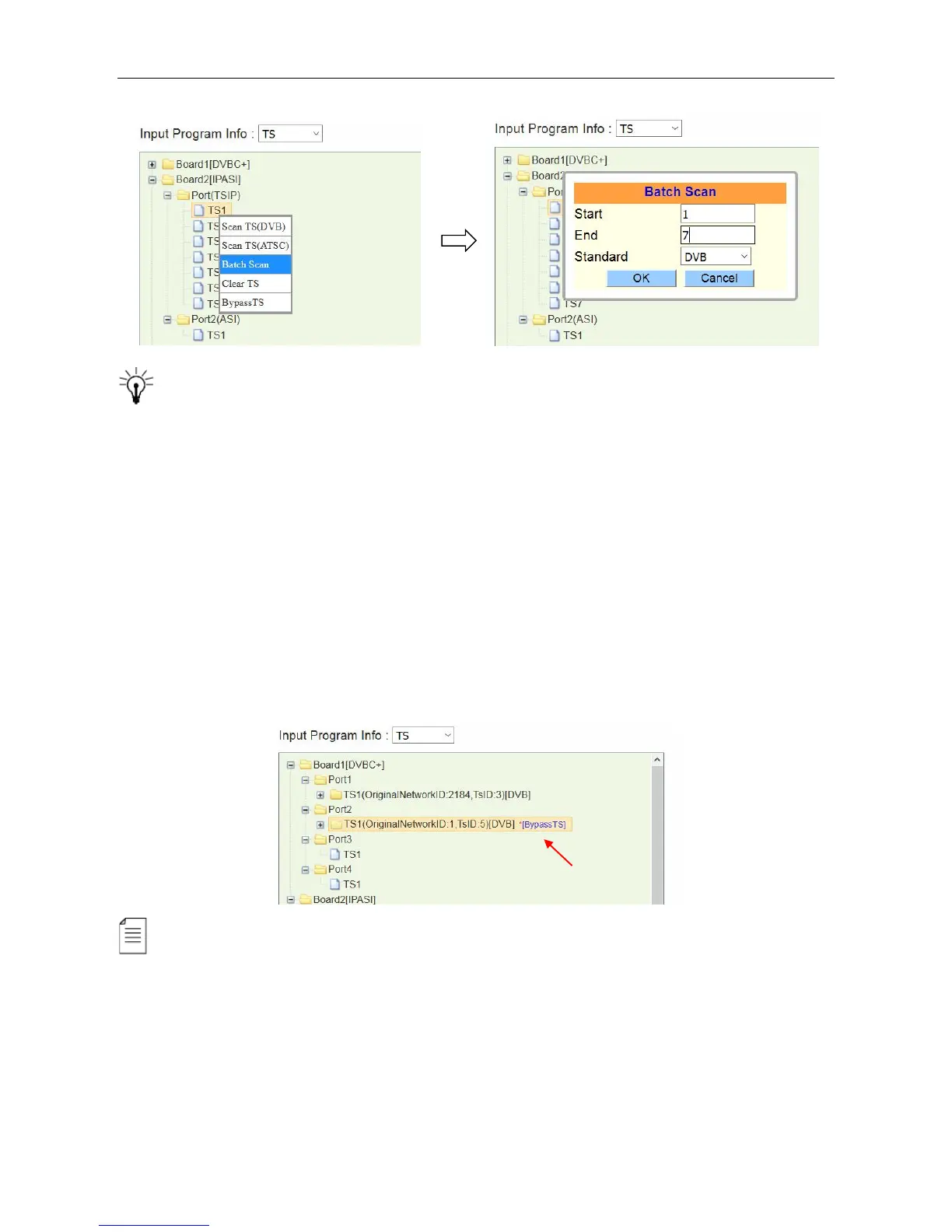
Batch Scan is really a convenient function especially used to search multiple TSIP input
channels. So you do not have to do it one by one. Note before you use this function, please go to
Status > TSIP and verify all the input channels you are going to batch scan present input bitrates.
Delete the input TS
See the image above. The Clear TS option is right under Batch Scan. If you have an input TS
scanned, you will see the services and PID included in this TS. Right-click on the TS, and click
Clear TS to delete a scanned TS.
Bypass the input TS
Right-click an input TS and click Bypass TS to pass it to the output. The bypassed TS will not be
multiplexed. See the following image, a *[Bypass TS] follows the scanned TS1 as a mark.
To configure the input of other modules, follow the similar steps as how you configure ASI and
TSIP input. Summary of the steps:
1. Connect input cables
2. Open input channels and set input parameters.
3. Scan TS
4. Click Apply



 To Next Page