DMP900 User Guide
7
We use only IE, Firefox and Chrome for testing procedures. If you use other browsers, like
Microsoft Edge, you may encounter incomplete UI layouts, and configure setting in these browsers
may lead to errors.
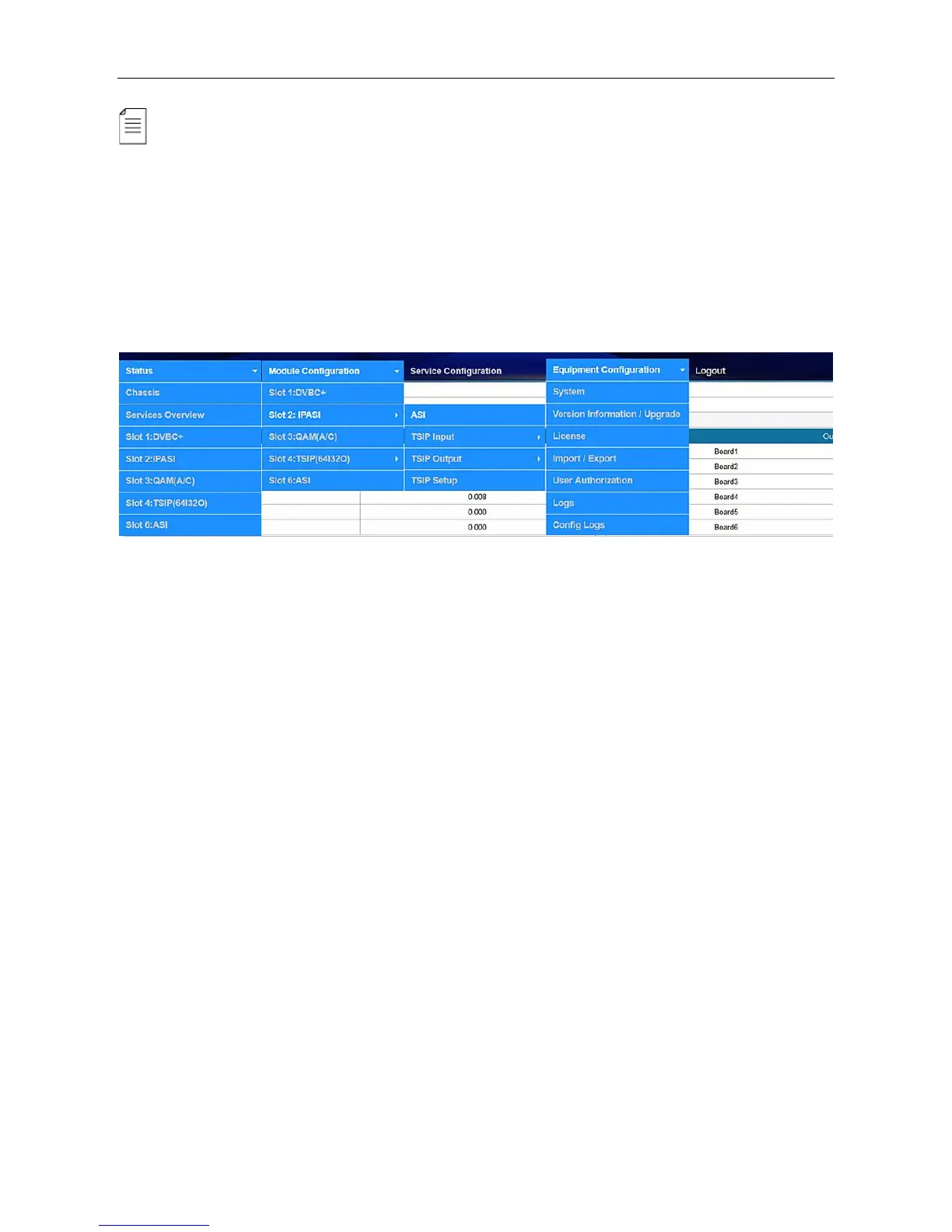
3.1.3 Dropdown Menu Overview
On the top of the Web UI, you will find a couple of menu items. Move the cursor to each item to
navigate through the dropdown menus. Menu item with a small white arrow on the right contains
submenu items.
Menu Status pages summarize the input and output bitrate in each board.
Menu Module Configuration is where you set input and output parameters for each board.
Menu Service Configuration is where to distribute services.
Menu Equipment Configuration includes the basic settings for a DMP900 unit.
3.1.4 Service Configuration
Service Configuration page, see the following image, is the main page to distribute input and
output services. In the input and output areas, only the slots with modules successfully loaded are
visible, except the scrambler which is hidden in Output Area and it is configurable by right-clicking
the programs in output ports. Board 1 in this page refers to the module in slot 1. Board 2 refers to
the module in slot 2, and so on.



 To Next Page