DMP900 User Guide
12
3.2.3 Configuring Output
Verify the output ports are enabled in Module Configuration. Use the following two ways to create
output TS:
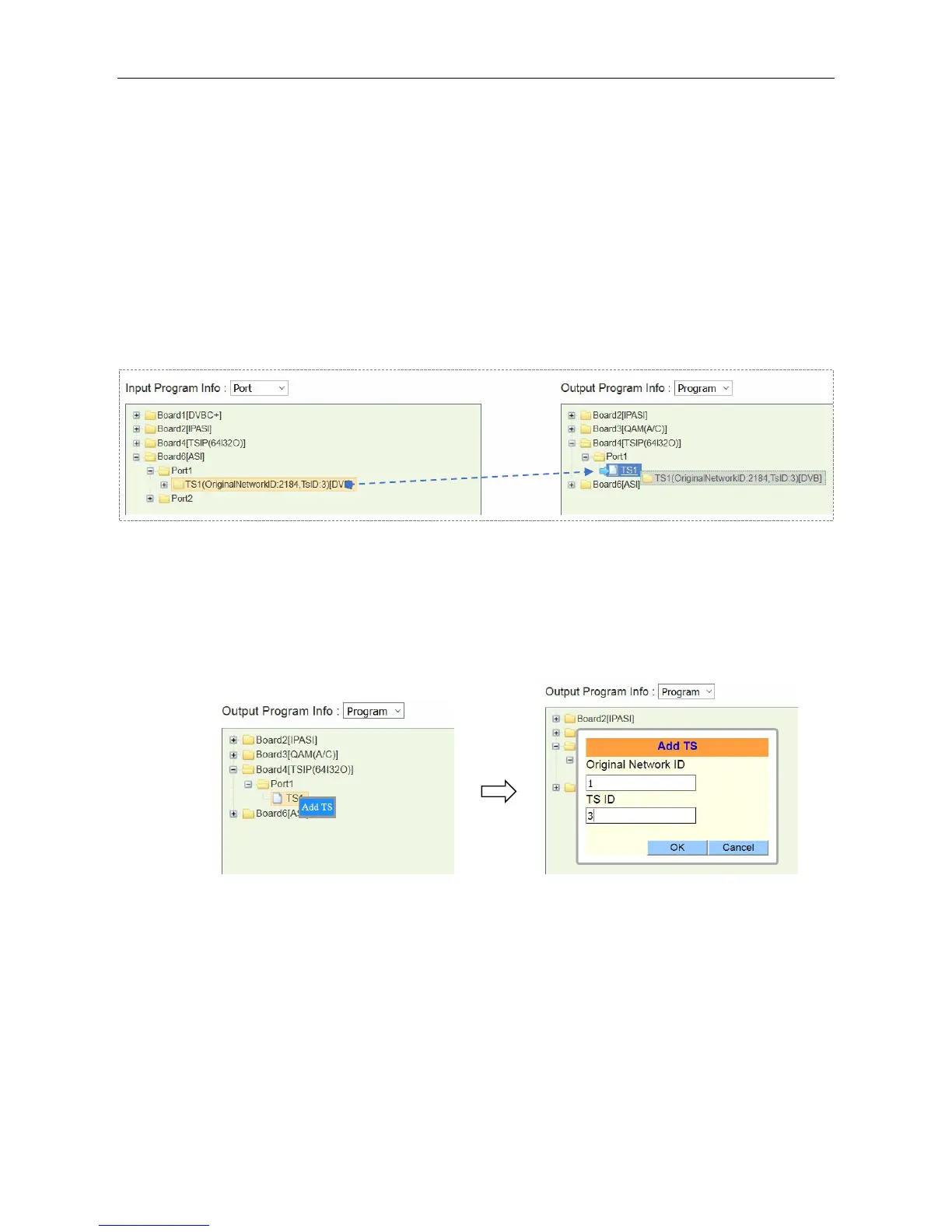
Drag TS to TS
Click an input TS; drag and drop it to an output TS. Click Apply. Click Save if necessary. See the
following Image, there is a TS coming from Board6 ASI input, and a TS is to be created in Board4
TSIP output port.
Drag Programs to Programs
Right-click an output TS. Click Add TS to edit Original Network ID and TS ID for this new TS. Click
OK to confirm, then an empty TS is created.
Click a program in the input port, drag and drop it to Program (0 Services) in the output
configuration area.
Click Apply. Click Save if necessary.



 To Next Page