DMP900 User Guide
13
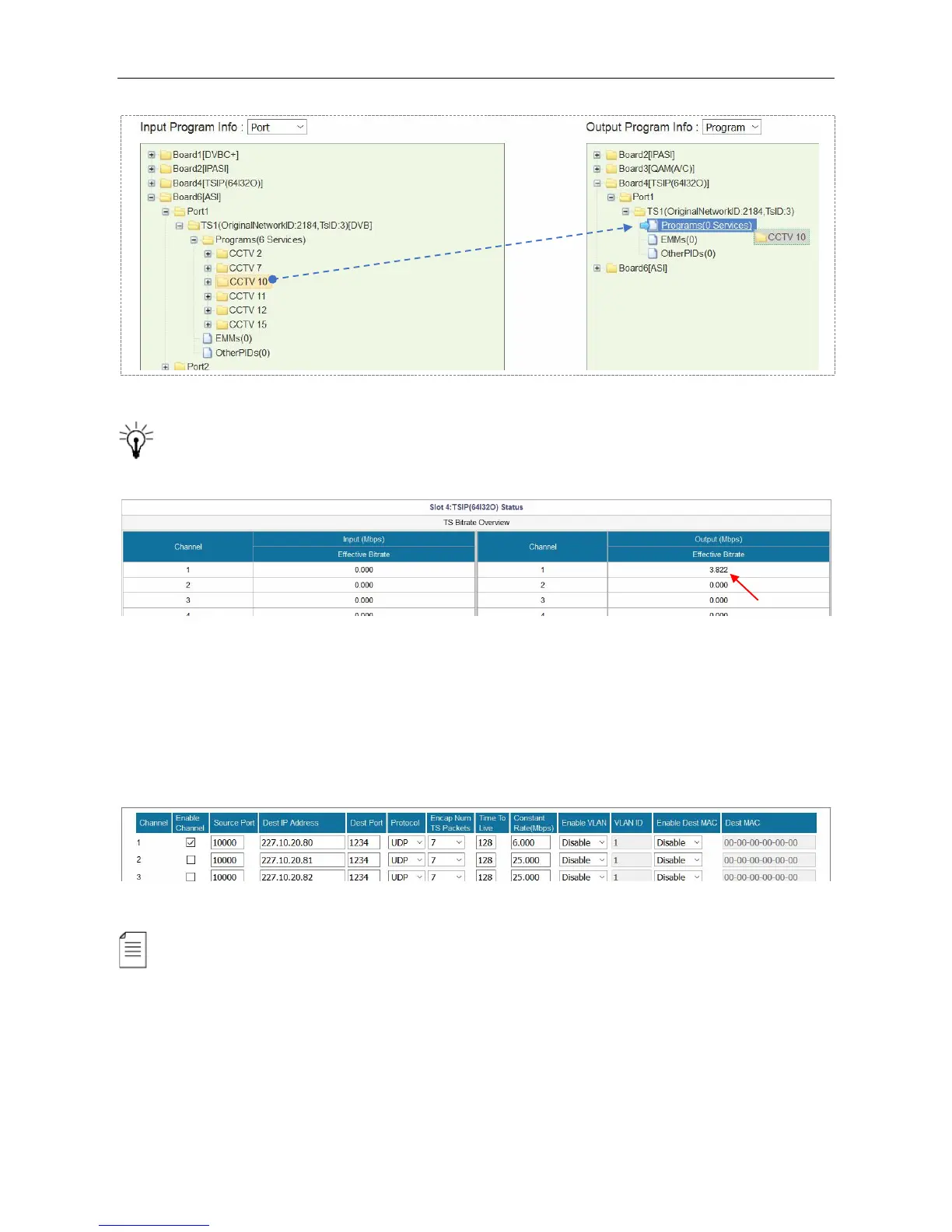
Go to Status > TSIP (64I32O) to verify the Effective Bitrate in the corresponding output
channel.
Go to Module Configuration > TSIP (64I32O) > Output*Channel (1-16). See the following image.
Set the Constant Rate 2 Mbps higher than the output Effective Bitrate you to avoid overflow. For
example, if the Effective Bitrate of ASI output TS1 is 3.822 Mbps, set Constant Rate 6 Mbps. Click
Apply at the bottom of this page.
If the Constant Bitrate is lower than the Effective Bitrate, it will cause packet loss, and the
Effective Bitrate of the corresponding TS will be highlighted in red. See the following image.



 To Next Page