DMP900 User Guide
26
3.3.3 Upgrading Set Top Box through OTA
To update the software for a number of STB’s, use the following steps:
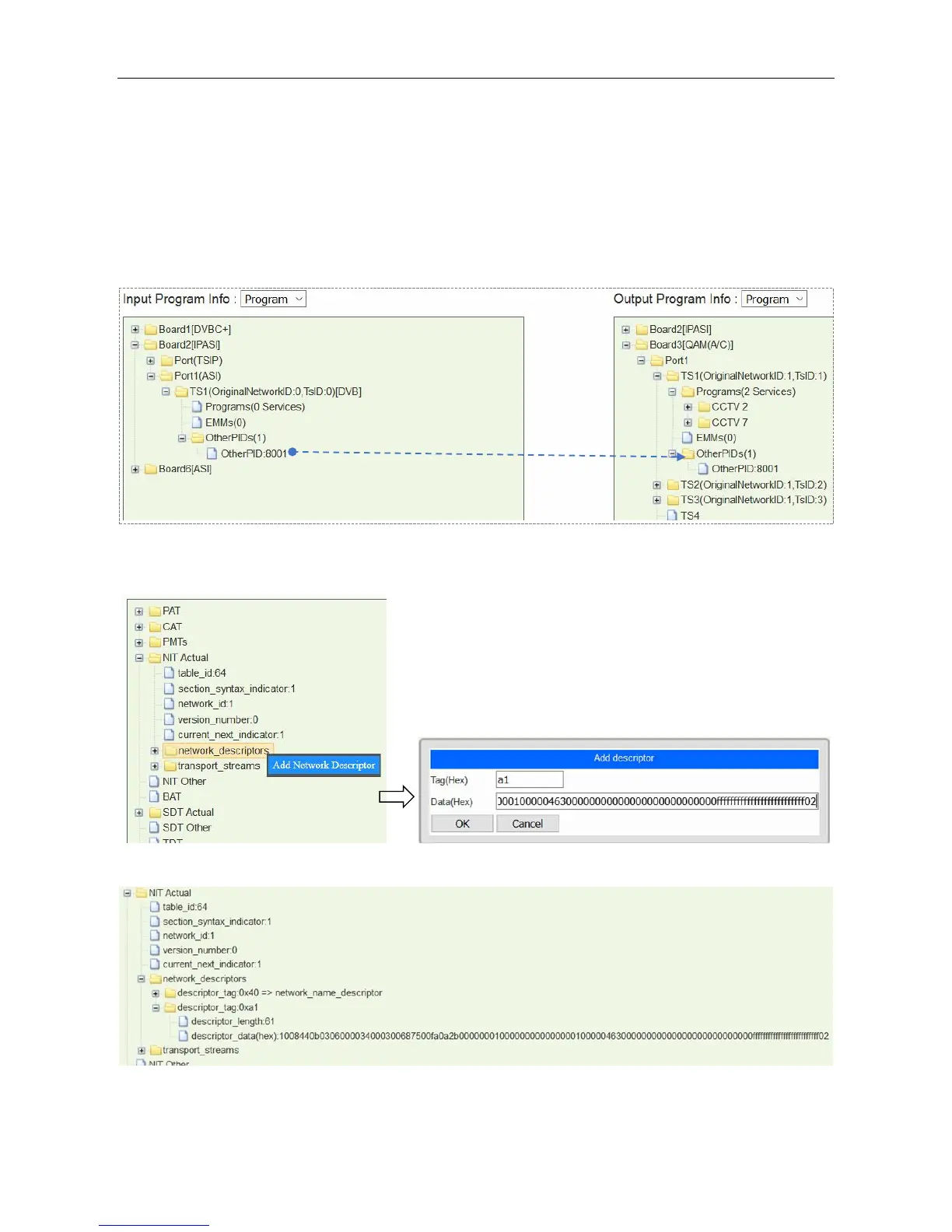
1. Feed the update stream to SMP by the embedded ASI or IP port.
2. Drag the update PID to QAM output port. See the following image, an update stream is taken as
other PID 8001 in SMP.
3. Add update descriptor in the NIT. Go to SI Edit page of the center TS. Add Network Descriptor
by right click on network_descriptors. Generally, the descriptor is from STB manufacturer.
4. Go to Service Configuration. Click Apply and Save.
5. Exit to Service Configuration, and click Apply.



 To Next Page