DMP900 User Guide
10
3.2.2 Configuring Input
Before configuring the input, please plug in an input cable with valid signals.
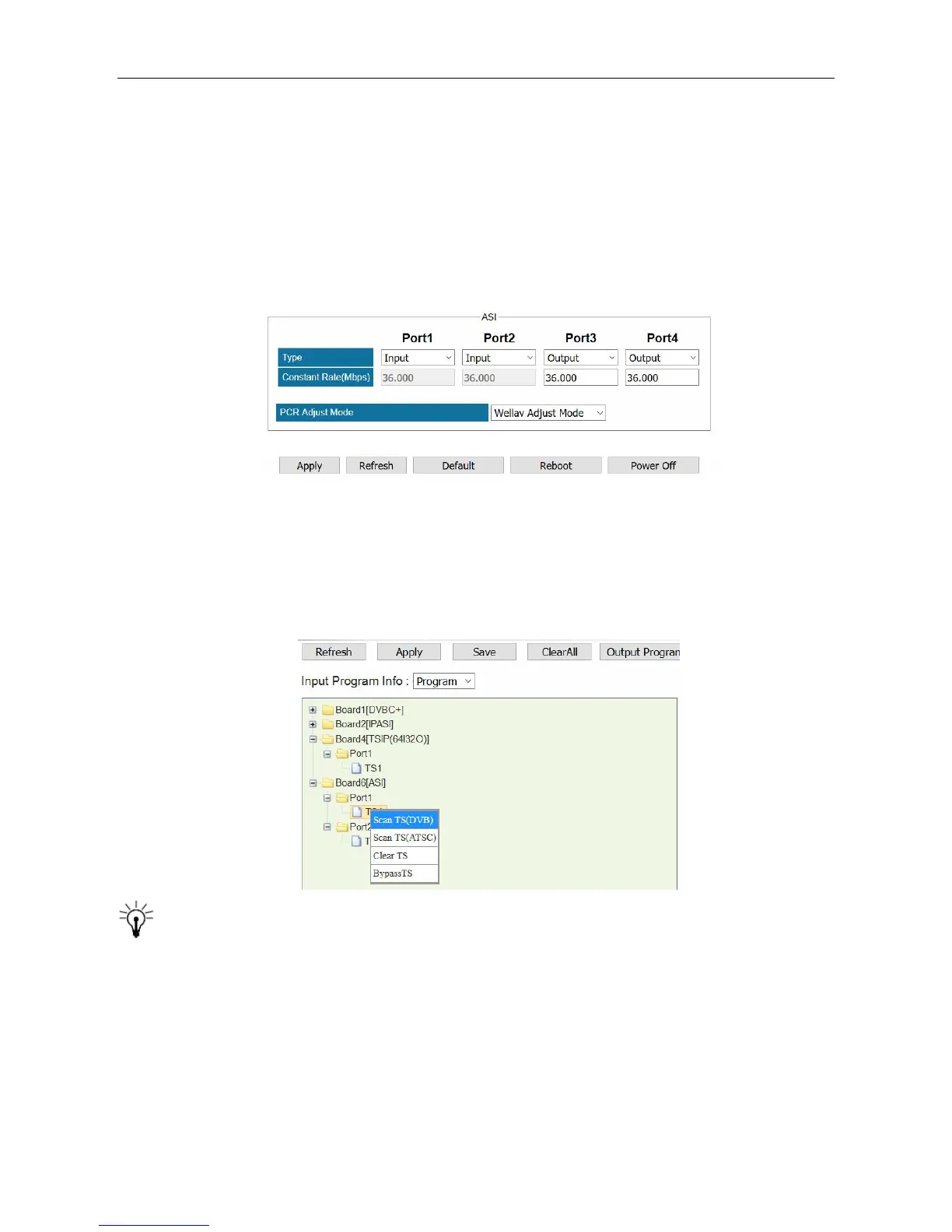
Steps to configure ASI input:
1. Go to Module configuration > ASI, set Port 1 and Port 2 as input ports. Click Apply before you
go to the next step. Then two input ports are available in ASI module. See the following image.
2. Go to Service Configuration. Right click the TS1 under Board6 [ASI] on the left of this page.
3. Click Scan TS (DVB) or Scan TS (ATSC) to search the input.
Before you configure input, go to Equipment Configuration > System, and set the Output
TS Standard. By default, it is DVB. See 3.2.5
Batch Scan
When an input port contains multiple TS, use Batch Scan to search Multiple TS in sequence to
avoid repetitive operation.



 To Next Page