DMP900 User Guide
15
3.2.5 Version Information/Upgrade
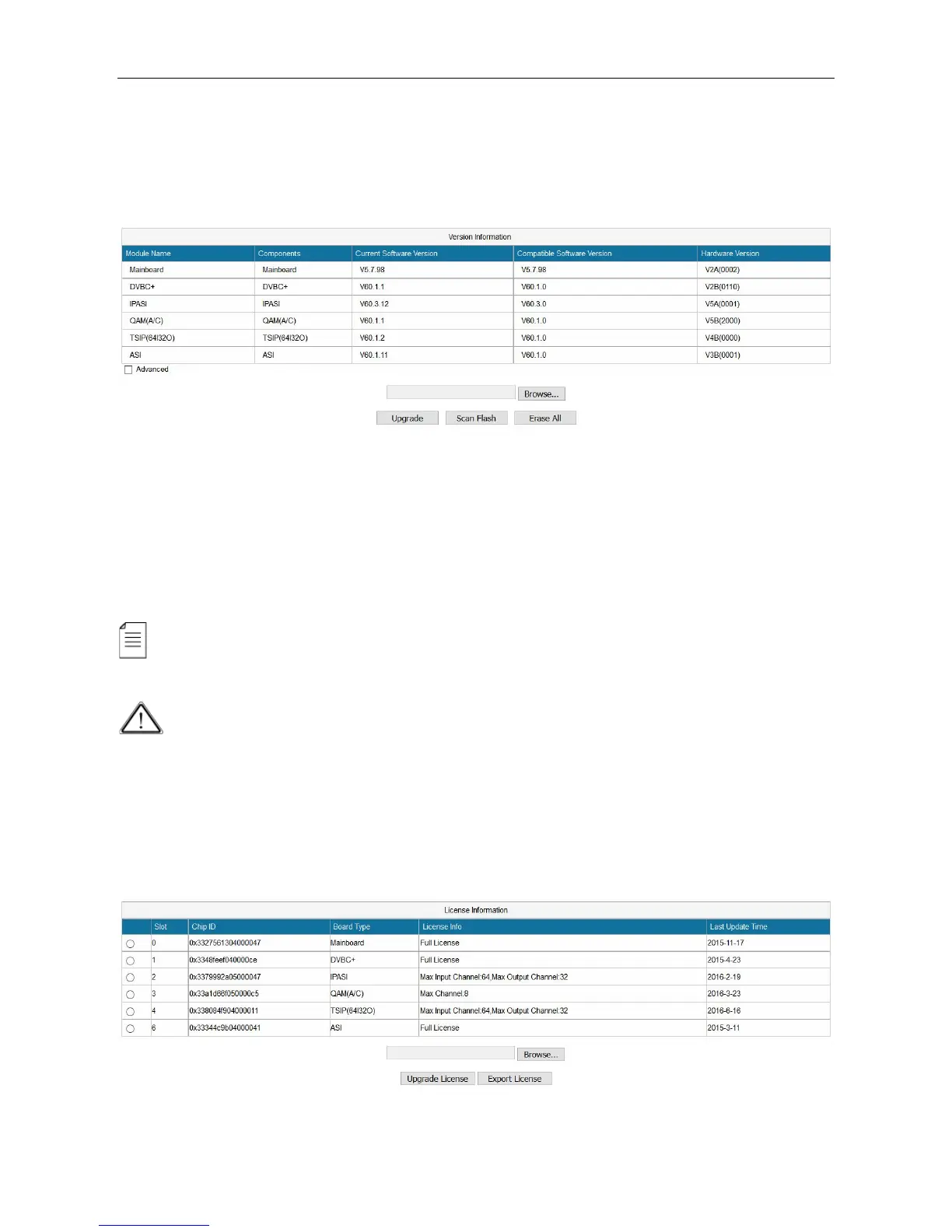
Version Information/Upgrade page presents the software information. Check Advanced to view
all the software that are loaded in this unit.
Updating software
Click Browse to select the software. Then click Upgrade to start update process.
If it is a mainboard upgrade, DMP900 will reboot itself after upgrade is finished. If it is module
upgrade, Go to Module Configuration and click Reboot to load the module again.
Always contact the manufacturer if you have any software problem. Do not click Erase All to
delete all the software unless instructed to do so.
Do not upgrade any software unless instructed to do so. Do not disconnect the management
cable or power off the device during update process.
3.2.6 License



 To Next Page