DMP900 User Guide
71
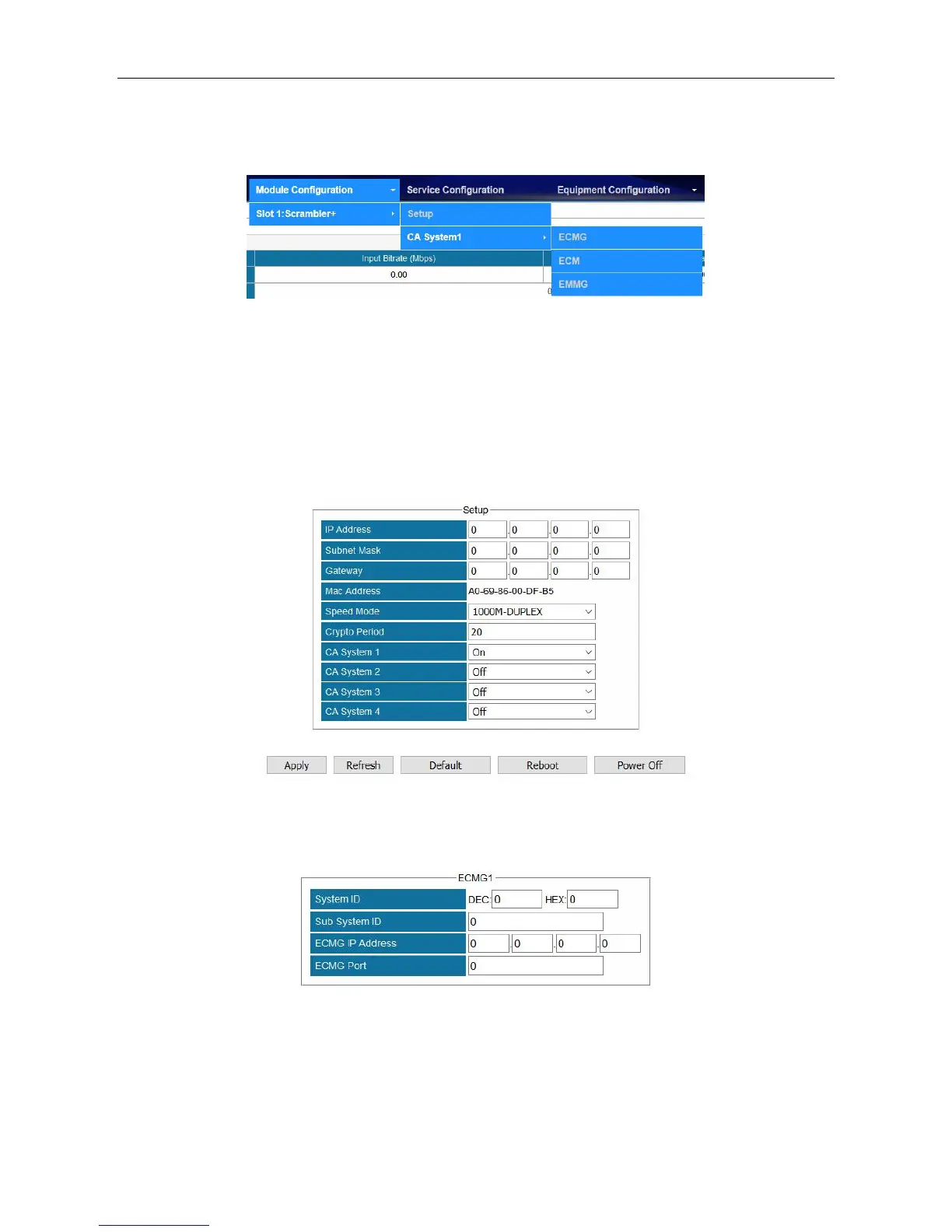
The following figure gives an overview of Scrambler+ menu structure.
Configuring Scrambler+ Setup
Go to Module Configuration >Setup. Enter the IP Address, Subnet Mask, Gateway, and Speed
Mode for this scrambler. The IP Address should be in the same network with that of the CAS
server. The Speed mode should be the same with the Ethernet of CAS server. Turn on CA System
1 and keep unused CA Systems Off. Use a cross-through RJ45 cable to connect scrambler to CAS
server’s Ethernet port. Check the connection by pinging scrambler’s IP address in the Command
Prompt of CAS server.
Configuring ECMG connection.
Enter System ID, Sub System ID (keep it 0 if not required), ECMG IP Address, and ECMG Port.
Click Apply. Check ECMG Communication Status in Status >Scrambler+. When the connection
is liable, the status is a green Connected. See in the following figure.



 To Next Page