www.Welltec.pro 23
First connection of the air conditioner
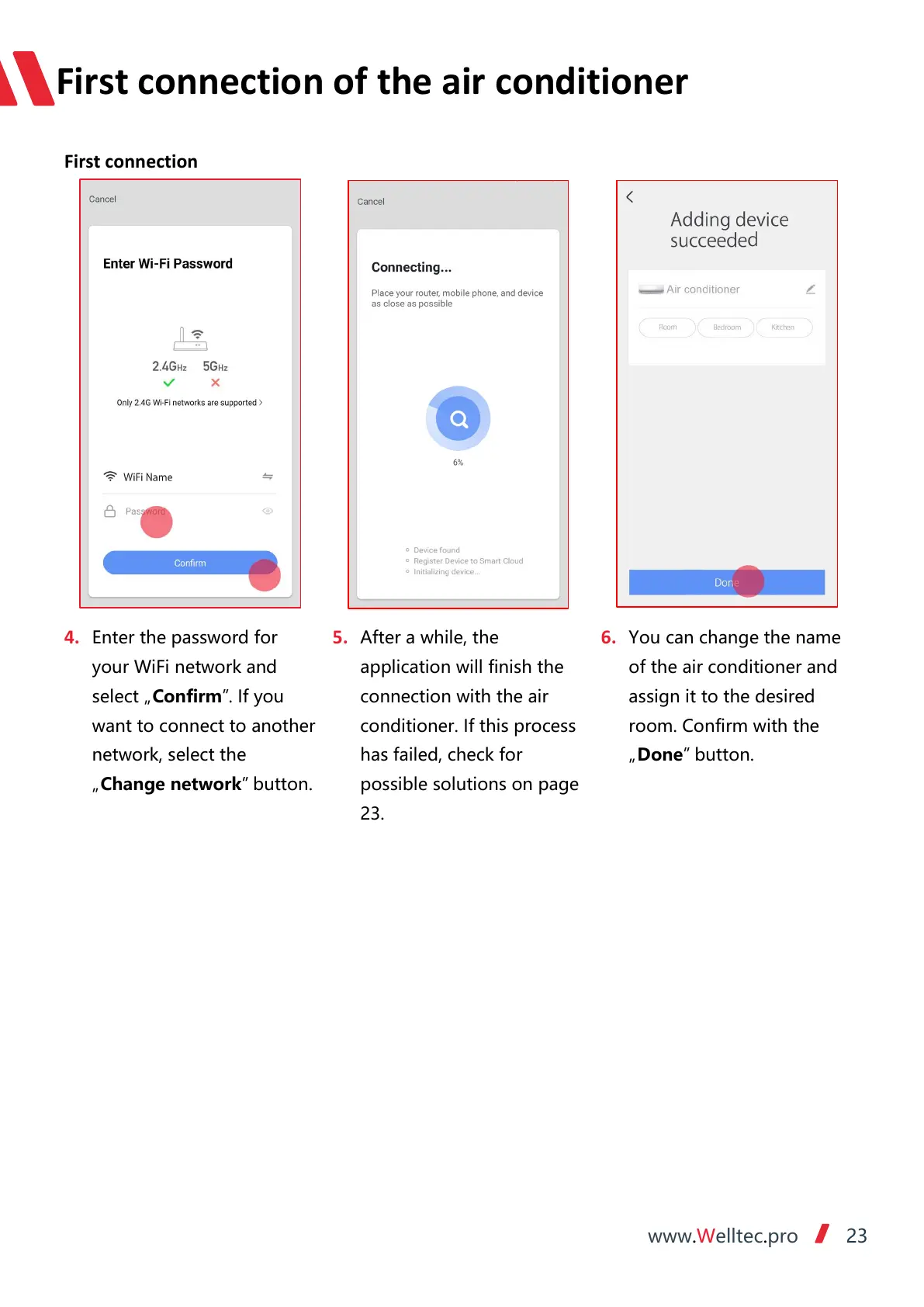
4. Enter the password for
your WiFi network and
select „Confirm”. If you
want to connect to another
network, select the
„Change network” button.
5. After a while, the
application will finish the
connection with the air
conditioner. If this process
has failed, check for
possible solutions on page
23.
6. You can change the name
of the air conditioner and
assign it to the desired
room. Confirm with the
„Done” button.



 To Next Page