www.Welltec.pro 22
First connection of the air conditioner
Before connecting, make sure your phone is connected to a 2.4GHz WiFi network with an
active internet connection. Prepare a password for this network. Start the air conditioner and
press the „SPEED” button for 5 seconds until the WiFi LED on the unit starts flashing rapidly.
The air conditioner will then be ready to connect.
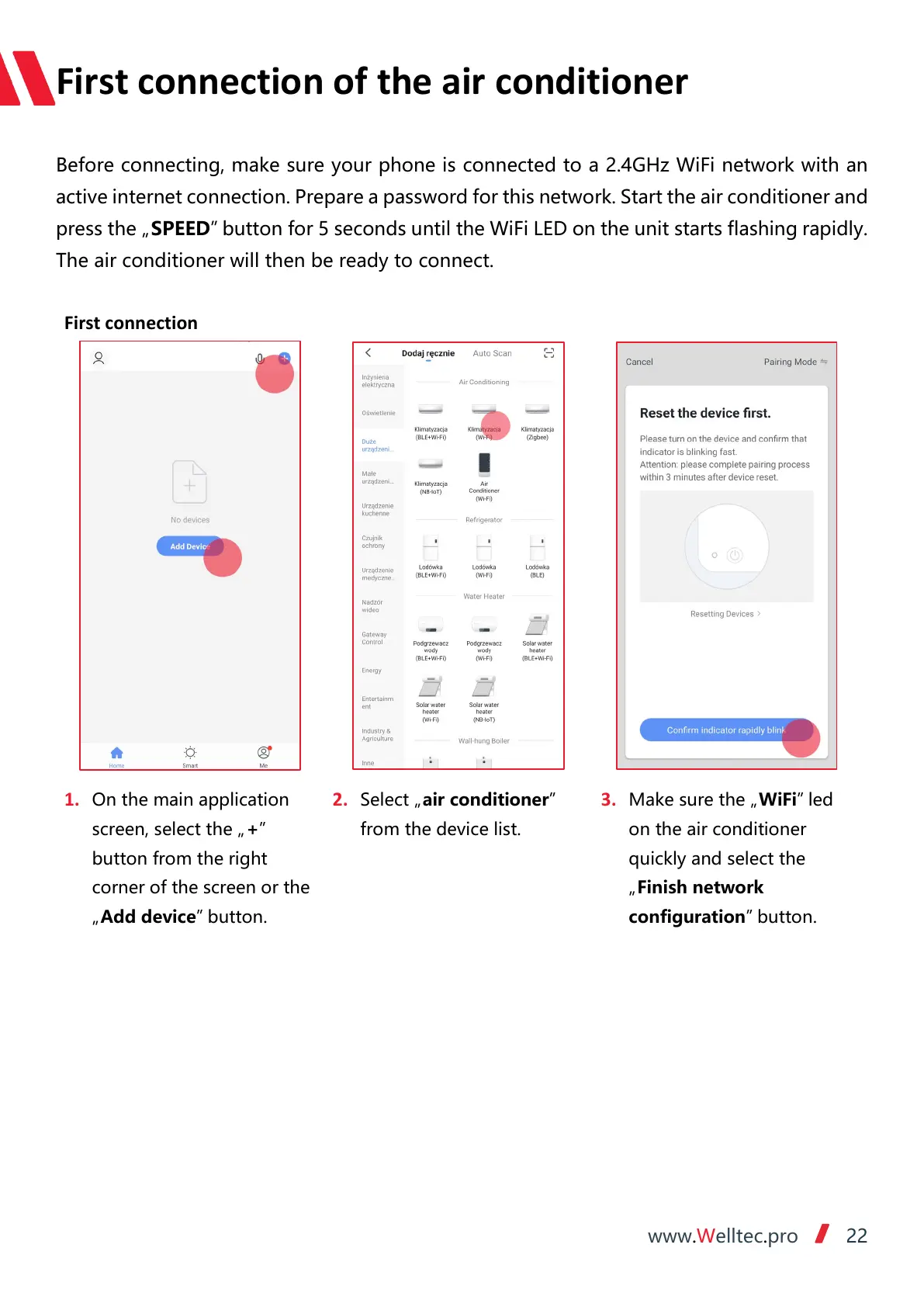
1. On the main application
screen, select the „+”
button from the right
corner of the screen or the
„Add device” button.
2. Select „air conditioner”
from the device list.
3. Make sure the „WiFi” led
on the air conditioner
quickly and select the
„Finish network
configuration” button.



 To Next Page