www.Welltec.pro 11
Usage
Control panel and display
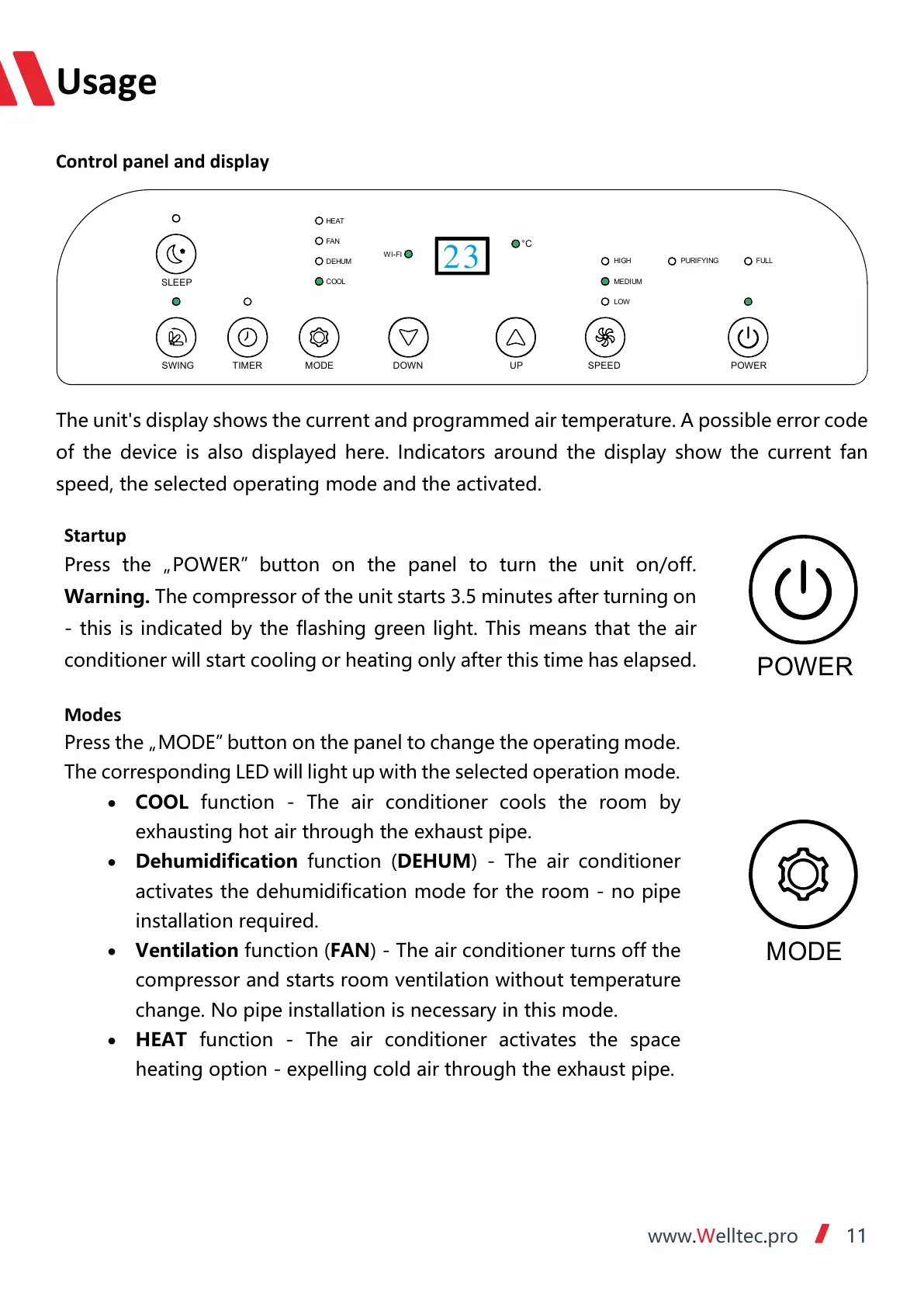
The unit's display shows the current and programmed air temperature. A possible error code
of the device is also displayed here. Indicators around the display show the current fan
speed, the selected operating mode and the activated.
Startup
Press the „POWER”
button on the panel to turn the unit on/off.
Warning. The compressor of the unit starts 3.5 minutes after turning on
- this is indicated by the flashing green light. This means that the air
conditioner will start cooling or heating only after this time has elapsed.
Modes
Press the „MODE” button on the panel to change the operating mode.
The corresponding LED will light up with the selected operation mode.
• COOL function - The air conditioner cools the room by
exhausting hot air through the exhaust pipe.
• Dehumidification function (DEHUM) - The air conditioner
activates the dehumidification mode for the room - no pipe
installation required.
• Ventilation function (FAN) - The air conditioner turns off the
compressor and starts room ventilation without temperature
change. No pipe installation is necessary in this mode.
• HEAT function - The air conditioner activates the space
heating option - expelling cold air through the exhaust pipe.
POWERSPEED
UP
DOWN
MODE
TIMERSWING
SLEEP
HEAT
FAN
DEHUM
COOL
WI-FI
HIGH
MEDIUM
LOW
FUL L
°C
PURIFYI NG
23



 To Next Page