ATA Web user guide
109 / 114 2015/1/8
10.8
Default
10.8.1 Function
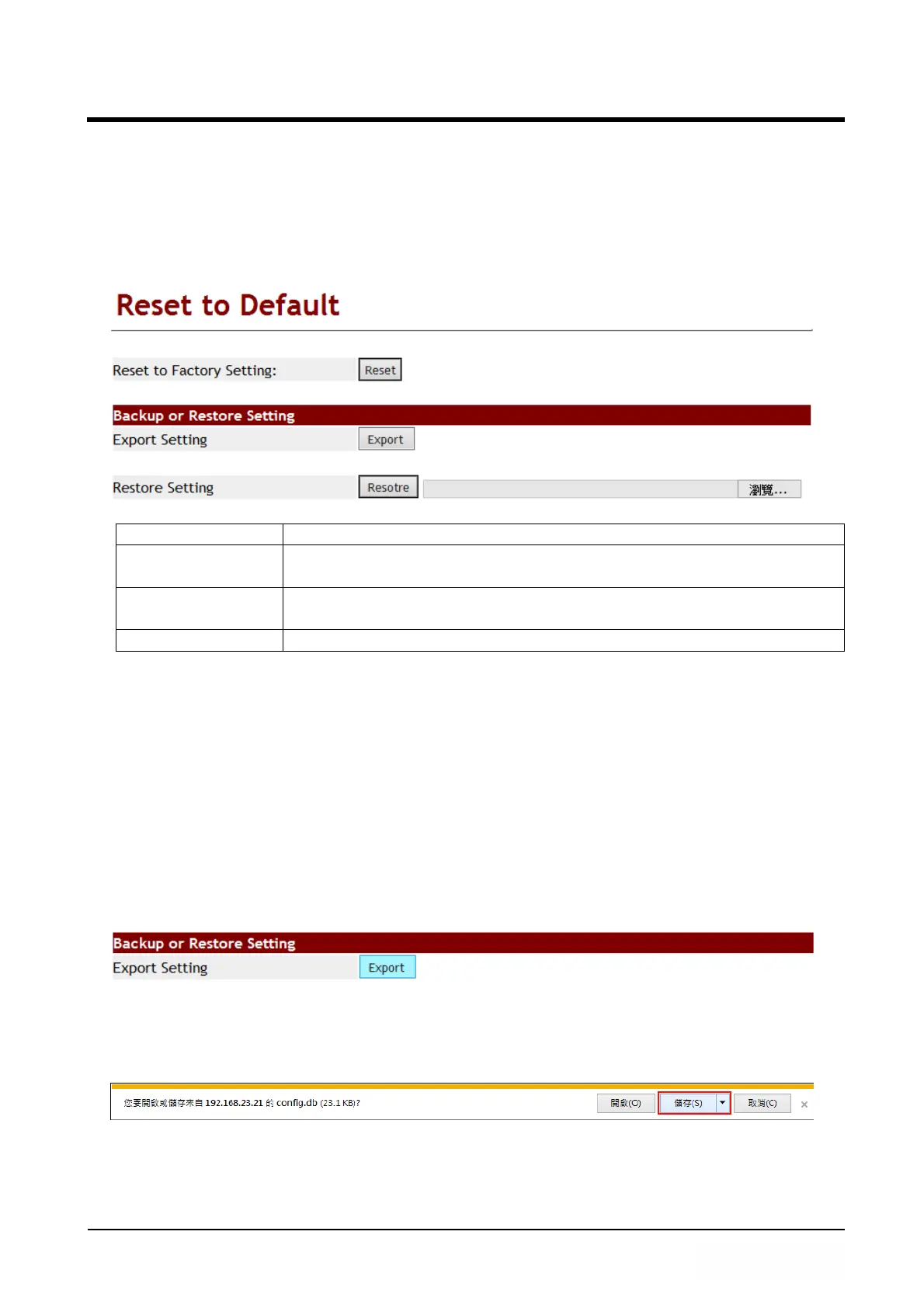
Default Provides the way of eliminating all Settings and reloading the default
Settings except the data of Phone Book.
10.8.2 Instruction
Item Decription
Reset [Button] Clear all Setting and reset to default, Then reboot system
automatically.
Export [Button] [Export] button, Provide device configuration back up. Default
file name is config.db.
Restore [Button] Provide restore feature, Import file format is .db.
Note: If user use [Update.htm] web page’s [Restore Configuration] to upload [config.db]
file, it can’t clear configuration from this feature.
10.8.3 Operate Instruction
Example 1: Export System Configuration
Step 1: Please finish the Web parameter Set up, Then reboot LP399.
Step 2: In [Reset to Default] web page, Press [Export System Configuration]’s [Export]
button (See Figure 1).
(Figure 1)
Step 3: Enter [Save File] menu, Default file name is config.db, press [Save] button, Save
the system parameter to .db file (See Figure 2).
(Figure 2)
Example 2: Restore Setting
Step 1: In [Reset to Default] web page, Press [Browse] button. After choosing the



 To Next Page